VDL (E3) 09/2019 Page 115/234
11.6.1 MB2 controller
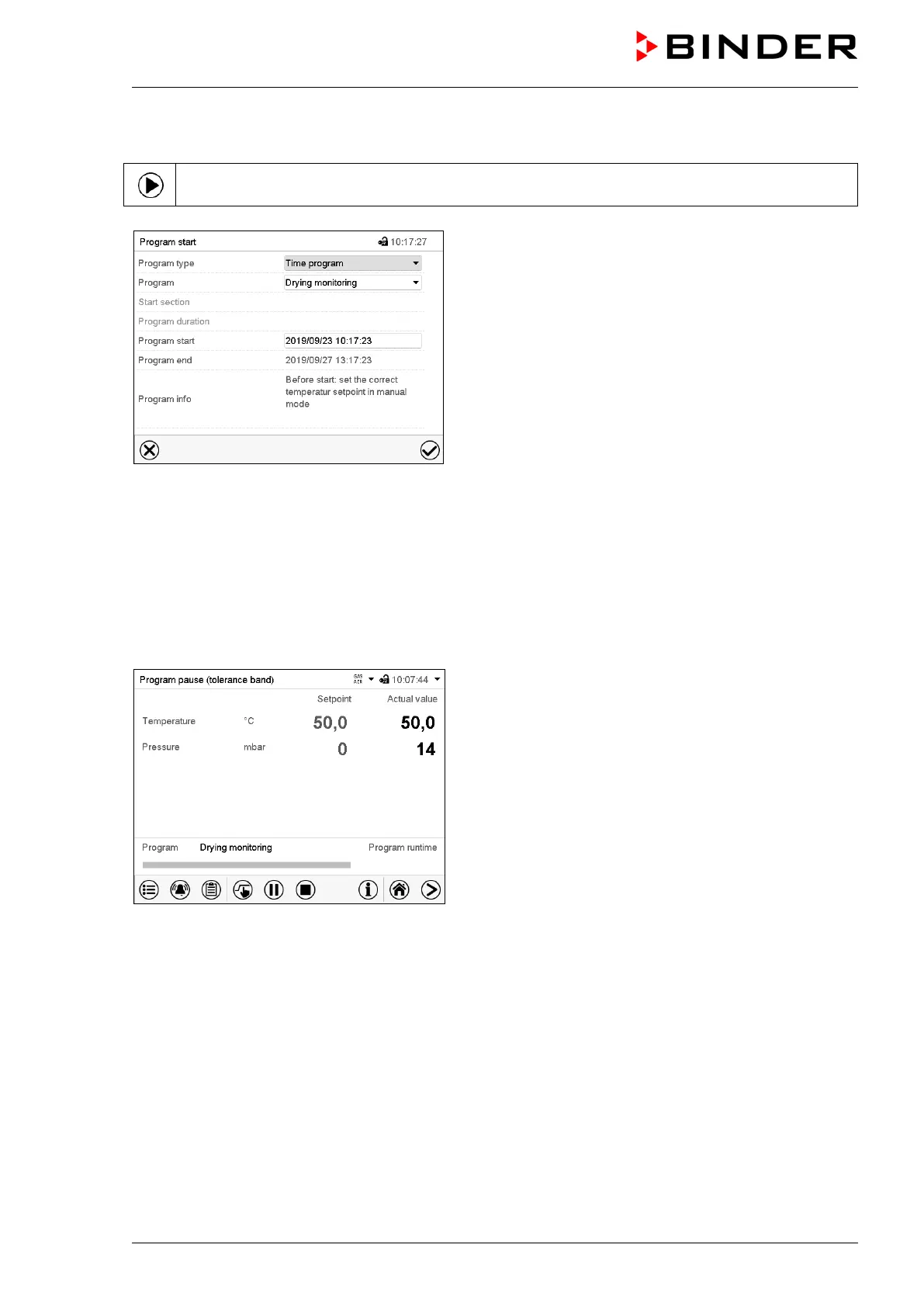
In Normal display press the Program start icon to access the “Program start” menu.
“Program start” menu with the selected Drying monito-
ring program.
• In the field “Program” select the setting “Drying monitoring” program.
• Select the field “Program start” and enter the desired program start time in the “Program start” entry
menu. Press the Confirm icon. The program delay time until program start begins. The program end
is calculated automatically.
After completing the settings, press the Confirm icon to take over the entries and exit the menu. The
program starts running.
If instead you press the Close icon to exit the menu without taking over the entries, the program will not
start.
Normal display. Information on the bottom of the
screen indicates the currently running program and the
time already passed. The grey bar shows how much
time of the whole time is elapsed.



 To Next Page