VDL (E3) 09/2019 Page 109/234
11.2.1 MB2 controller
Press the Setpoint setting icon to access the “Setpoint” setting menu from Normal display..
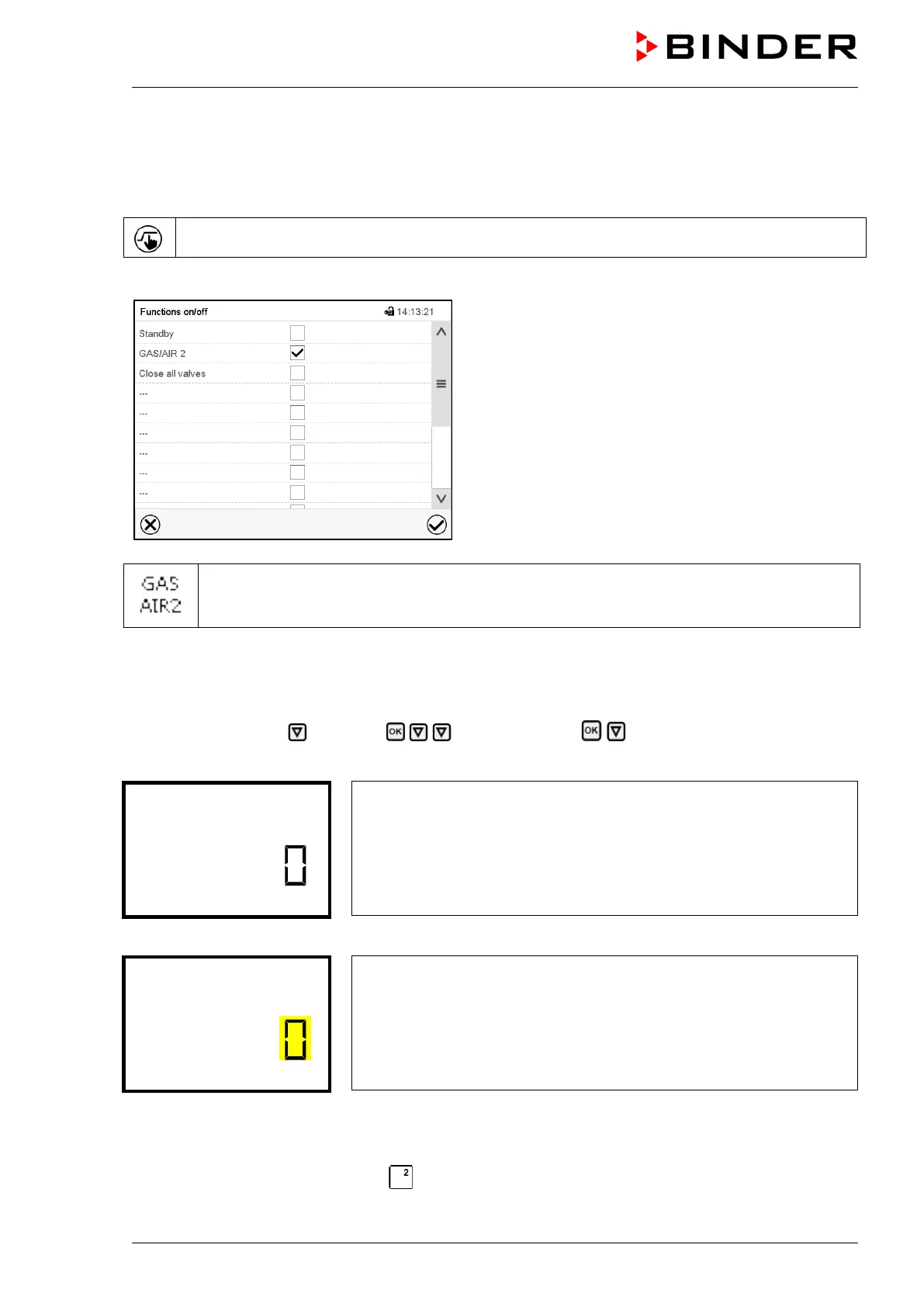
Path: Setpoint > Fixed value operation setpoints > Functions on/off
“Functions on/off” menu.
Mark the checkbox of the function “GAS/AIR 2” to acti-
vate it and press the Confirm icon.
In the “Setpoints” menu press again the Confirm icon.
The controller changes to Normal display.
When the function “GAS/AIR 2” is activated, the “GAS/AIR 2” icon is displayed in the screen
header in Normal display. Press the flash icon next to the information icon to display the cor-
responding text information “GAS/AIR 2” (information messages, chap. 16.1.1)
11.2.2 RD4 controller
Path: Normal display Setpoints Functions on/off GAS/AIR 2
Press the OK button to access the function “GAS/AIR 2”.
Function 2 “GAS/AIR 2”.
The current switching state is shown (example).
Press the OK button to enable the setting.
Setting the function 2 “GAS/AIR 2”.
The current setting flashes. Use the arrow buttons to select between
“0” (Use valve for connection “GAS/AIR”) and “1” (Use valve for
connection “GAS/AIR 2”).
Confirm the setting with the OK button.
With the Back button you can go back to the “Functions on/off” submenu and, repeatedly pressing it, to
Normal display.
With setting “1” (closed valve of the standard connection “GAS/AIR” (9), active valve of the optional
connection “GAS/AIR 2” (5)) the icon is shown in Normal display.



 To Next Page