VDL (E3) 09/2019 Page 147/234
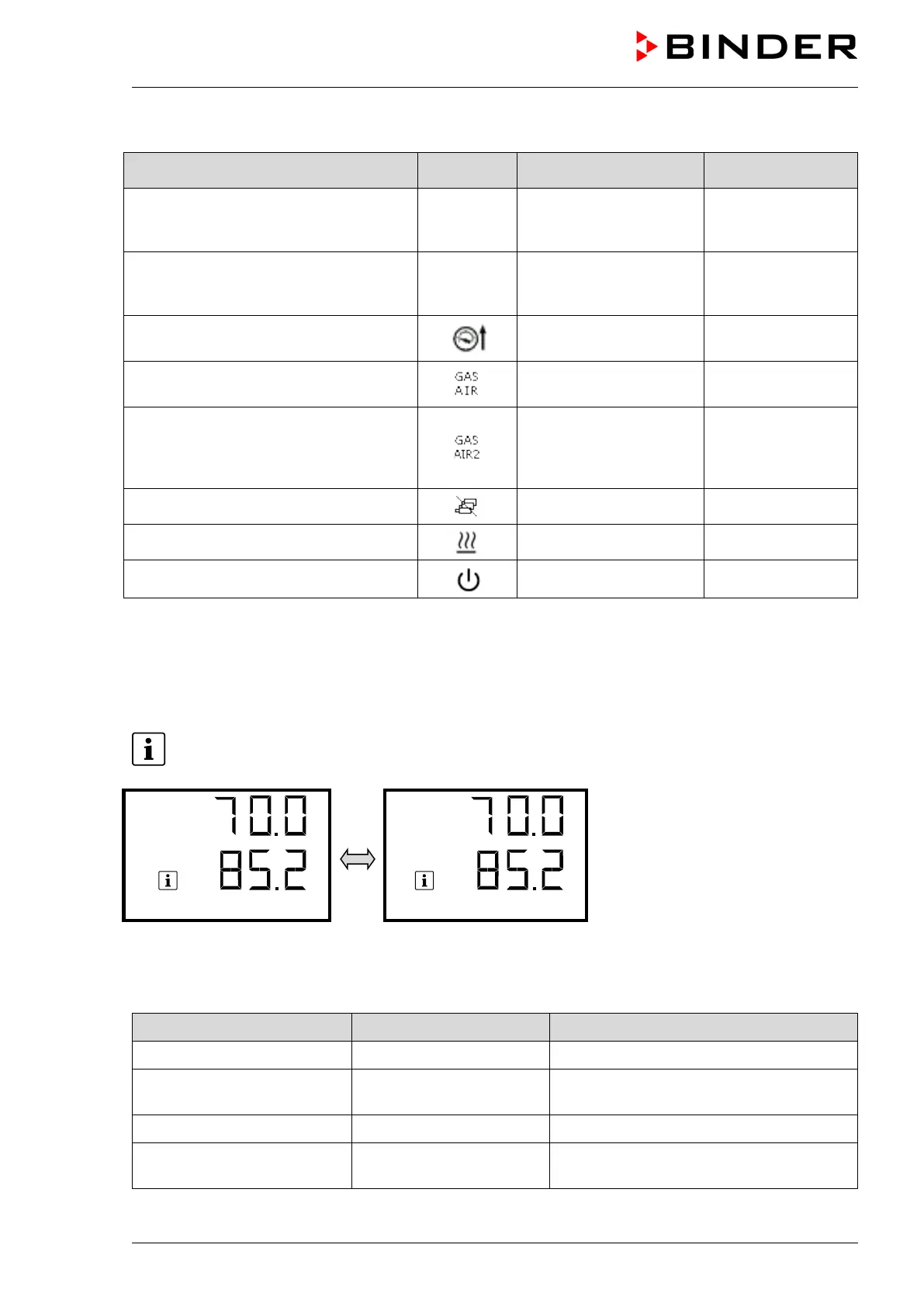
Information messages overview:
Condition
Text information
Start after
condition occurred
Deactivated temperature control
Temperature setpoint
value display shows
“ – – – – ”
immediately
Deactivated pressure control
Pressure setpoint value
display shows
“ – – – – ”
immediately
Pressure threshold of 100 mbar not
reached
“Pressure threshold not
reached”
immediately
Ventilation via regular connection
“GAS/AIR” (4)
“GAS/AIR” immediately
Ventilation via optional connection
“GAS/AIR 2” (5).
Regular connection “GAS/AIR” (4)
deactivated.
“GAS/AIR 2” immediately
All valves are closed
“All valves are closed” immediately
Chamber is heating up
“Heating active” immediately
Standby mode activated
“Standby” immediately
Information messages are not shown in the event list.
16.1.2 RD4 controller
Information messages provide information about the settings made or the current controller condition.
In Normal display a text message indicates the condition. The “Information” icon is flashing slowly.
Information message (example:
Pressure control deactivated)
If there are several information messages, they are displayed one after the other.
Information messages overview:
Condition
Information message Moment of information message
Standby mode activated “Standby” During Standby mode
Temperature control deacti-
vated
“Temperature control off”
Following deactivation of temperature
control
Pressure control deactivated “Pressure control off” Following deactivation of pressure control
Pressure threshold of 100
mbar not reached
„Press.thresh. not reach“ Until reaching 100 mbar or below



 To Next Page