VDL (E3) 09/2019 Page 178/234
19.6.4 Setpoint entry
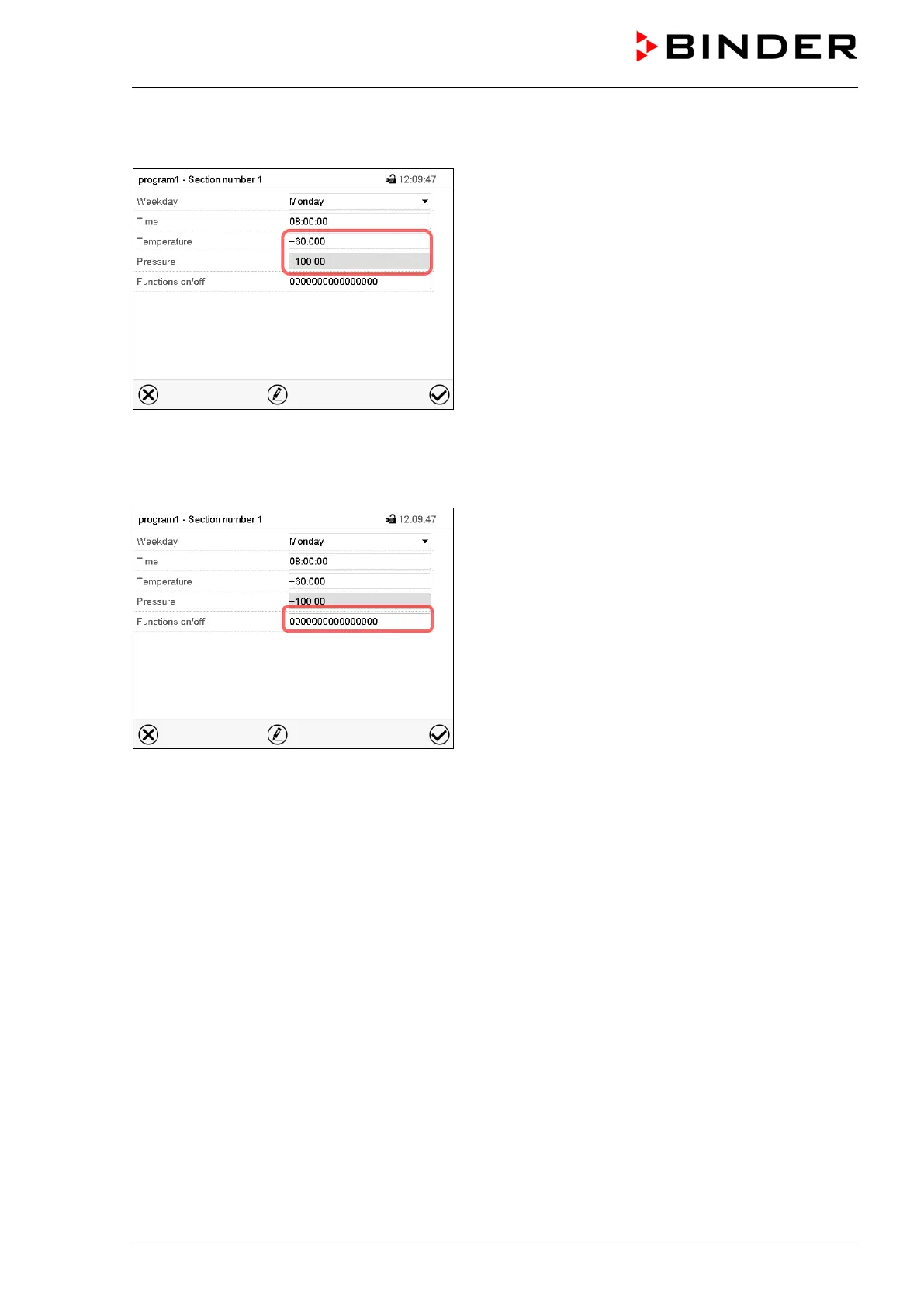
Section view.
• Select the field “Temperature” and enter the desi-
red temperature setpoint.
Setting range: 0.0 °C up to 110.0 °C
Confirm entry with Confirm icon. The controller
returns to the section view.
• Select the field “Pressure” and enter the desired
pressure setpoint.
Setting range: 0 mbar up to 1100 mbar
Confirm entry with Confirm icon. The controller
returns to the section view.
19.6.5 Special controller functions
Section view.
In the “Functions on/off” menu you can define the
switching state of three controller functions.
• Function “Standby” (chap. 9.5)
• Function “GAS/AIR 2” (chap. 11.2)
• Function “Close all valves” (chap. 11.3)
For details please refer to chap. 18.7.3.
After the all desired values of the program section have been configured, press the Confirm icon. The
controller changes to the program view



 To Next Page