VDL (E3) 09/2019 Page 134/234
13.1.7 Current operating parameters
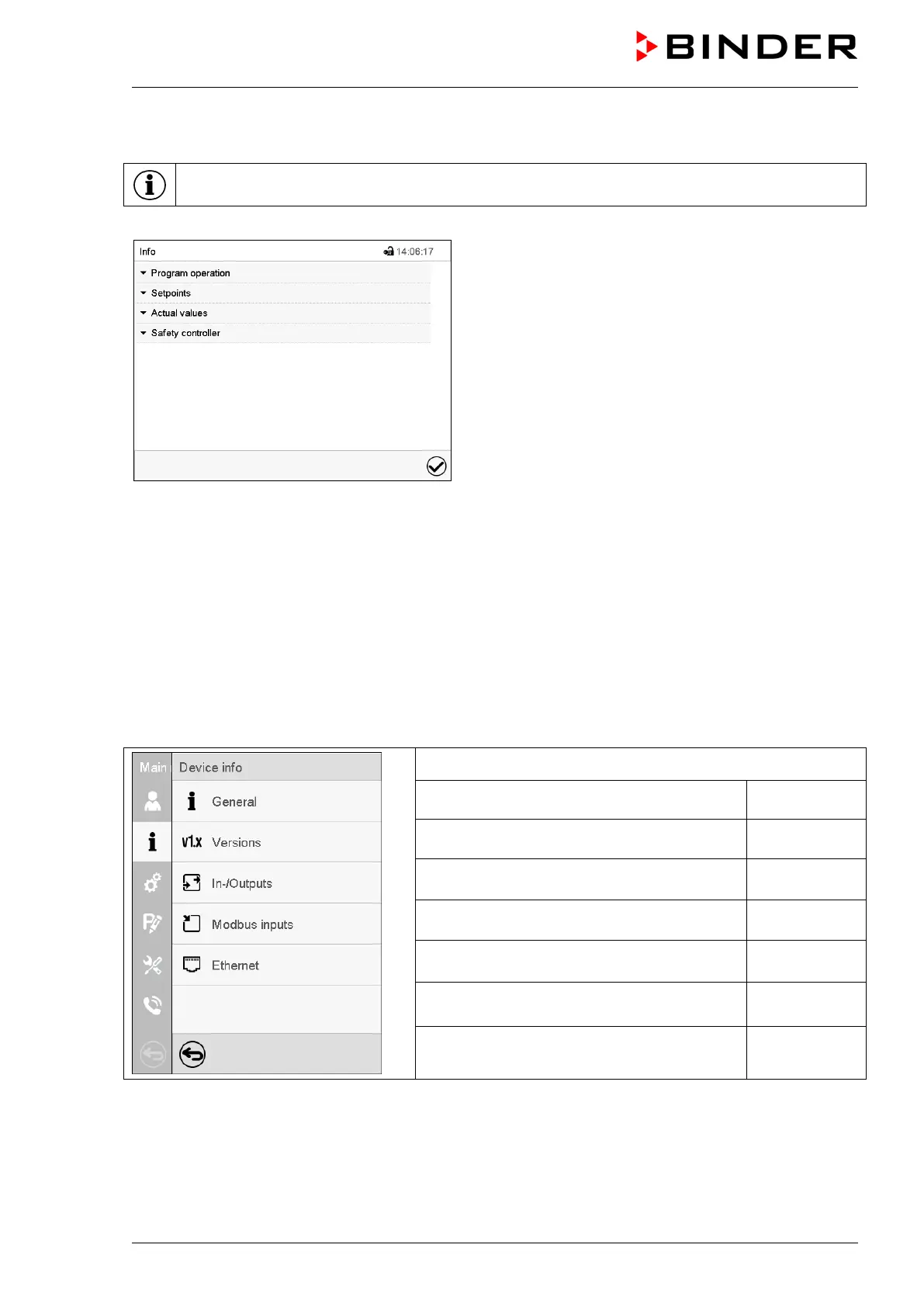
Press the Information icon to access the “Info” menu from Normal display.
“Info” menu.
Select the desired information.
• Select “Program operation” to see information on a currently running program.
• Select “Setpoints“ to see information on the entered setpoints and operation lines.
• Select “Actual values” to see information on the current actual values.
• Select “Safety controller” to see information on the safety controller status.
13.1.8 Technical chamber information
Path: Main menu > Device info
Chamber name and setup
Versions of CPU, I/O module and safety con-
for BINDER
Information on digital and analog inputs and
outputs and phase angle outputs
for BINDER
Information on modbus analog and digital
inputs
Information on Ethernet connection, MAC
address display
chap. 20.1.1
Back to main menu



 To Next Page