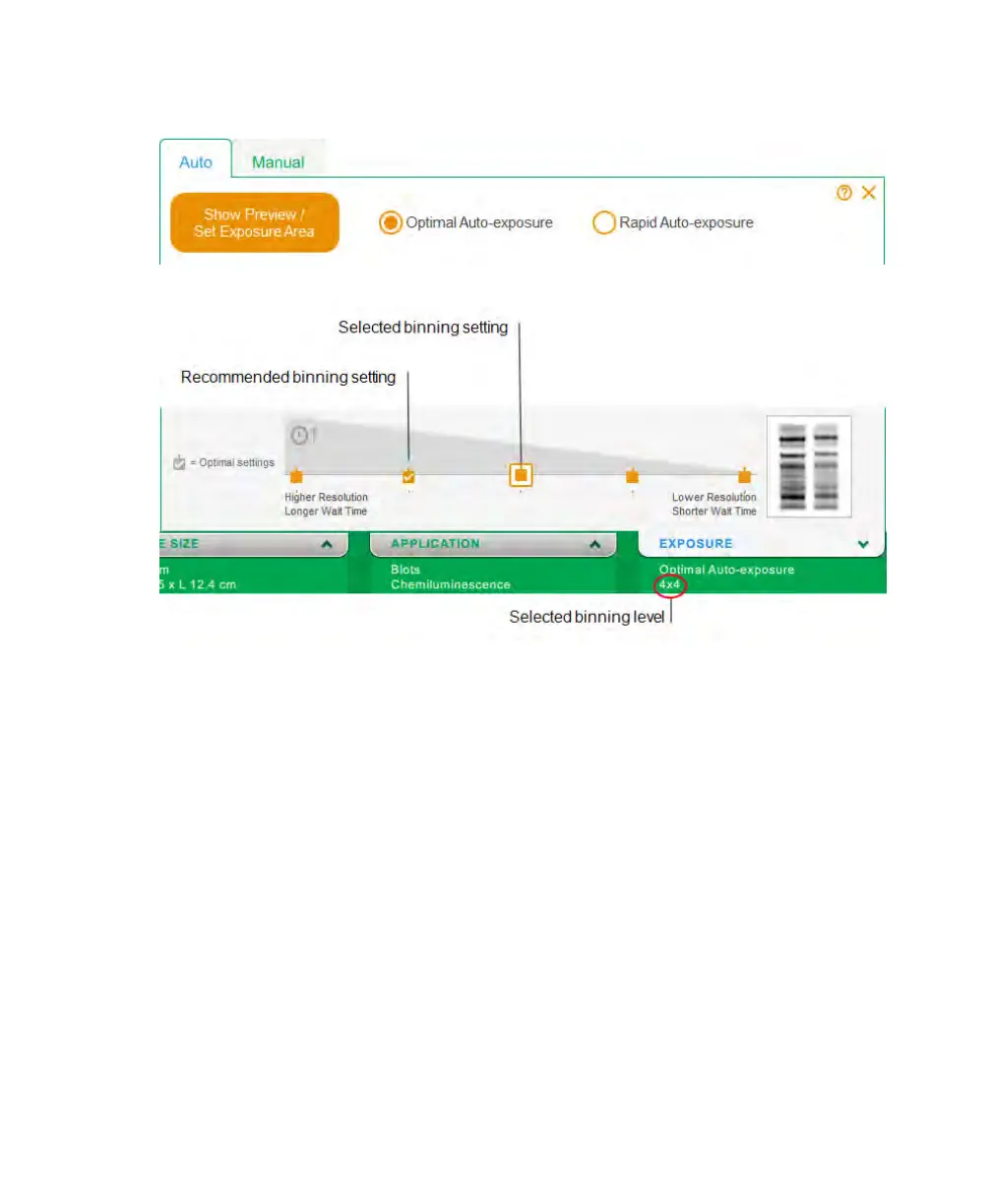
Setting the Exposure Time for a Chemiluminescent Image
3. Tap one of the following:
n Optimal Auto-exposure for an image that uses the full dynamic range but does not
exceed saturation. ChemiDoc Touch optimizes the image for the brightest region
within the selected area.
n Rapid Auto-exposure for an image that is usable but that might not detect fainter
bands. This exposure takes less time than the Optimal Auto-exposure.
Choose Rapid Auto-exposure when you are less interested in detecting faint
bands or to get an initial image that you can use to estimate manual exposure
time. Tap Image Info to get the exposure time.
For more information, see The Image Resolution/Sensitivity Scale on page 49.
User Guide | 57



 To Next Page