Chapter 3 Acquiring an Image
Choosing the Application
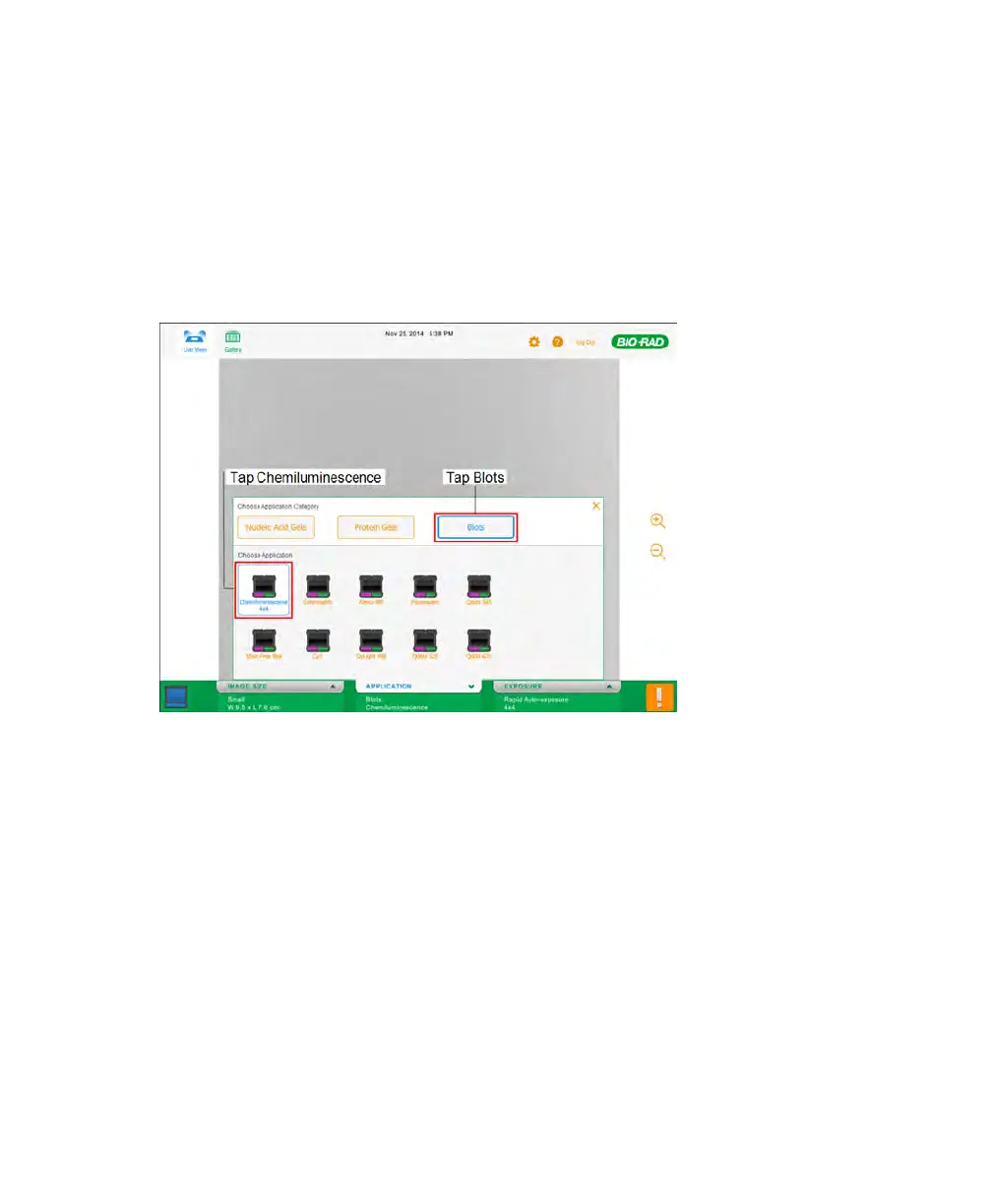
To choose the chemiluminescence application
1. In Live View, tap APPLICATION.
2. Tap Blots. Then tap Chemiluminescence.
About Exposure Times for Chemiluminescent Images
Image Lab™ Touch software accurately estimates the shortest exposure time for obtaining
high-resolution images. You can use the Image Resolution/Sensitivity scale with
adjustable binning settings to acquire the image you want. You can choose higher
resolution for publication-quality images or, when the bands are faint, higher sensitivity.
Image Lab Touch automatically determines the optimal setting required to achieve
publication-quality images. Images acquired at the optimal setting have a resolution of 175
microns or better per pixel. Selecting a setting to the left of this default setting increases the
48 | ChemiDoc Touch Imaging System



 To Next Page