21
Chapter 4 - The NESS H200 Wireless System
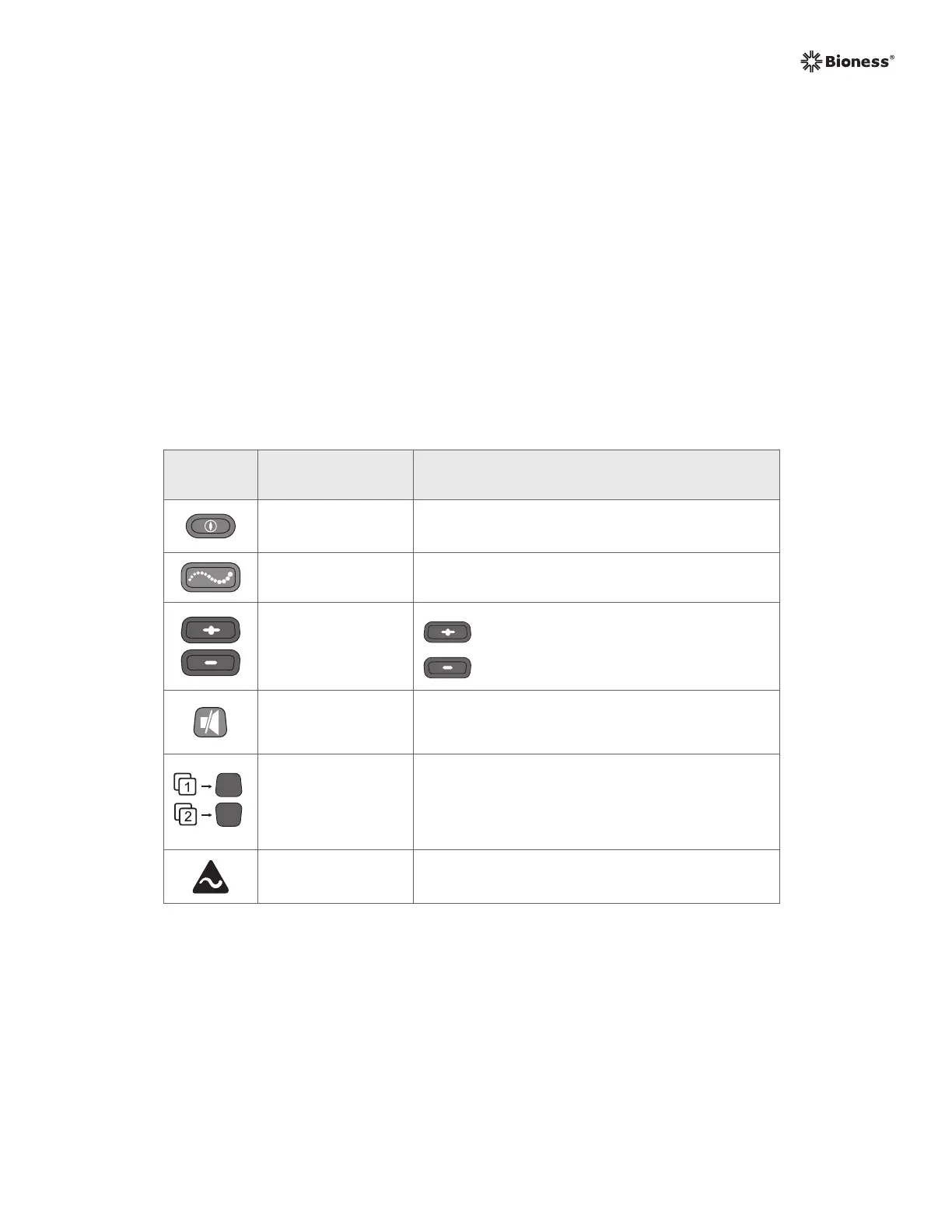
Table 4-3: H200 Wireless Control Unit operating buttons.
Operating
Button
Description Function
On/Off Button
Turns On/Off the System
Activates deep sleep mode
Trigger Button Turns On/Off and Pauses Stimulation
Intensity
Adjustment
Buttons
Increases Stimulation Intensity
Decreases Stimulation Intensity
Mute Button
Mutes/Un-Mutes the Control Unit and H200
Wireless Orthosis Audio Alerts
Program Selection
Buttons
Top: Selects User Program 1. In clinical mode,
advances through Clinical Programs A–G.
Bottom: Selects User Program 2. In clinical
mode, scrolls back though Clinical Programs A–G.
Stimulation Test
Button
Tests Stimulation in the H200 Wireless Orthosis:
Alternately tests extensors and flexors.
The Control Unit operating buttons are used to: See Table 4-3.
• Turn on/off the NESS H200 Wireless System.
• Test stimulation in the H200 Wireless Orthosis.
• Select/change a user program.
• Enter clinical mode to select a clinical program.
• Turn on/off and pause stimulation.
• Adjust the stimulation intensity level.
• Mute system audio alerts.
• Enter deep sleep mode.



 To Next Page