65
Chapter 8 - NESS H200 Wireless Software
8
Chapter
Information Icon Display Definition
SOLID GREEN H200 Wireless Control Unit connected.
SOLID GRAY H200 Wireless Control Unit disconnected.
FLASHING
YELLOW
Low battery in the H200 Wireless Control Unit and/or
Orthosis.
FLASHING RED Error: RF communication failure, faulty electrode contact.
SOLID RED
Error: Software or hardware malfunction in the H200 Wireless
Control Unit and/or Orthosis.
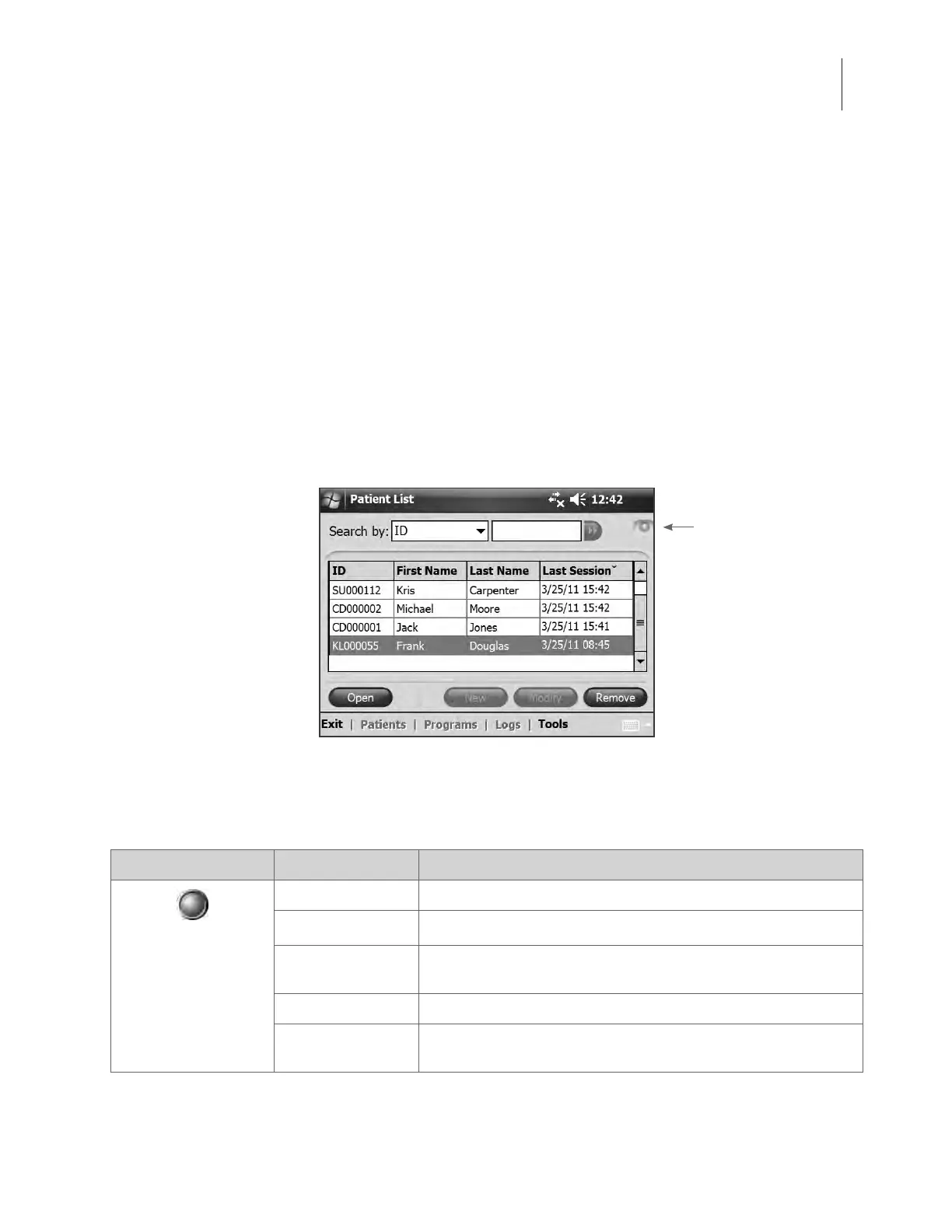
Figure 8-1: Information icon.
Information Icon
NESS H200 Wireless Software
The H200 Wireless Software is used to program the NESS H200 Wireless System.
Navigation Tools
Information Icon
The information icon is positioned in the top right corner of the software screens. The
information icon indicates system status and, when pressed, opens error messages and
troubleshooting screens. See Figure 8-1 and Table 8-1.
Table 8-1: Information icon displays.



 To Next Page