77
Chapter 8 - NESS H200 Wireless Software
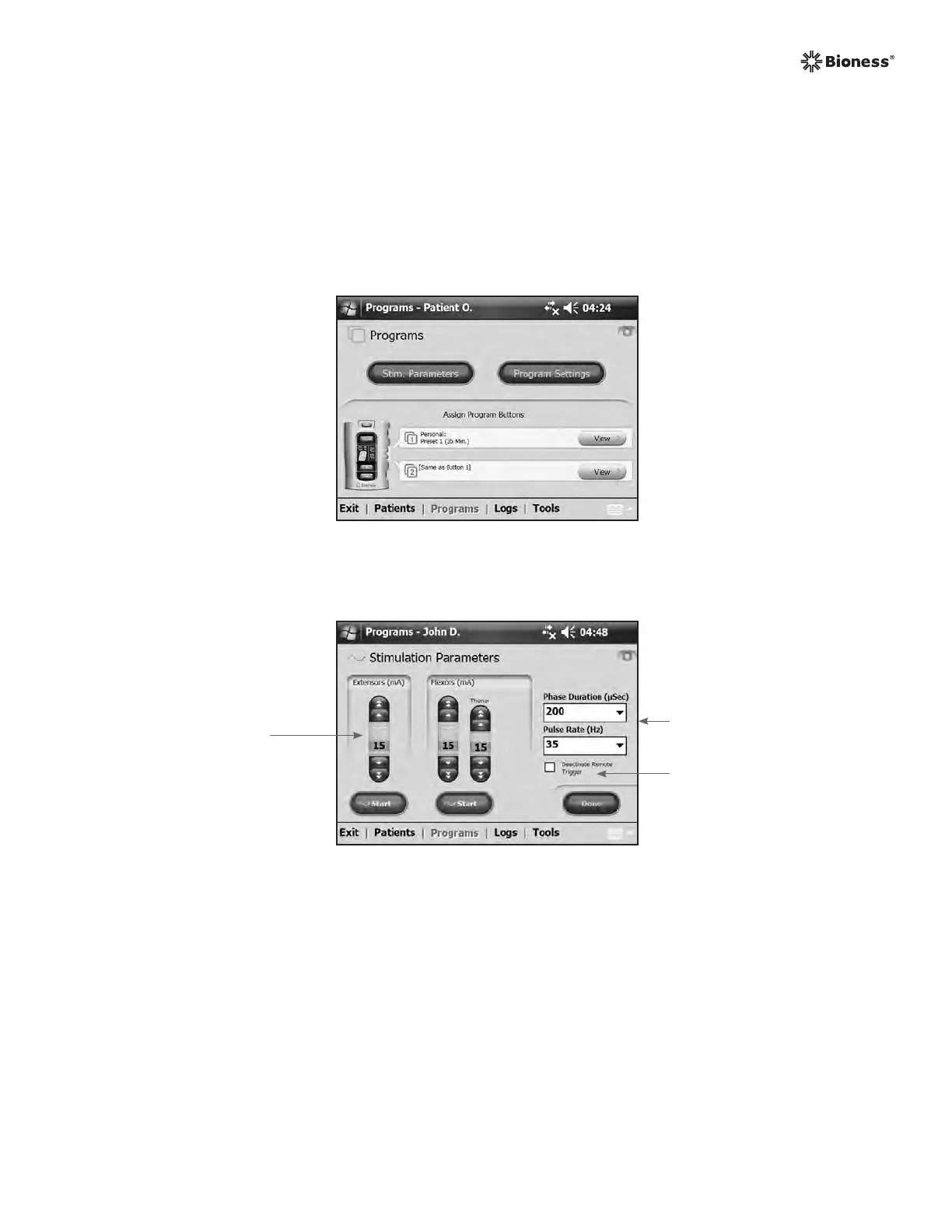
Configuring Stimulation Parameters
1. Open the patient record.
2. From the Programs menu (See Figure 8-20), press Stim. Parameters to open the
Stimulation Parameters window. If the patient record is new, the Stim Parameters window
will open automatically. See Figure 8-21.
Figure 8-21: Stimulation Parameters window.
Deactivate Remote
Trigger Box
Stimulation
Intensity Bars
Drop Down Lists
3. Adjust Phase Duration and Pulse Rate using the drop-down lists.
4. Adjust stimulation intensity for the extensors and flexors.
• Press Start to turn on stimulation.
• Press Stop to turn off stimulation.
5. Deactivate/activate the remote trigger button on the Orthosis, if desired, by checking/
unchecking the "Deactivate Remote Trigger" box.
Figure 8-20: Program menu window.



 To Next Page