68
Clinician's Guide
Button Function
Start Starts stimulation.
Stop Stops stimulation.
Trigger Starts a stimulation phase in a trigger-controlled exercise.
Modify Opens a window to change various data.
View
Press to view the assigned program for Program Button 1 or Program Button 2:
enabled when an H200 Wireless Control Unit is not connected.
Edit
Opens a program window to change a program setting: enabled when an H200
Wireless Control Unit is connected.
Next Seq. Advances to the next program segment of a Custom Personal Program.
Add Adds a program segment.
Delete Deletes a program segment.
Done Goes back to the prior screen.
New Creates a new patient record.
Remove Removes a patient record.
Stim. Parameters Opens the window for adjusting stimulation.
Program Settings Opens the window for selecting the appropriate program.
Table 8-3: Frequently used buttons.
Buttons
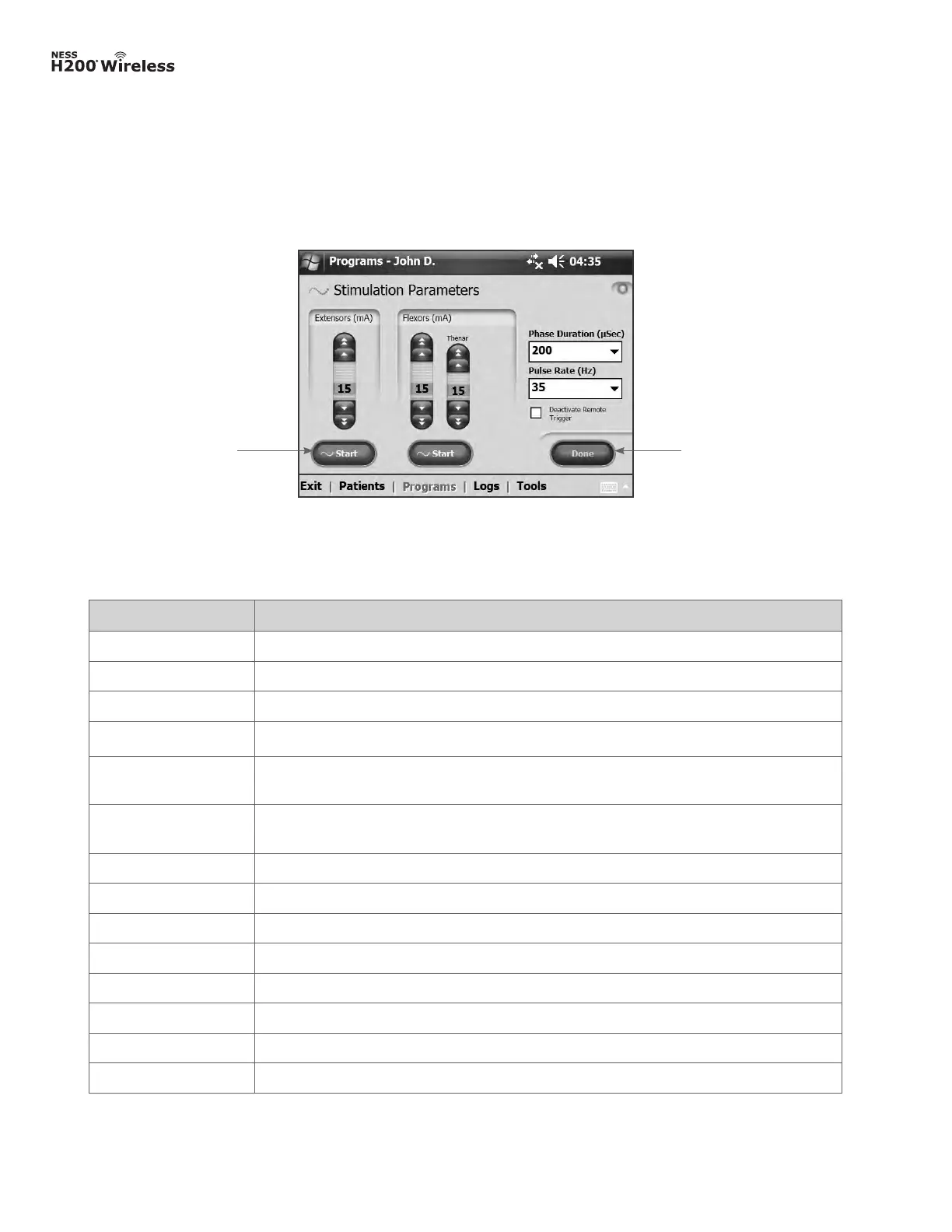
The buttons, when pressed, open a new screen or execute a command. See Figure 8-5.
Frequently used buttons are described in Table 8-3.
Figure 8-5: Buttons.
ButtonButton



 To Next Page