55
Chapter 6 - Fitting the H200 Wireless Orthosis
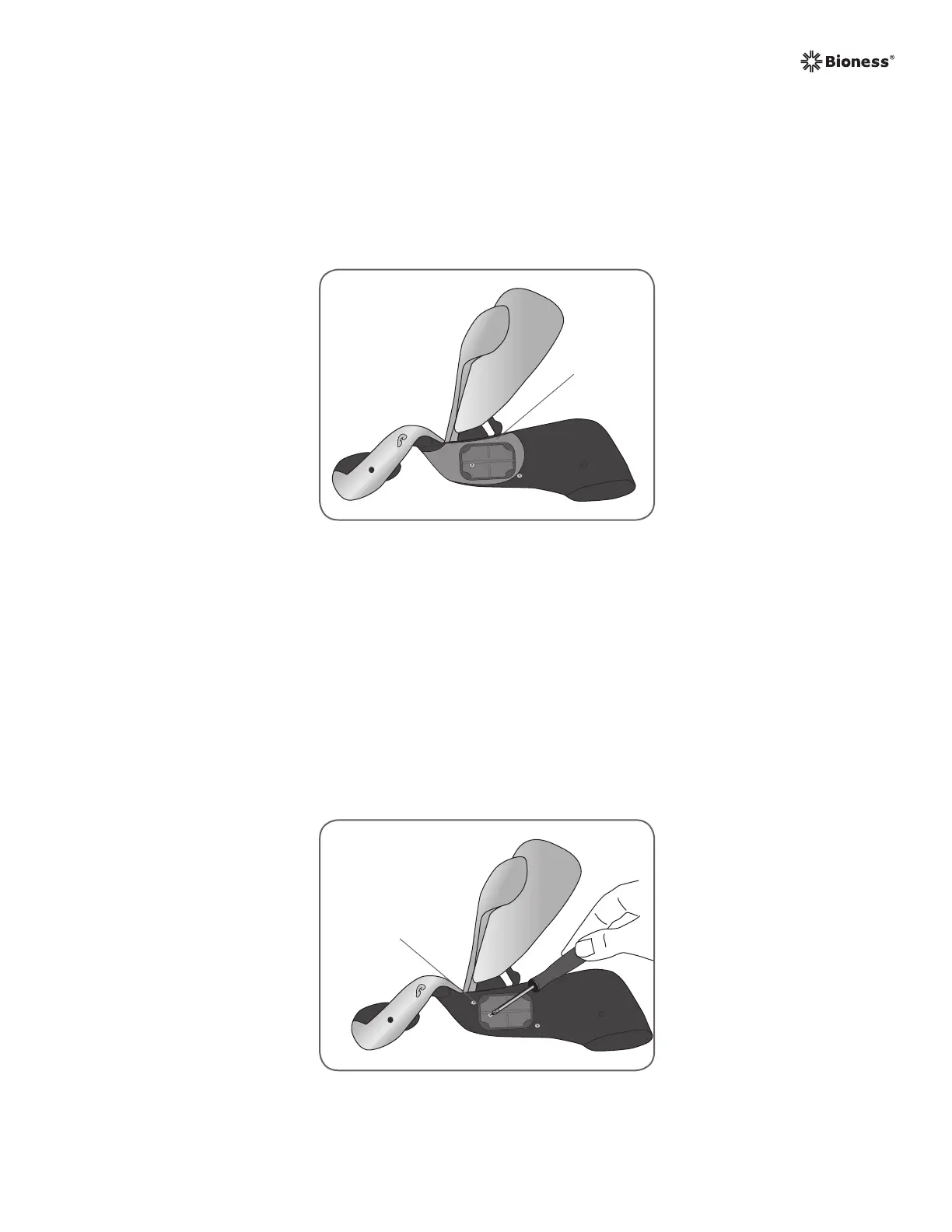
Figure 6-14: Removing the screw from the FPL #5 electrode base.
FPL #5
Electrode
Base
Attaching the FPL Panel
The FPL panel fits over the FPL #5 electrode base. See Figure 6-13.
Note: The FPL panel is for patients who have small wrists, to improve limb contact with the
FPL electrode.
Figure 6-13: The FPL panel placed over the #5 electrode base.
FPL Panel
To attach the FPL panel:
1. Select the appropriate FPL panel.
2. Open the Orthosis extensor wing.
3. Remove the screw from the Orthosis FPL #5 electrode base. Do not remove the electrode
base. See Figure 6-14.



 To Next Page