64
Clinician's Guide
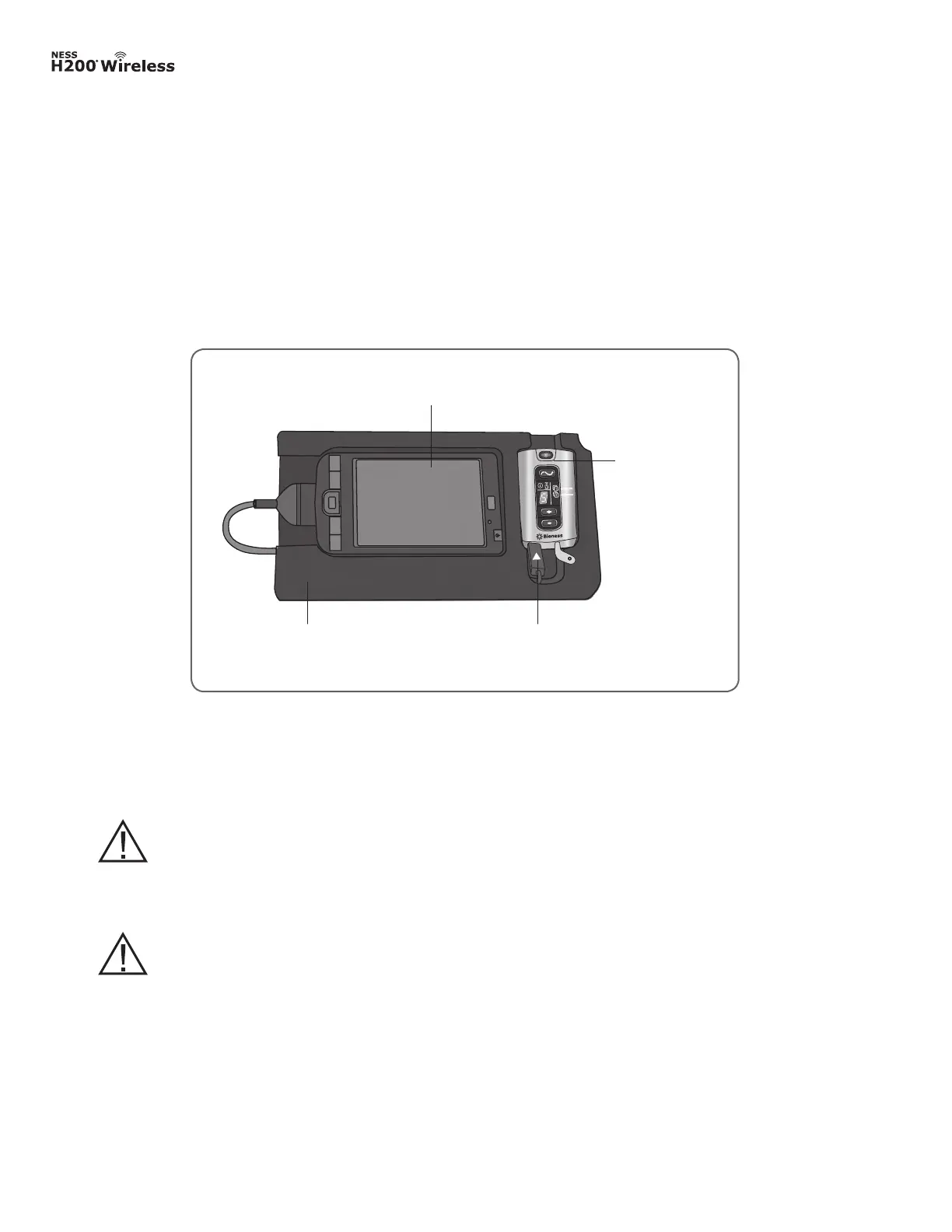
Connecting the H200 Wireless Control Unit
1. Turn off the Control Unit, or make sure it is in standby mode. Stimulation should not be
on or paused.
2. Plug the communication connector cable of the Configuration Cradle into the signal input/
output port of the Control Unit. The white arrow should be facing up. See Figure 7-2.
3. Insert the Control Unit into the Configuration Cradle.
Figure 7-2: H200 Wireless Control Unit connected to the HP iPAQ Clinician’s Programmer.
HP iPAQ Clinician’s Programmer with Software
HP iPAQ Conguration Cradle with
Stylus
H200 Wireless
Control Unit
Communication Connector Cable
WARNING: Do not simultaneously charge the H200 Wireless Control Unit,
Orthosis, and Clinician’s Programmer while the Control Unit is connected to
the Configuration Cradle.
CAUTION: Turn off the H200 Wireless Control Unit or place it in standby mode
before connecting it to the Configuration Cradle.



 To Next Page