84
Clinician's Guide
Program F—Key Grip
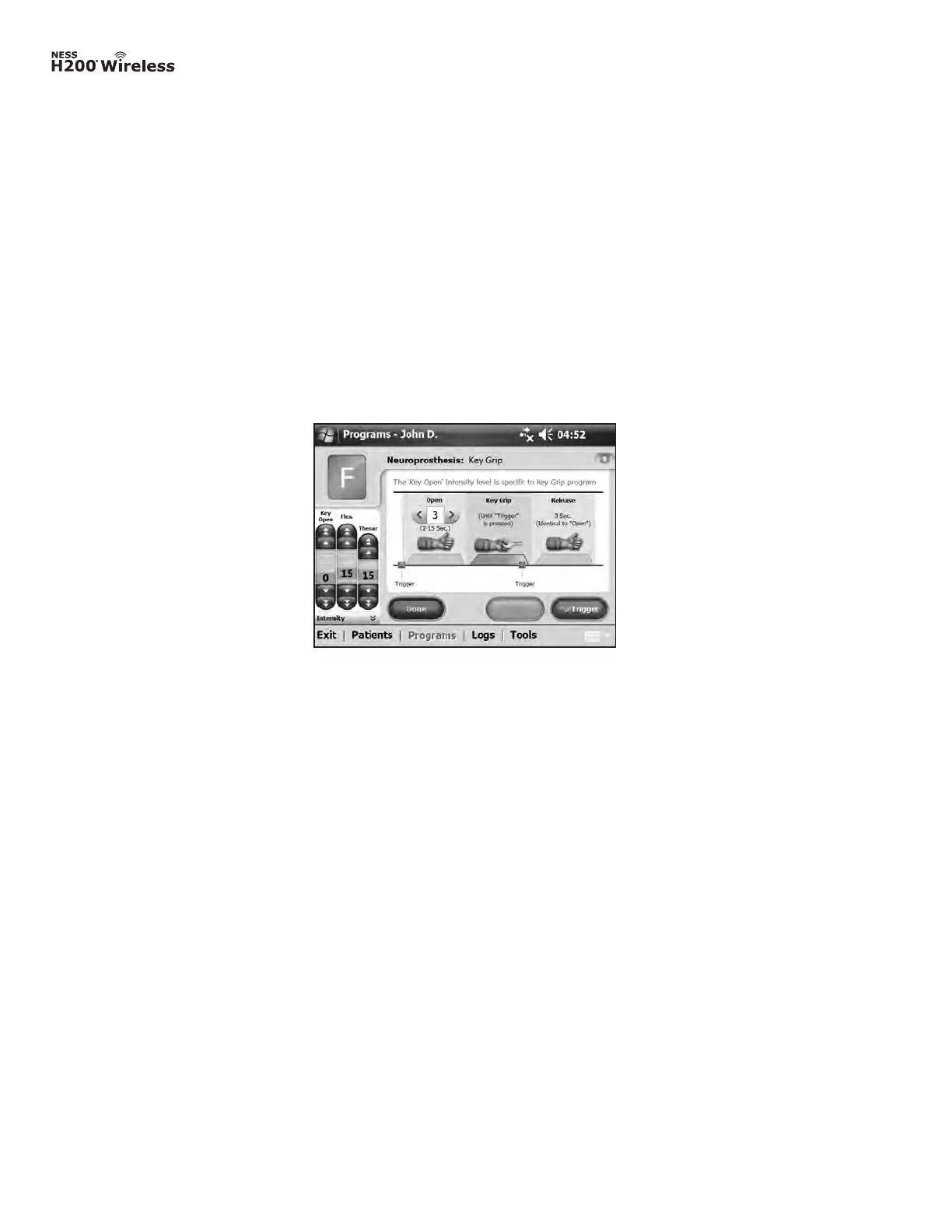
Program F is used to grasp and hold small items in a lateral grasp (or key grip) between
the thumb and the lateral side of the index finger. Pressing Trigger starts the program.
A half-second pause is followed by several seconds of thumb opening. The thumb then
closes against the lateral side of the index finger and remains closed until Trigger is pressed
again to release the grip. Once Trigger is pressed the second time, a half second of flexor
stimulation is followed by a pre-determined duration of extensor stimulation to open the
thumb. The stimulation then shuts off, and the hand relaxes. Stimulation intensity and the
duration of extension and release are adjustable. See Figure 8-28.
Note: The extensor stimulation bar in this program is referred to as Key Open. It stimulates
the thumb and finger extensors and finger flexors simultaneously to produce an open thumb.
Figure 8-28: Program F window.
To configure Program F:
1. Select Program F.
2. Adjust open time (which will also adjust release time).
3. Press Trigger to start the open phase. The key grip phase will follow automatically.
4. Adjust stimulation intensity for the Key Open intensity. Adjust time.
5. If needed, adjust the flexor and thenar intensity.
6. Press Trigger to stop the key grip phase and start the release phase, or press Stop to
end the program.
7. Press Done to return to the Program Settings window.
Note: The active program phase will be highlighted in ORANGE.



 To Next Page