63
Chapter 7 - PDA Setup
7
Chapter
PDA Setup
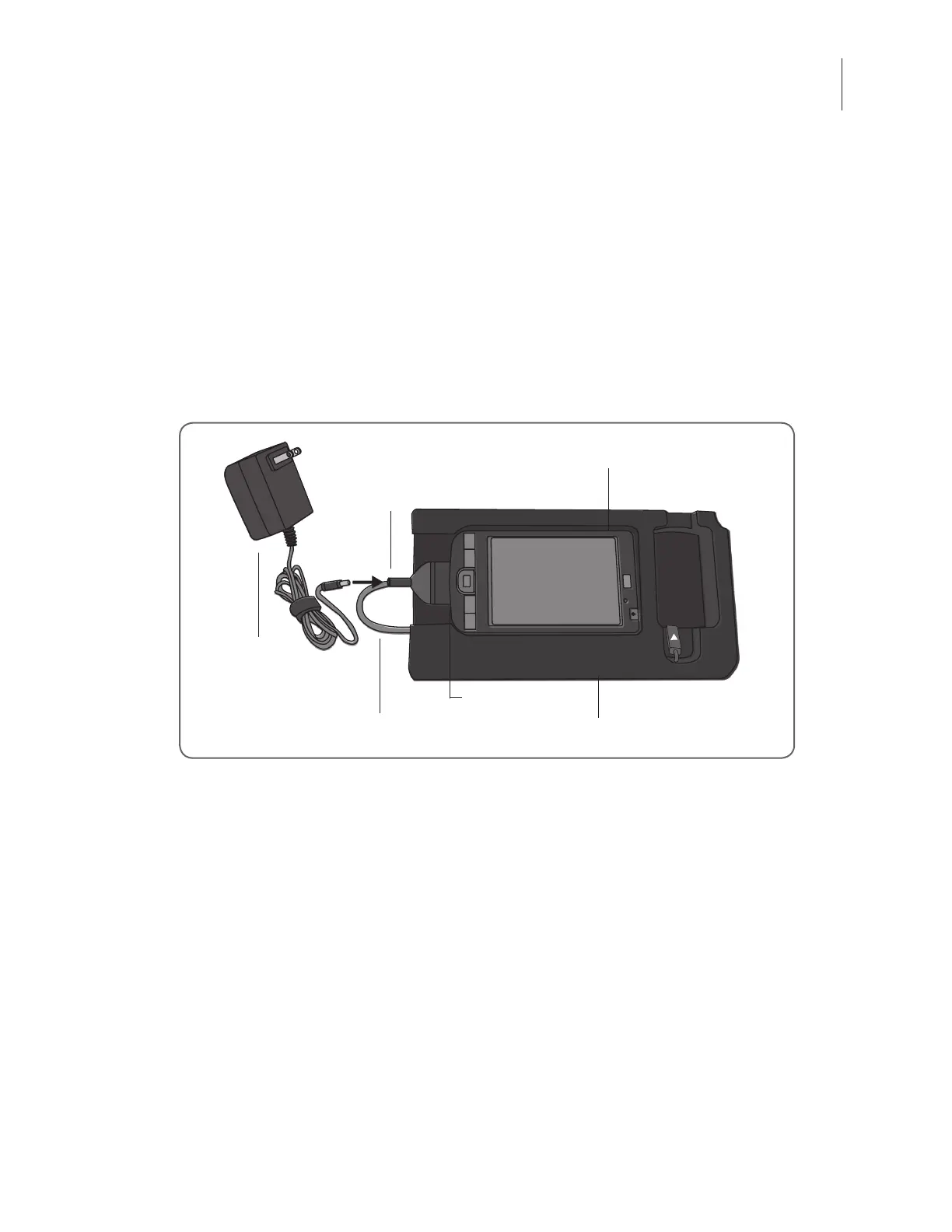
Connecting the Clinician’s Programmer to the Cradle
1. Orient the Clinician’s Programmer in the Configuration Cradle with the touchscreen facing
up and the connector port facing left. See Figure 7-1.
Charger
Communication Connector Cable
Charger Adapter
Connector Port
Figure 7-1: PDA setup and charging configuration.
2. Plug the communication connector cable with charger adapter into the connector port of
the Clinician’s Programmer.
Charging the Clinician’s Programmer
1. Connect the Clinician’s Programmer Charger to the charger adapter on the communication
connector cable. See Figure 7-1.
2. Plug the charger into an electrical outlet.
3. Allow the Clinician’s Programmer to charge. While charging, the charge indicator light will
be AMBER. The Clinician’s Programmer can take two to four hours to charge. When the
Clinician’s Programmer is fully charged, the charge indicator light will be GREEN.
HP iPAQ Clinician’s Programmer with Software
HP iPAQ Conguration Cradle with Stylus



 To Next Page