60
Clinician's Guide
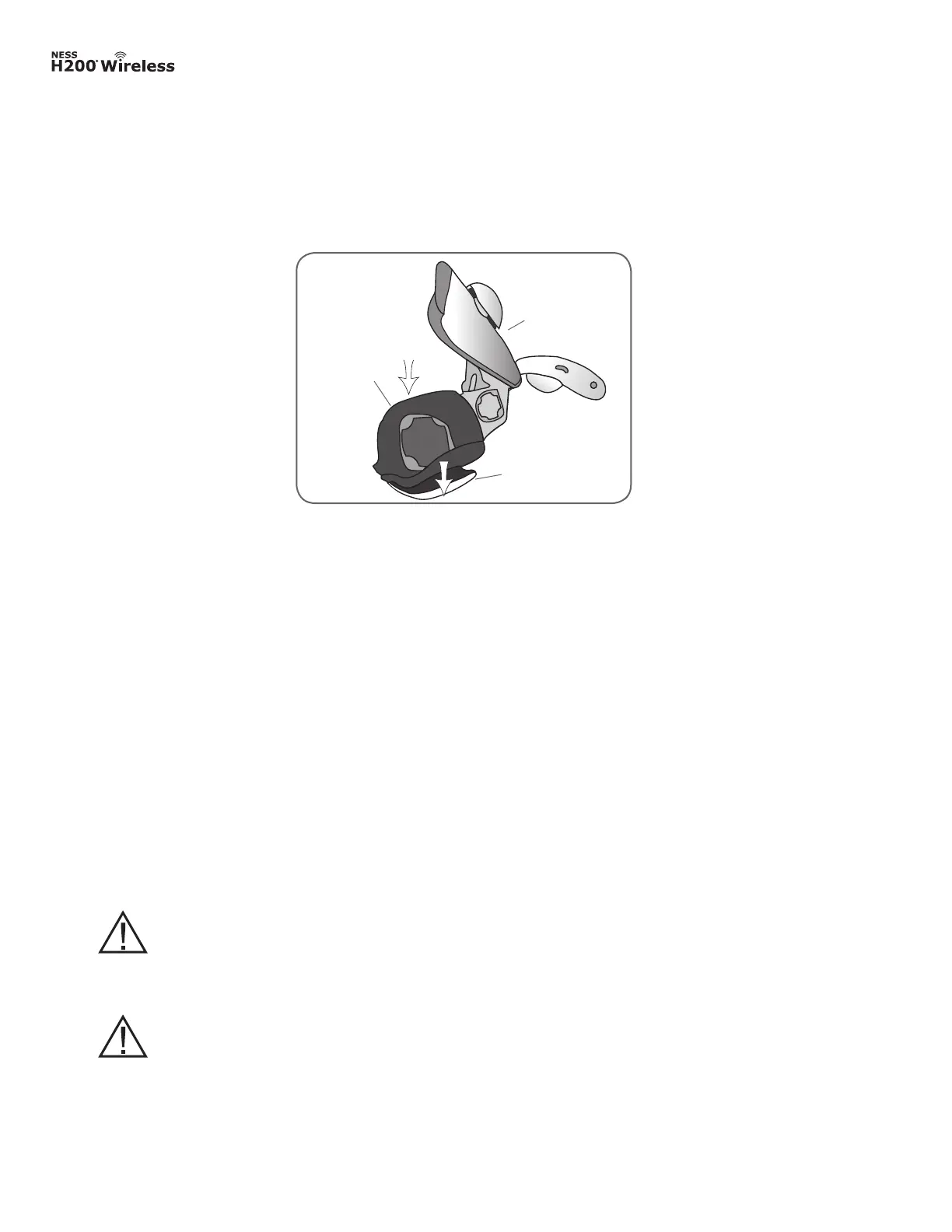
2. With the Orthosis wing open, fit the flexor fitting panel to the Orthosis flexor support. See
Figure 6-20.
Figure 6-20: Placement of the flexor fitting panel.
Orthosis
Extensor
Wing
Fitting Panel
3. Make sure the lip of the fitting panel rests beyond the edge of the Orthosis.
4. Grasp the ulnar edge of the flexor fitting panel and the ulnar edge of the H200 Wireless
Orthosis.
5. Gently press together until the fitting panel clicks into place.
CAUTION: Disinfect the fitting panels and Orthosis after each patient use.
See the maintenance and cleaning section of this guide.
CAUTION: Do not use the fitting panels without first wetting and attaching
the cloth electrodes.



 To Next Page