159
Task Procedures Illustrations
LEGACY
Mounting
tongue
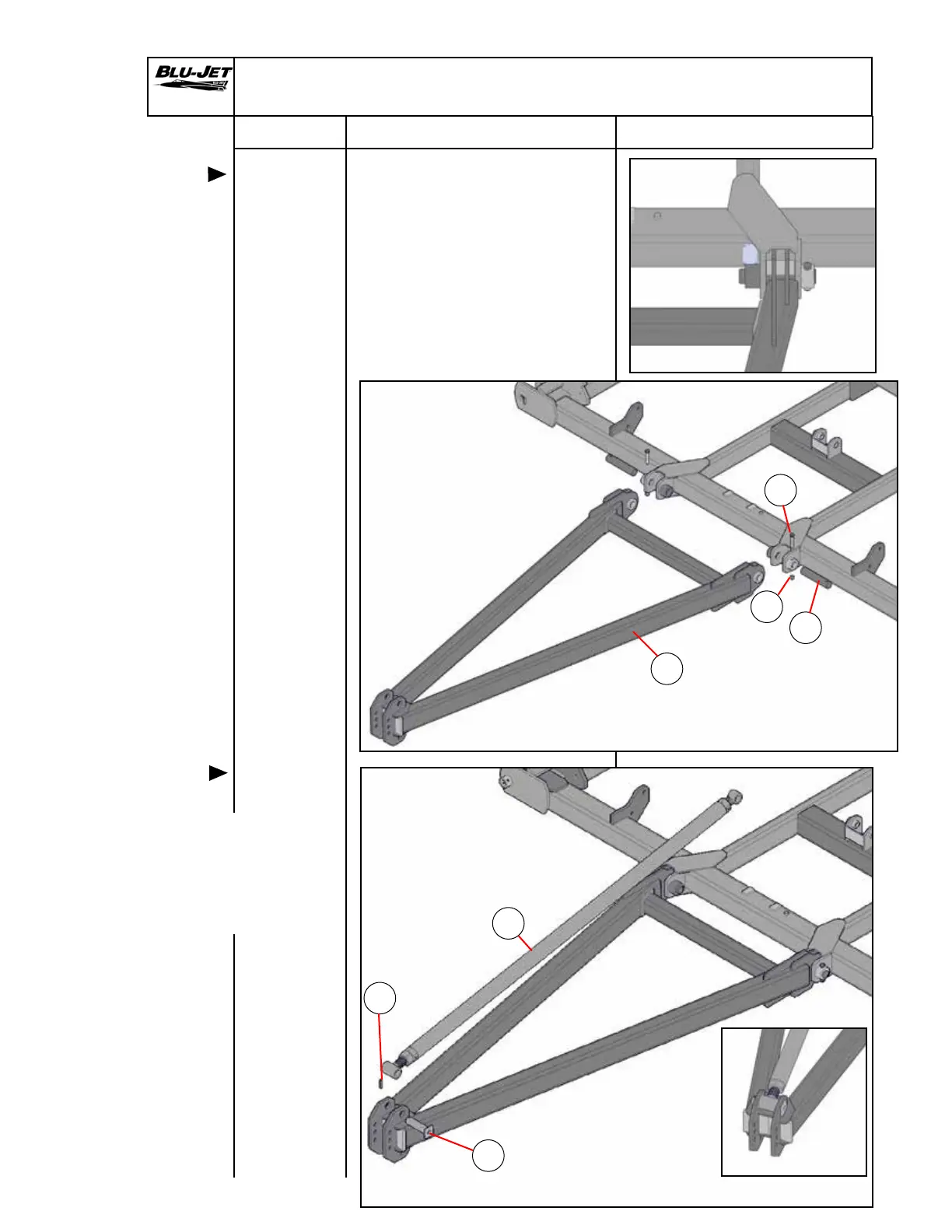
Tongue Mounting
1. Raise the tongue (a) (AM5155)
into position on the main
frame and insert (b) (BM3565)
2” x 10-1/4” pins with hole into
weldment.
Insert (c) (BP3136) 5/8” x 4”
hex cap screw into weldment
and secure with (d) (BP3375)
5/8” hex lock nuts.
b
a
d
c
2. Attach (e) (AAM4768)
turnbuckle assembly
to tongue weldment with
(f) (BM3610) 1-3/4” x 6-3/16”
pin. Secure with (g) (BP3519)
3/8” x 2-1/2” roll pin.
f
g
e
Mounting
Turnbuckle


 To Next Page