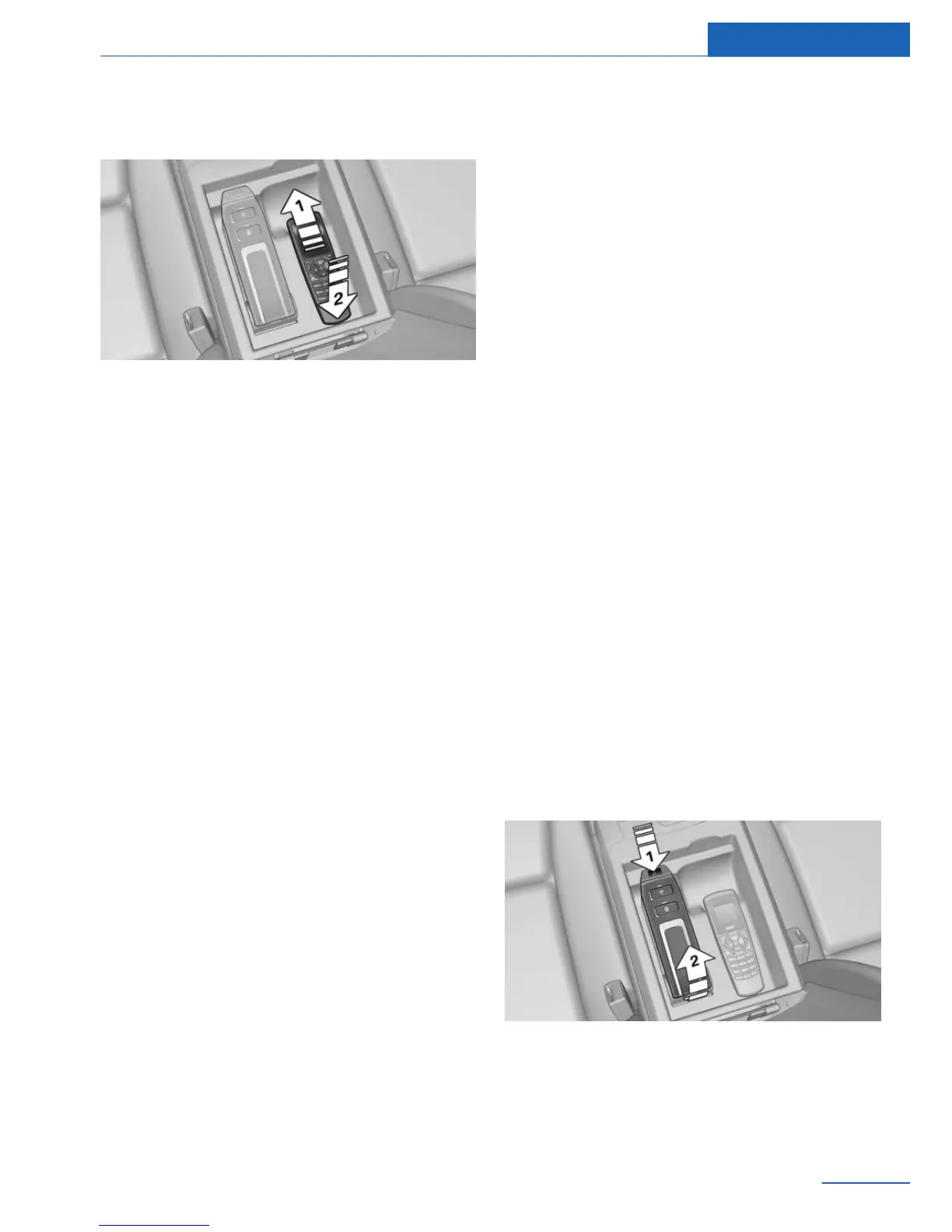
Replacing the handset
1. Snap in the top of the handset, arrow 1.
2. Push the handset down, arrow 2.
Options for use
Preparations
To use the phone in the rear, the following
steps need to be taken in accordance with how
the phone will be used:
▷ Insert the SIM card in the snap-in adapter,
refer to page 111.
▷ Connect the mobile phone with the snap-in
adapter via the SIM Access Profile (SAP),
refer to page 112.
▷ The snap-in adapter can also be paired
with the vehicle, refer to page 112.
Operation using the handset
The concept
Conversations can only be conducted directly
using the handset.
Functional requirement
▷ The snap-in adapter is installed in the vehi‐
cle.
▷ The SIM card is inserted in the snap-in
adapter.
Or
The mobile phone is connected to the
snap-in adapter via the SIM Access Profile
(SAP).
Operation using the hands-free
system
The concept
Conversations can be conducted from the
front via the hands-free system or directly via
the handset.
Functional requirement
▷ The snap-in adapter is installed in the vehi‐
cle.
▷ The SIM card is inserted in the snap-in
adapter.
Or
The mobile phone is connected to the
snap-in adapter via the SIM Access Profile
(SAP).
▷ The snap-in adapter is paired with the ve‐
hicle.
Operating via a SIM card
The concept
The snap-in adapter directly accesses the SIM
card in the mobile phone.
Inserting the SIM card
1.
Press the button, arrow 1.
2. Pull the snap-in adapter up and forward,
arrow 2.
Seite 111
Telephone in the rear Communications
111
Online Edition for Part no. 01 40 2 926 935 - X/13



 To Next Page