The remote control can only be connected
within the vehicle.
1. "Settings"
2. "Connections"
3. "Headphones/remote"
4. Press the Menu button and Confirmation
button on the remote control for 10 sec‐
onds. 2 LEDs on the remote control flash
for 10 seconds.
5. "Add new device"
The remote control will appear in the list of
connected devices. Information about the con‐
nected remote control are displayed.
Symbol Meaning
Remote control.
Battery charge status.
Renaming remote control
The name with which the remote control is dis‐
played can be changed.
1.
"Settings"
2. "Connections"
3. "Headphones/remote"
4. Highlight the remote control that is to be
renamed.
5. Open "Options".
6. "Rename"
7. Enter the desired name.
Deleting the remote control
The connection with the vehicle can be de‐
leted.
1.
"Settings"
2. "Headphones/remote"
3. Highlight the remote control that is to be
deleted.
4. Open "Options".
5. "Remove device"
Selecting a page
A remote control can be connected to the left
or right side of the rear entertainment system.
The side can be changed at any time. To do
this, the remote control must be switched on.
Push the switch to the left or right.
The corresponding side is operated.
Replacing the batteries
No rechargeable batteries
Do not use rechargeable batteries, as
damage may result from the substances in the
batteries.◀
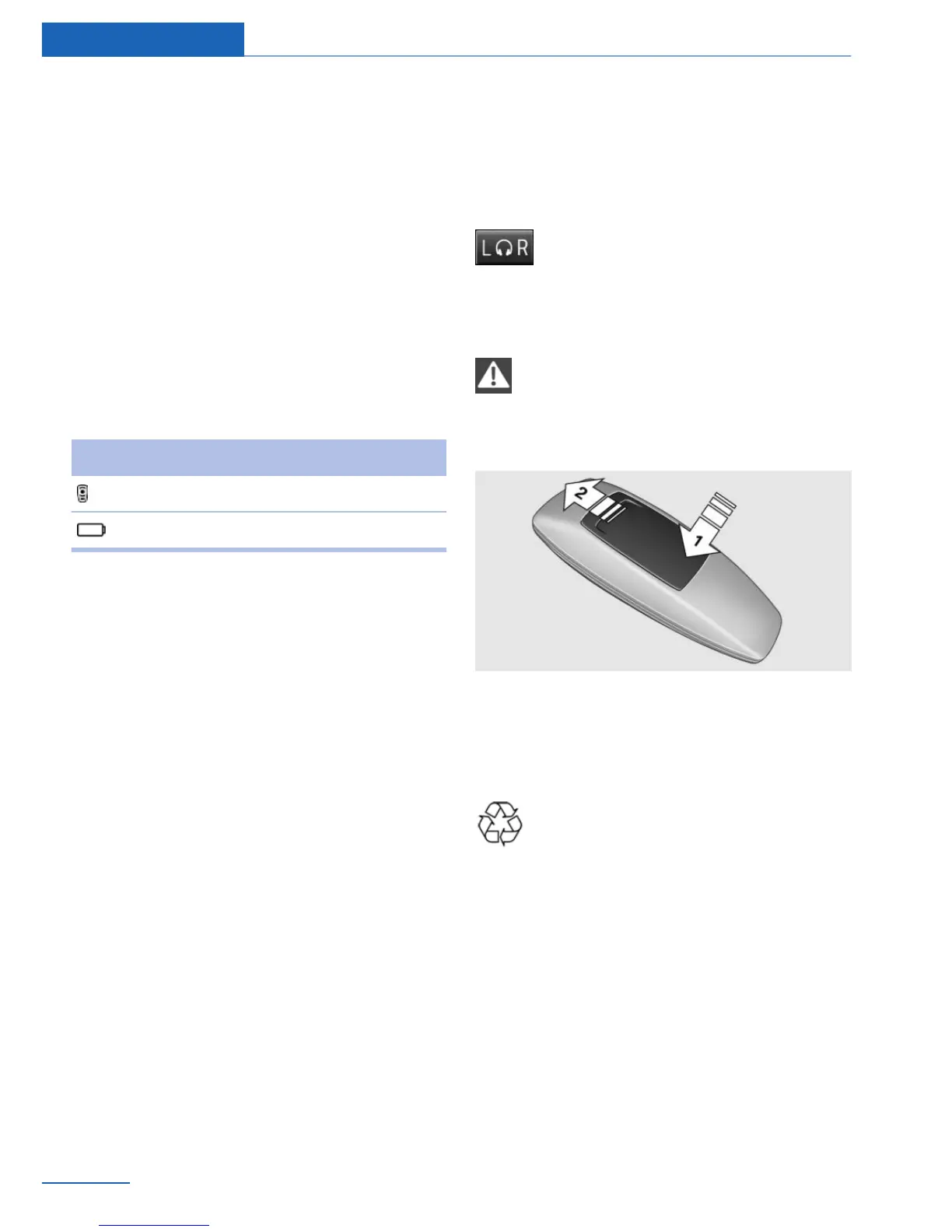
1.
Remove the cover. Press on the cover, ar‐
row 1, and push forward, arrow 2.
2. Insert batteries of the same type.
3. Close the cover.
Take the used battery to a recycling
center or to your service center.
Controls
Almost all functions can be operated in the
same manner as they are in the front. Special
features of operating the system in the rear are
described here.
Audio/video playback
Audio and video can be played back from the
following sources in the rear:
▷ Radio.
Seite 70
Entertainment Rear entertainment
70
Online Edition for Part no. 01 40 2 926 935 - X/13



 To Next Page