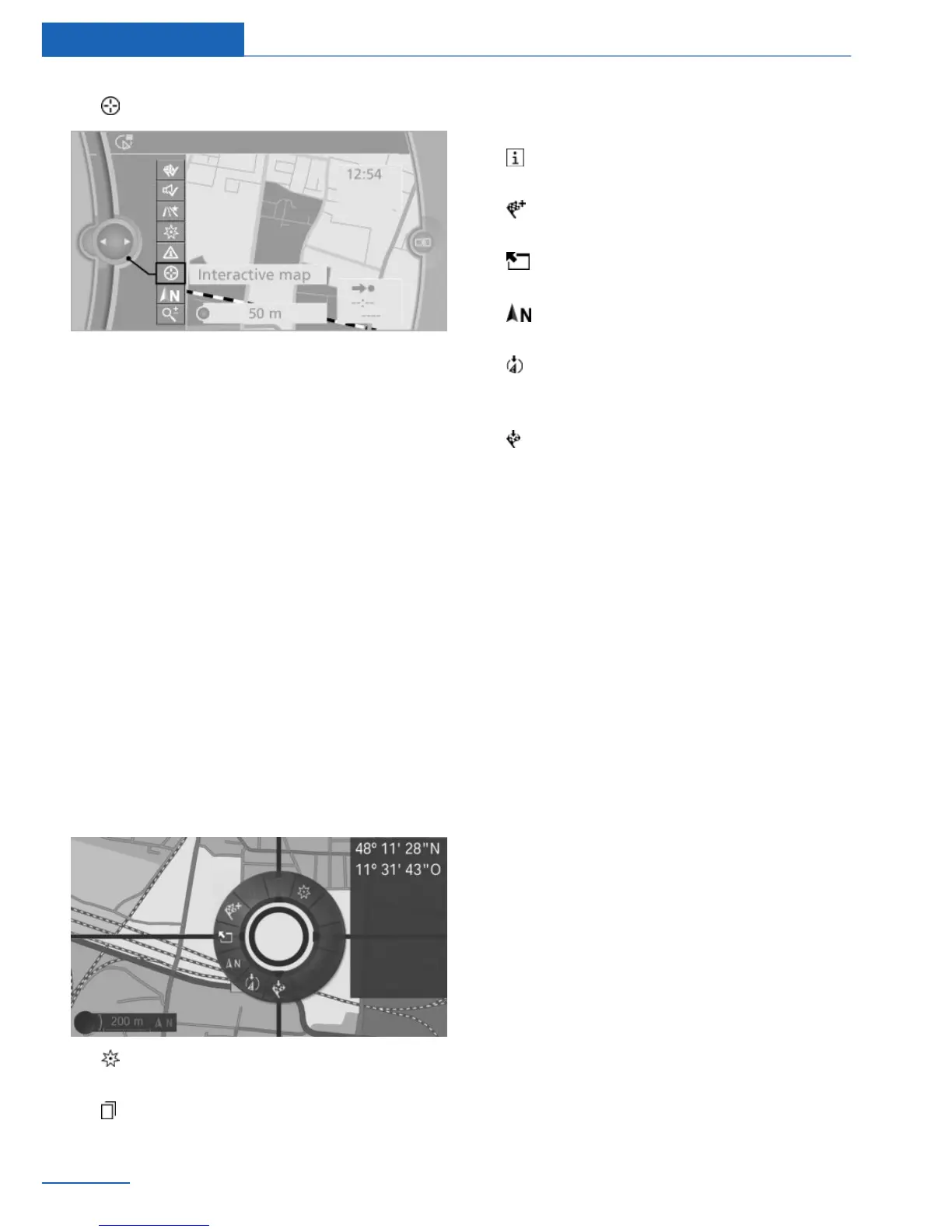
3. "Interactive map"
4. Select the destination with crosshairs.
▷ To change the scale: turn the control‐
ler.
▷ To shift the map: move the controller in
the required direction.
▷ To shift the map diagonally: move the
controller in the required direction and
turn it.
Specifying the street
If the system does not recognize a street, one
of the following is displayed:
▷ The name of a street nearby.
▷ The county.
▷ The coordinates of the destination.
Additional functions
Additional functions are available on the inter‐
active map after the controller is pressed.
▷ "POI near selected location": the
search for special destinations is started.
▷ "Show list": if the crosshairs are posi‐
tioned over a place with multiple special
destinations, these destinations will be dis‐
played in a list.
▷ "Show details": details about the desti‐
nation can be displayed as necessary.
▷ "Start guidance": destination guidance
is started.
▷ "Exit interactive map": switches back
to the map view.
▷ "Change map view": switches to the
northwards-oriented map view.
▷ "Display current location": the map sec‐
tion around your current location is dis‐
played.
▷ "Show destination": the map section
around the destination is displayed.
Destination entry by voice
General information
▷ Instructions for the voice activation sys‐
tem, see vehicle Owner's Manual.
▷ When making a destination entry by voice,
you can change between voice operation
and iDrive.
▷ To have the available spoken instructions
read out loud: ›commands‹.
Saying the entries
▷ The town/city, street, and house number
can be entered as a single command.
▷ Countries, towns and cities, streets, and
intersections can be said as whole words
or spelled in the language of the system.
Example: to enter a town/city in a US state
as a whole word, the language of the sys‐
tem must be English.
▷ Spell the entry if the spoken language and
the language of the system differ.
▷ Say the letters smoothly, and avoid exag‐
gerating the pronunciation and inserting
lengthy pauses between the letters.
Seite 14
Navigation Destination input
14
Online Edition for Part no. 01 40 2 926 935 - X/13



 To Next Page