787 Flight Crew Operations Manual
DO NOT USE FOR FLIGHT
Automatic Flight -
Controls and Indicators
Copyright © The Boeing Company. See title page for details.
D615Z003-TBC 4.10.9
Autopilot Flight Director Heading, Track, and Bank Angle
Controls
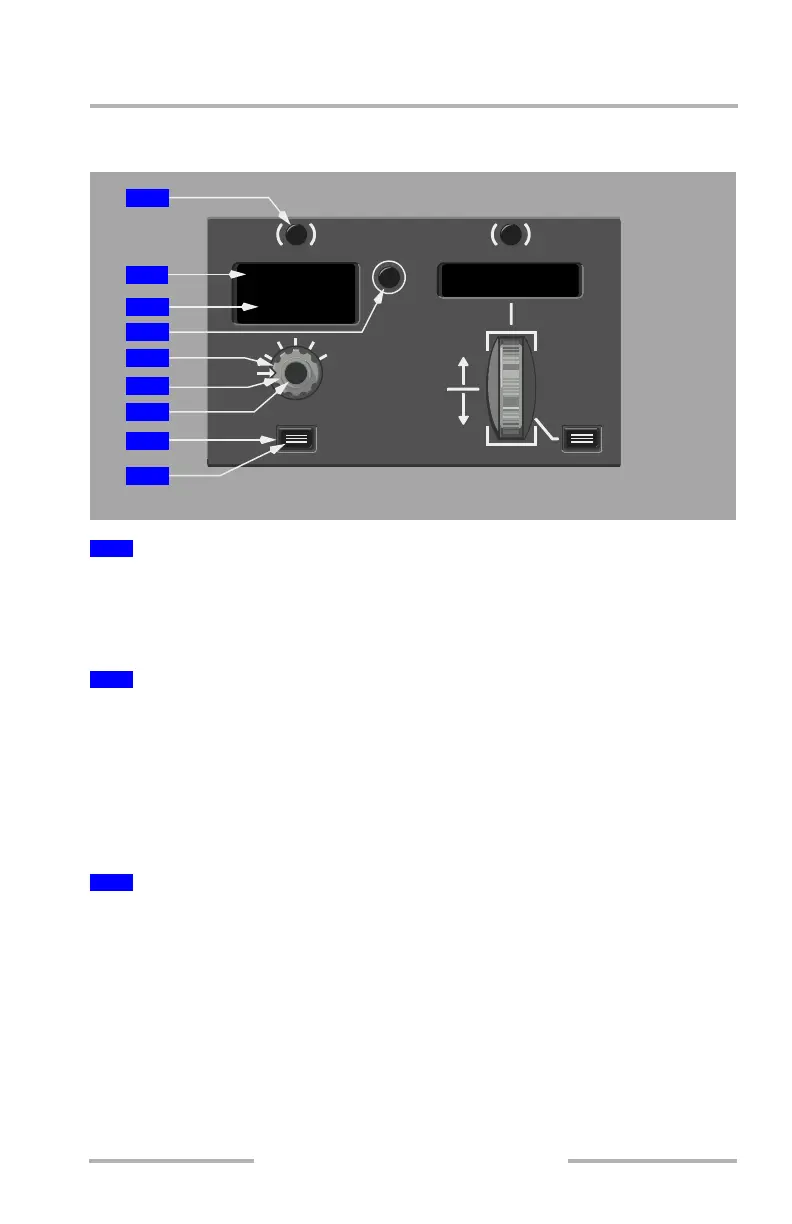
Push – alternately changes the upper line of the heading/track window, PFD,
HUD, and ND selected heading/track references between heading and track. Also
changes the PFD and HUD roll flight mode annunciators, if the HDG or TRK
mode is engaged.
Upper line displays the selected heading or track and lower line displays uplinked
ATC heading or track target.
The selected heading or track is displayed on the PFD, HUD and ND.
If approach is armed, the heading/track in the MCP window automatically
changes to the approach course at LOC or FAC capture.
Upper line displays 360º and lower line is blank when power is first applied.
The ATC uplink function is enabled when the upper window and uplinked
clearances are both heading values or both track values. If not both heading or
track, pushing the heading/track reference switch displays the uplinked value. For
immediate clearances, pushing the datalink ACCEPT switch displays the
clearance heading or track value in the lower line of the window. Pushing the
transfer (XFR) switch transfers the value from the lower line to the upper line.
Pushing the datalink CNCL switch removes the clearance from the lower line.
For conditional clearances, pushing the ACCEPT switch displays the new heading
or track value automatically in the lower line only after the clearance condition is
met.
1
Heading/Track (HDG/TRK) Reference Switch
2
Heading/Track Window
3
ATC Uplinked Heading or Track
AUTO
10 30
BANK
LIMIT
DOWN
UP
HOLD VS/FPA
SEL
HDG TRK
XFR
V/S FPA
UL RL
HDG
200
200
V/S
+2000
MODE CONTROL PANEL
6
5
7
1
2
4
3
8
9
August 14, 2009



 To Next Page