T11: Creating a Banner Label of Fixed Length
Note: This example assumes you have the banner marker roll PTL-43-439OR loaded
in your printer.
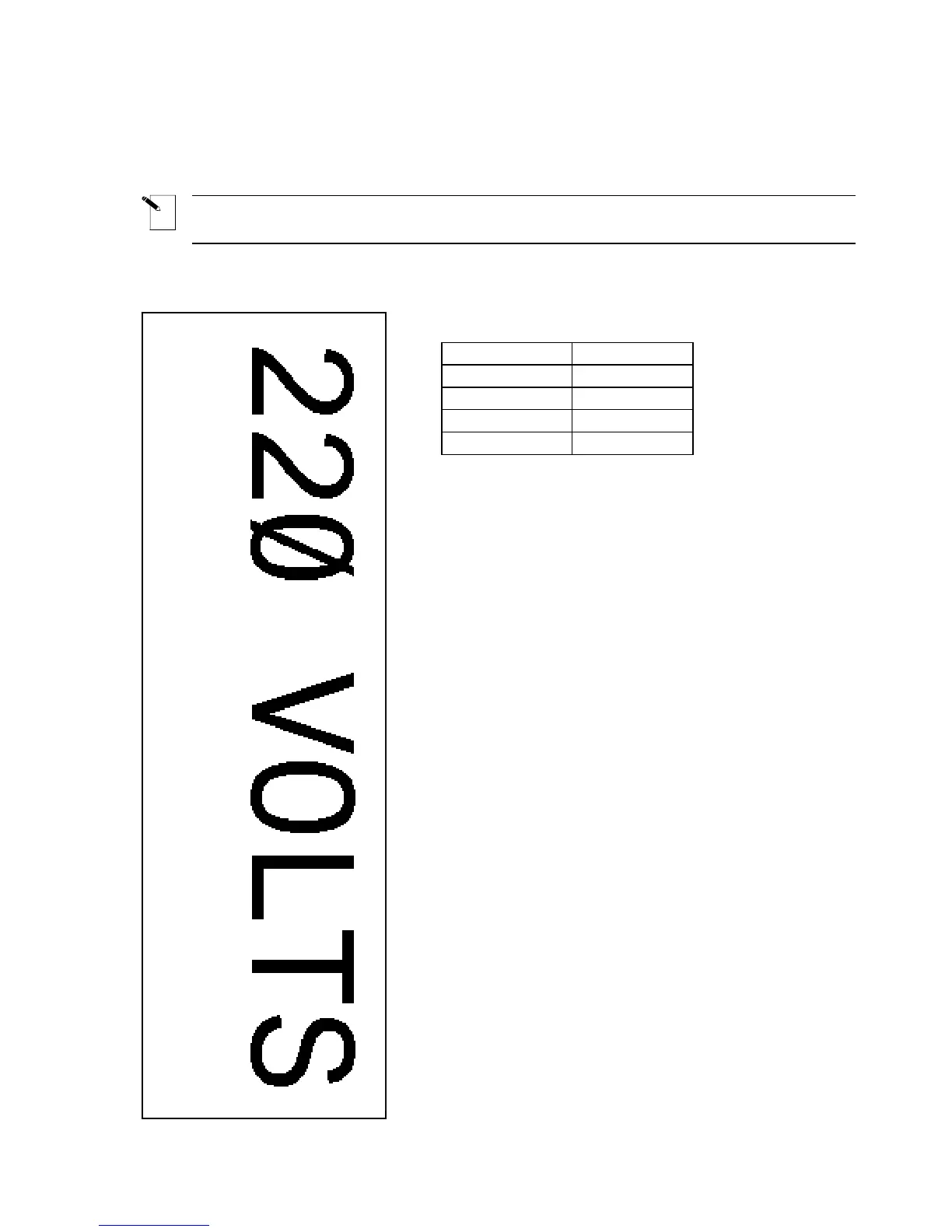
Print the following label to be used to identify an electrical conduit:
Setup Status:
Center
H Justify
Center
V Justify
0 Degrees
Rotation
Component
Format
Text
Legend Type
1. Press <Shift> + <Form Clear> to delete all
lines of text and reset the font to the default value
of 19.
2. Press <Func> + <Setup> to access the Setup
Menu.
3. Press the <
▼> key six times to select Units, then
press <Enter>.
4. Press the <
▲> or <▼> keys to toggle the Units to
Metric, then press <Enter>.
5. Press the <
▲> key four times to select
Continuous, then press <Enter>.
6. Press the <
▼> key once to select Fixed Length,
then press <Enter>.
7. Use the <
▲> and <▼> keys as needed to set the
fixed length repeat value to 143.000mm (5.62992
inches), then press <Enter>.
8. Press <Func> + <Exit> to exit back to the Text
Editor screen.
9. Enter 220 VOLTS on line one.
10. Press <Print>.
11. Press <Feed> to advance the banner to the cut
position.
TLS2200
™
Thermal Transfer Printer User Manual 49



 To Next Page