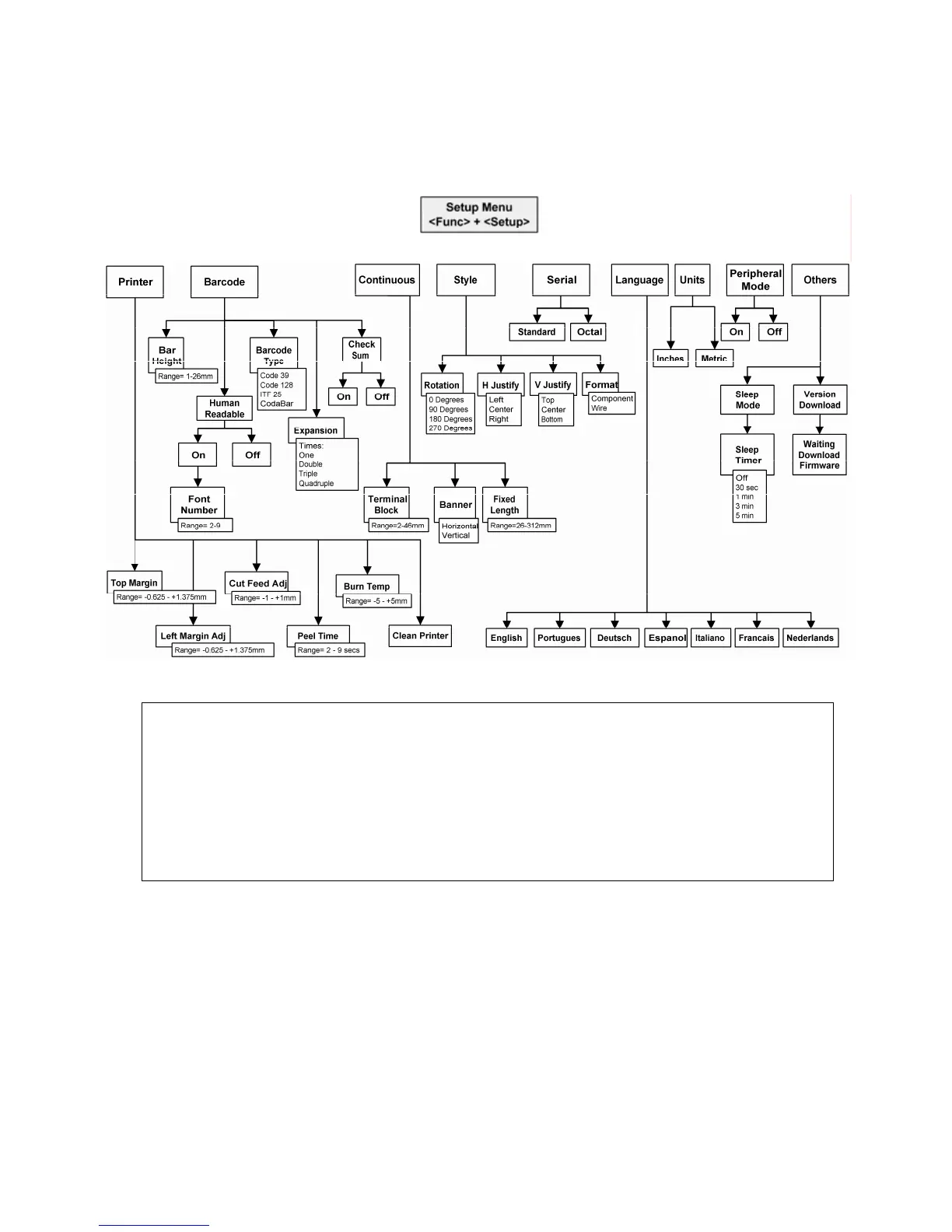
Setup Menu Tree
To use the menu:
• Press the <
▲> and <▼> keys to move through the menu choices and to
increase/decrease values within the range.
• Press the <Shift> + <
▲> and <Shift> + <▼> keys to increase/decrease values
within the range by larger steps.
• Press <Enter> to select and save menu option choices.
• Press <Exit/Delete> to exit a menu without saving changes.
TLS2200
™
Thermal Transfer Printer User Manual 17



 To Next Page