8 | Troubleshooting Brielmaier Motormäher GmbH
98 BA Motor mower S250 (Version 2021/09)
8.4 Electronics troubleshooting
WARNING
Risk of injury!
In the event of electronic faults, there are various dangers that can
result in injuries.
4 If a fault occurs, switch off the machine immediately.
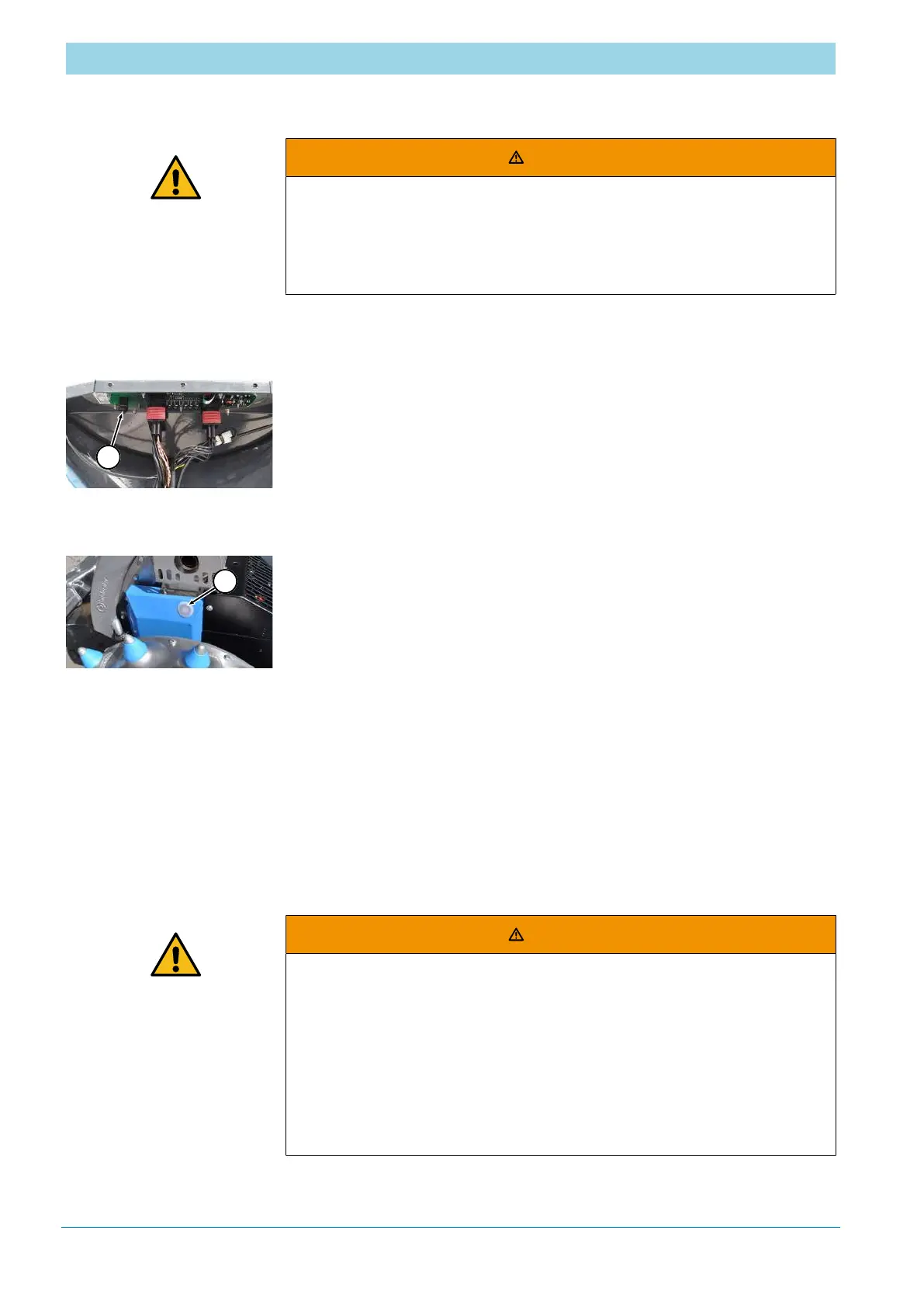
Operating panel
troubleshooting
a) Loosen and remove screw connections on the black cover on the
bottom of the steering bar.
b) Remove the cover.
c) Check visible contacts on the back of the operating panel for tightness.
d) If necessary, tighten the contacts.
e) Make sure that the rubber ring (1) is present or firmly seated.
f) Refit the cover.
Control unit
troubleshooting
a) Remove the cover plug (1).
b) Check fuses.
c) Refit the cover.
8.5 After completing the troubleshooting work
After completing troubleshooting work and before switching on the
machine, carry out the following steps:
a) Check all previously loosened screw connections for tightness.
b) Check that all previously removed safety devices and covers are properly
reinstalled. Clean the working zone and remove any leaked substances
such as liquids, processing material or similar.
c) Make sure that all tools, materials and other equipment used have been
removed from the working zone.
d) Make sure that all safety equipment of the machine works properly.
WARNING
Risk of fatal injury when the machine is switched on again if
protective covers and safety equipment are missing or not
properly installed!
When the machine is switched on again, there is a risk of injury to
persons who are in the danger zone or who intervene in the danger
zone.
4 Before restarting the machine, make sure that all protective and
safety equipment has been properly reinstalled.


 To Next Page