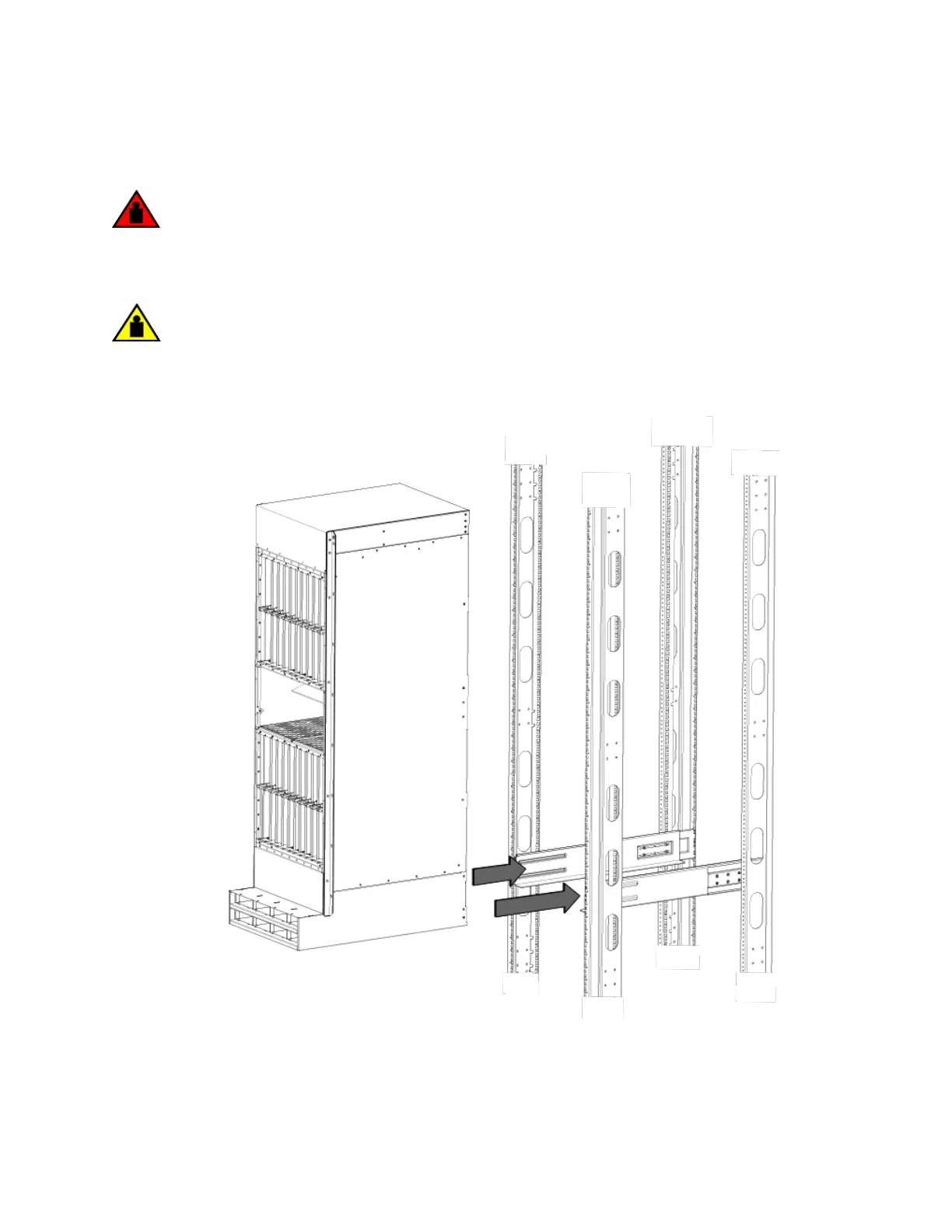
11. Use the mechanical lift to position the chassis as close to the rack as possible. Slide the chassis o the lift and onto the side rails
and gently guide the chassis into the rack (see the following gure).
DANGER
Do not attempt to lift a Brocade MLX Series-32 chassis. It is extremely heavy. REMOVE THE POWER
SUPPLIES AND INTERFACE MODULES FIRST (management, switch fabric, and all line cards). Use a
mechanical lifting device to lift the chassis. Four or more people are required to position the unpopulated chassis
into the rack.
CAUTION
To prevent damage to the chassis and components, never attempt to lift the chassis using the fan or power supply
handles. These handles were not designed to support the weight of the chassis.
FIGURE 72 Sliding the chassis into the rack
Installing a Brocade MLXe Series-32 router
Brocade NetIron MLXe Series Hardware Installation Guide
53-1004203-04 151


 To Next Page
 Loading...
