6. Service Procedures PreciseFlex 100 Robot
Replacing the Power Supplies or Controller Part Number: 603988 Rev. A
Replacing the Power Supplies or Controller
Electrical Shock
Working with energized equipment may cause electrical shock and may result in serious
injury or death.
l
Remove the AC power before replacing the power supplies.
Tools Required
l
2.0 mm hex driver or hex L wrench
l
2.5 mm hex driver or hex L wrench
l
Tie wraps, prefer .093 in by 8 in black.
Spare Parts Required:
l
24VDC power supply (PN PS10-EP-00125) or
l
48VDC power supply (PN PS10-EP-48365) or
l
G1400D controller (PN G1XF-EA-A1400)
To replace the power supplies or controller, perform the following procedure:
Step Action
1.
Turn off the robot power and remove the AC power cord.
2.
Remove the rear cover from the X-axis.
3.
Remove the power supply or controller.
4.
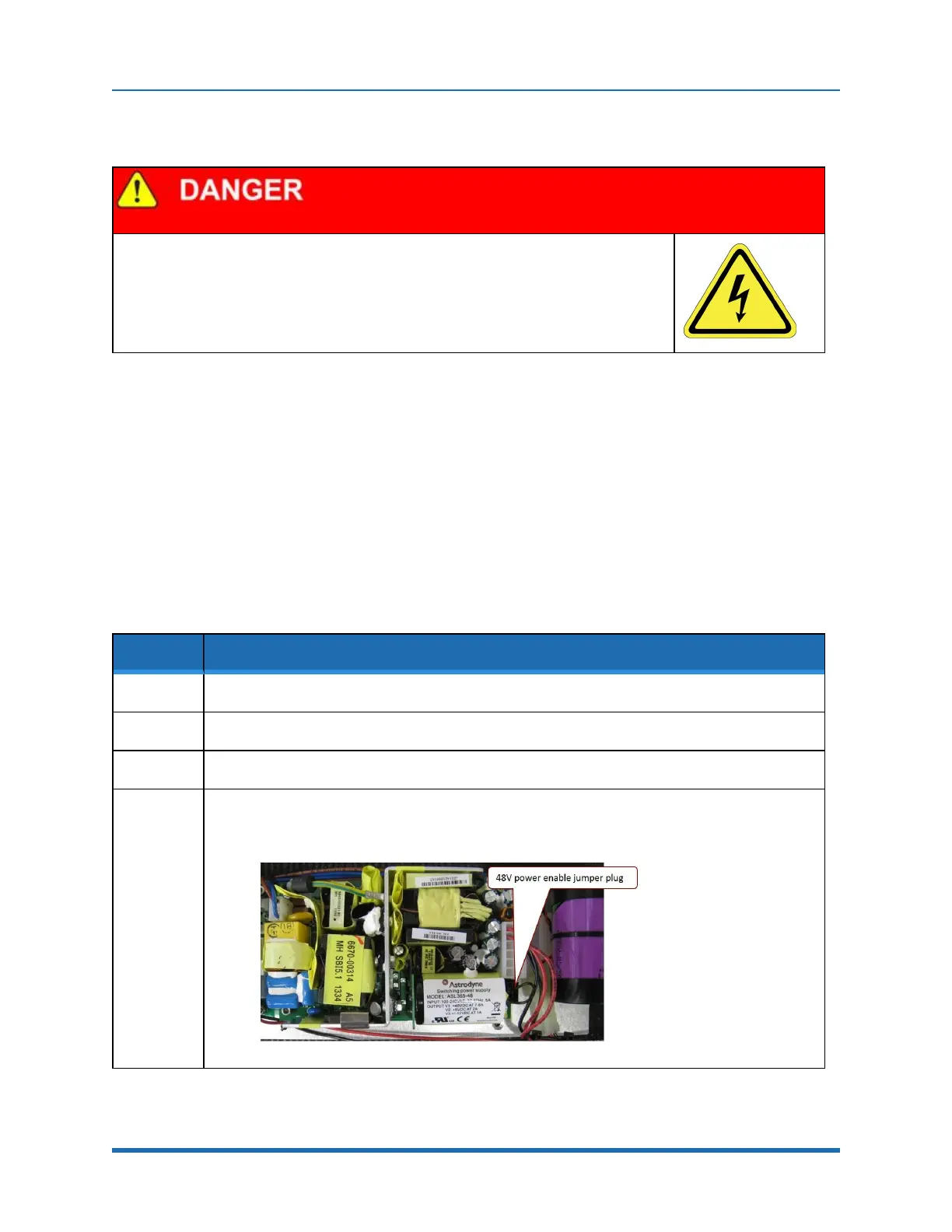
If replacing the 48 Volt power supply, it is important to swap the power enable jumper from the old
power supply to the replacement power supply. There is no power enable jumper on the 24 Volt
supply.
104
Copyright © 2023 Brooks Automation, Inc.



 To Next Page