Brooks Automation 6. Service Procedures
Part Number: 603988 Rev. A
Replacing the Gripper Spring
or Cable
Replacing the Gripper Spring or Cable
Tools Required:
l
2.0 mm hex driver
l
2.5 mm hex driver
Spare Parts Required
l
Spring or Cable Assembly
To replace the spring or cable, perform the following procedure:
Step Action
1.
Remove the Gripper Cover by removing the (4) M3 X 6 mm FHCS.
2.
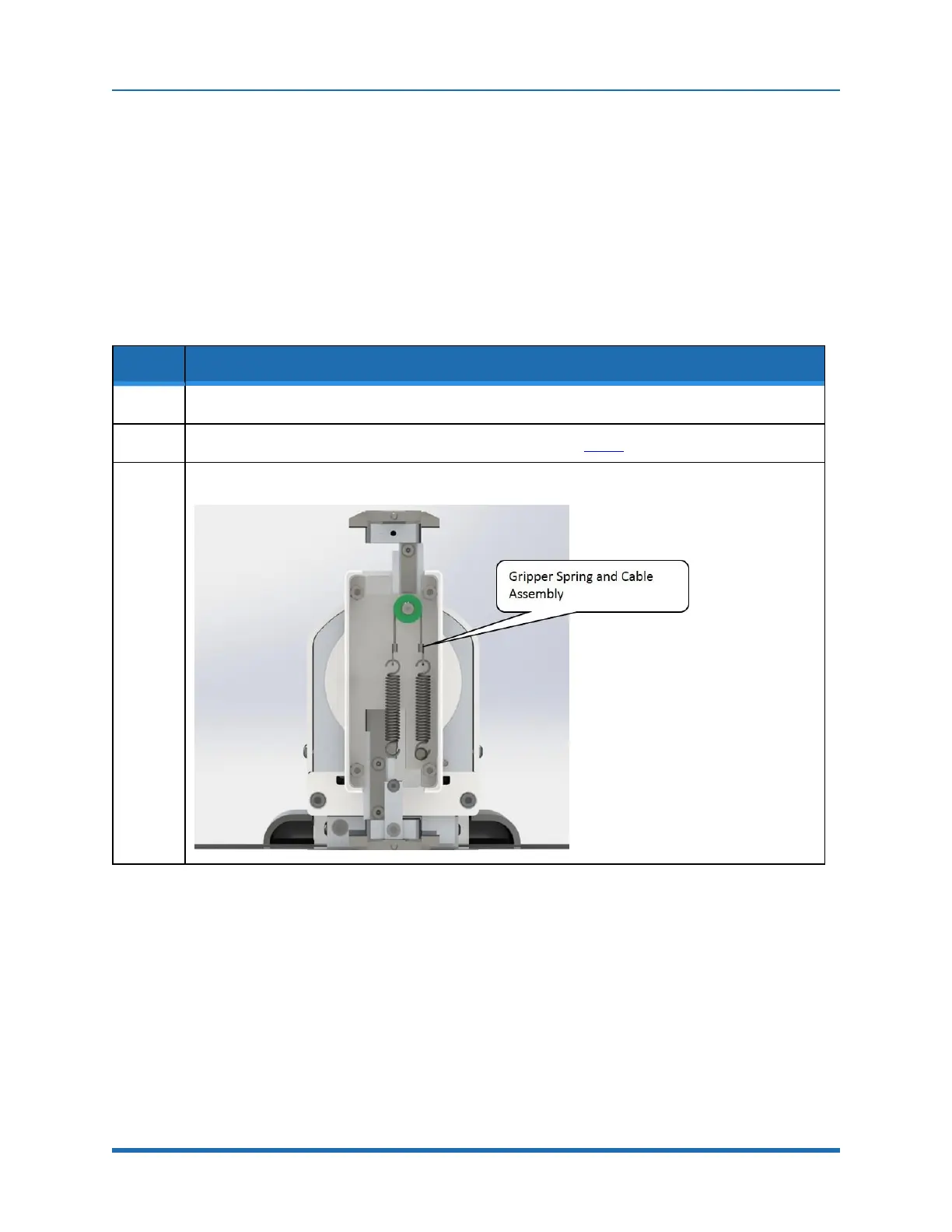
Remove the spring cable assembly by unhooking it as shown in Step3.
3.
Replace the spring cable assembly and replace the cover. Do not use Loctite on the screws.
Copyright © 2023 Brooks Automation, Inc.
111



 To Next Page