Brooks Automation 6. Service Procedures
Part Number: 603988 Rev. A
Calibrating the Robot: Setting
the Encoder Zero Positions
Calibrating the Robot: Setting the Encoder Zero Positions
Cal_PP is a service program that must be run to set the zero positions of the absolute encoders on
each motor. The zero positions must be re-established if any of the motors are replaced, their
cables disconnected for a long duration, or the encoder backup battery has been disconnected.
Cal_PP is supplied on the Guidance Controller System Software CD. To run Cal_PP, the controller
must be configured to run GPL programs and Cal_PP must be loaded into the controller's memory
(See " Appendix D: Preventive Maintenance" on page 122).
Tools Required:
l
2.5 mm and 3.0 mm hex drivers or hex L wrenches
l
Set of 1 Calibration Dowel Pin, located in a plastic bag inside the Z motor cover under the Z motor pulley.
The following describes the procedure for defining the zero positions of the PF400 robot axes using
Cal_PP.
Step Action
1.
Enable power to the robot’s controller, but do not turn on power to the motors. (This procedure
should be executed with motor power off. The robot does not move.)
2.
The CALPP program is typically installed at the factory and should be loaded into flash memory.
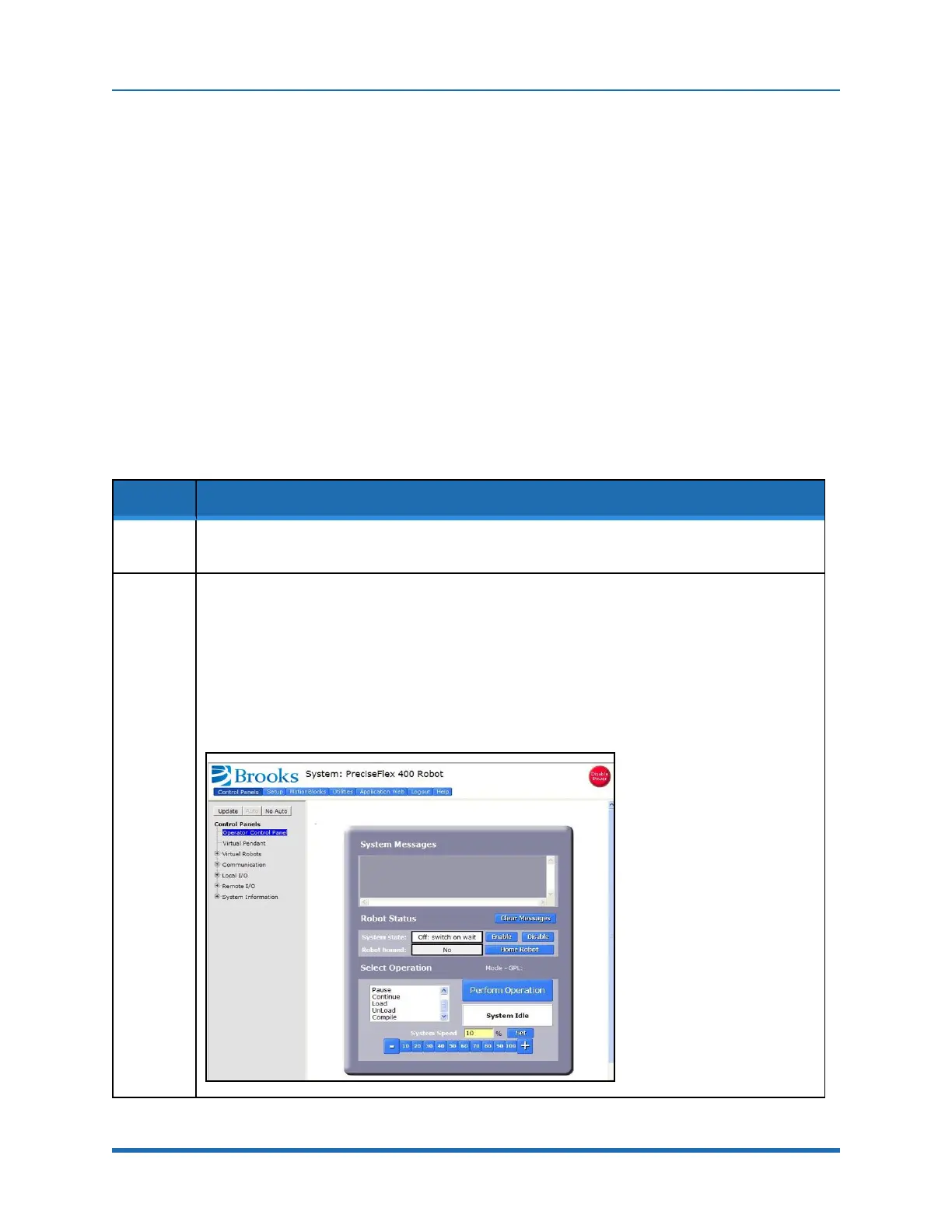
Using the Web based Operator Control Panel first unload any currently loaded programs.
Select the Unload item in the left scrolling window and press the Perform Operation button. This
ensures that no GPL project is currently selected for execution.
Select the Load item and press Perform Operation. This displays a list of projects that are in the
flash disk and available for execution. In the popup display, click CALPP_RevXX and click Select.
When ready to execute the project, select Start application and click Perform Operation. If
CALPP is not loaded in the robot, first Load Cal_PP into the controller’s memory from a PC, using
the web Operator Control Panel, as described in "Software Reference".
Copyright © 2023 Brooks Automation, Inc.
87



 To Next Page