6. Service Procedures PreciseFlex 100 Robot
Replacing the Encoder Battery Part Number: 603988 Rev. A
However, in this case, the encoder battery does not need to be replaced. It is only necessary to re-
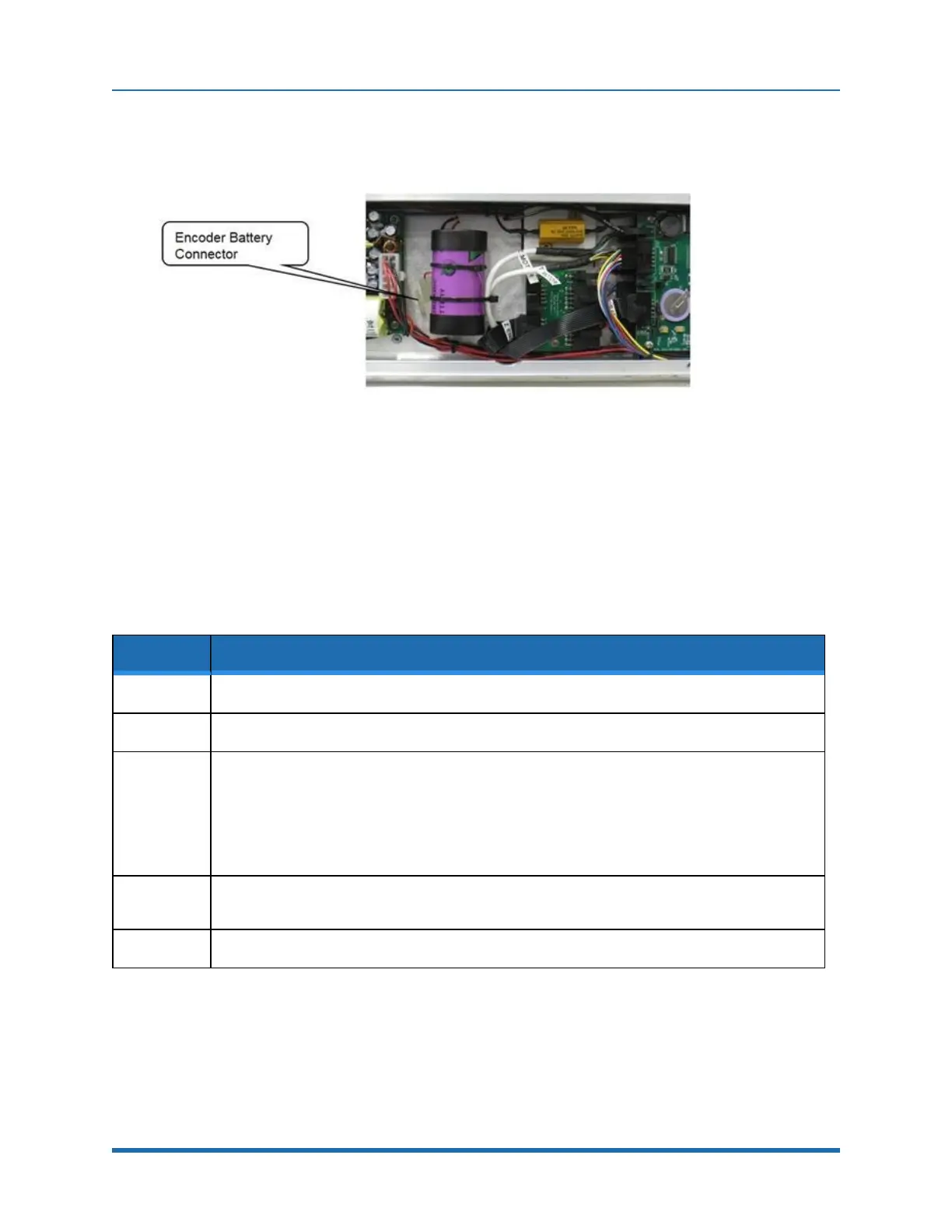
calibrate the robot, see Figure 6-1.
Figure 6-1: Encoder Battery Connector
Tools Required:
l
3.0 mm hex driver or hex L wrench
Parts Required:
l
New Encoder Battery (PN PF00-EA-00002)
l
2 8 in long by .093 wide tie wraps
To replace the Encoder Battery, perform the following procedure:
Step Action
1.
Turn off power to the robot and remove the AC power plug.
2.
Remove the Rear Cover of the X-axis.
3.
The Encoder Battery is located in the middle of the electronics in the X-axis. The Encoder Battery
has a connector which plugs into a connector in the controller harness. Unplug the old battery and
replace with a new battery. It may be necessary to recalibrate the robot after the battery has been
replaced. The encoders have standby capacitors that allow the old battery to be disconnected for
a few minutes while a new battery is installed, without losing calibration, but these capacitors age
over time and may not hold their charge very long.
4.
Attach the new Encoder Battery to the hold down with one tie wrap and replace the second tie
wrap securing the motor cables to the encoder battery.
5.
Replace the rear cover.
If the error message “Encoder Battery Down” was generated, the robot must be re-calibrated after
this procedure.
86
Copyright © 2023 Brooks Automation, Inc.



 To Next Page