Brooks Automation 5. Software Reference
Part Number: 603988 Rev. A Accessing the Web Server
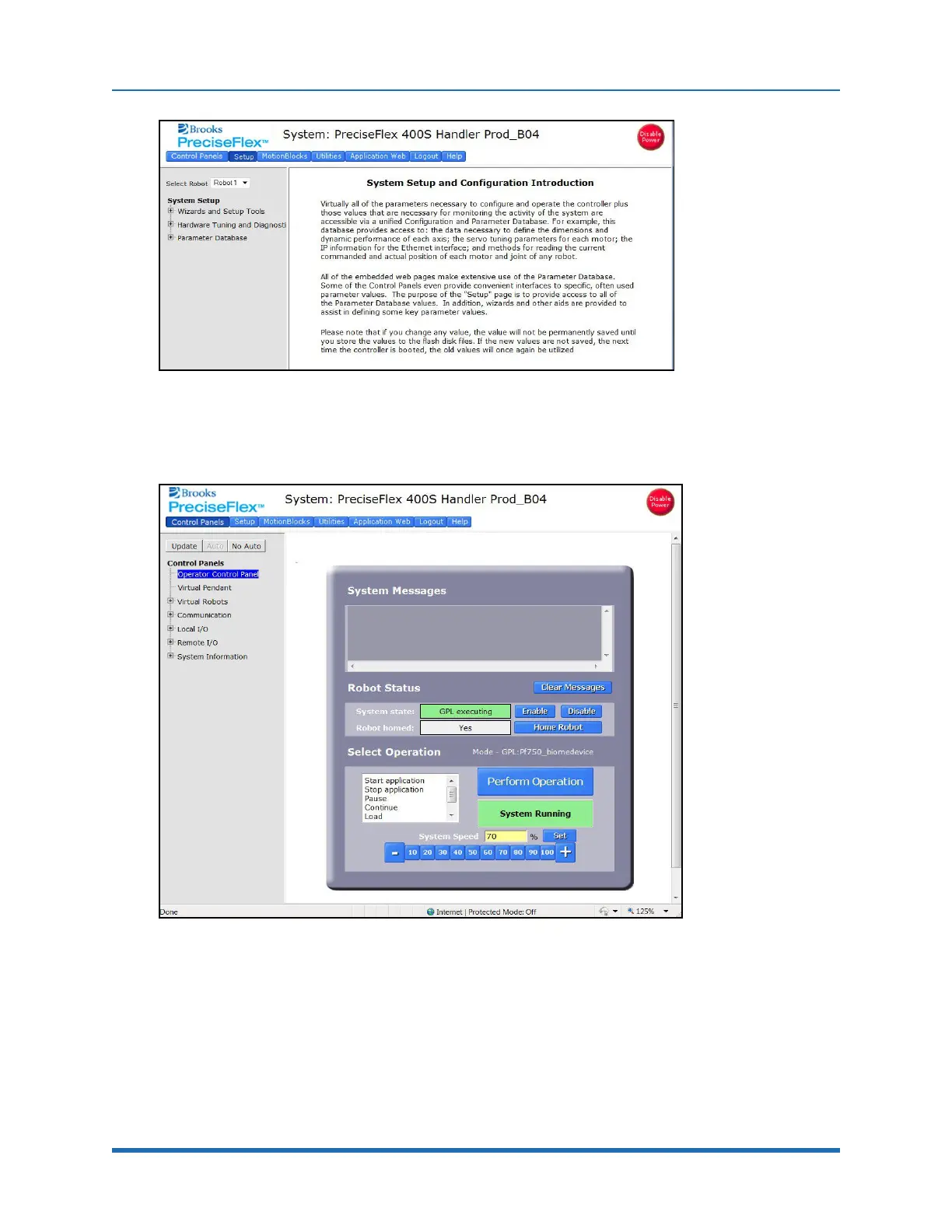
Figure 5-2: System Setup
Click Control Panels→Operator Control Panel. The window in Figure 5-3 will display.
Figure 5-3: Operator Control Panel
If an application is running, the System Running” panel will display in green. In order to run
diagnostics, stop the application from running. Click Stop Application→Perform Operation. This
will stop the application from running. Click the Disable Power button to be sure motor power is off.
To load a new project (for example CAL_PP), click Unload→Perform Operation before loading the
new project into RAM.
Copyright © 2023 Brooks Automation, Inc.
71



 To Next Page