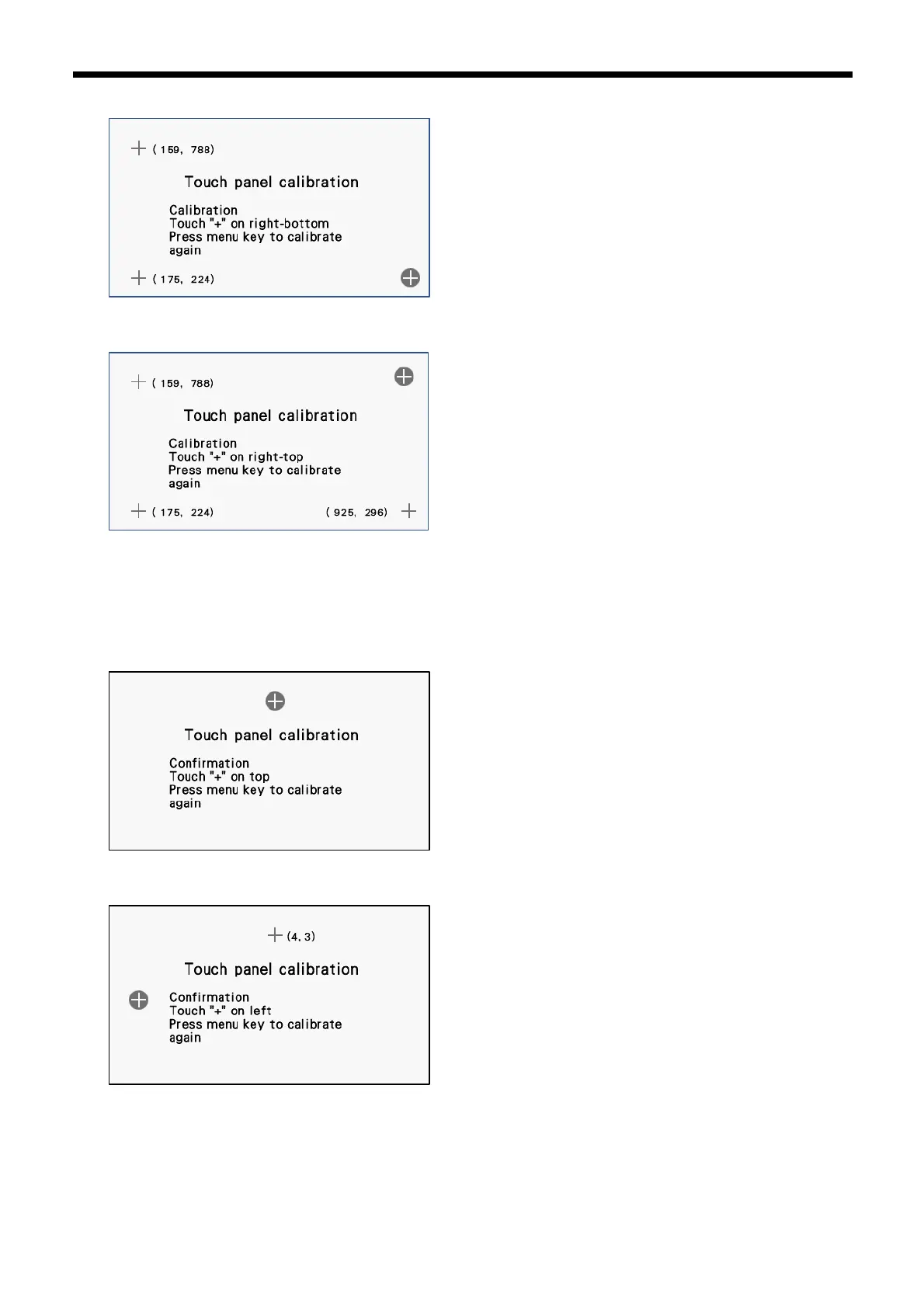
6. Press the center of the "+" mark in the bottom-right corner.
7. Press the center of the "+" mark in the top-right corner.
8. The following procedure measures the error between the coordinates at the centers of the keys and the coordinates which
are read at four places on the screen.
Press the center of the "+" mark at the center-top.
If the error is within the allowable range (-5 to +5), the next screen is displayed.
If the error is outside the allowable range, the buzzer will sound twice, so repeat the operation.
9. Press the center of the "+" mark at the center-left.


 To Next Page
 Loading...



