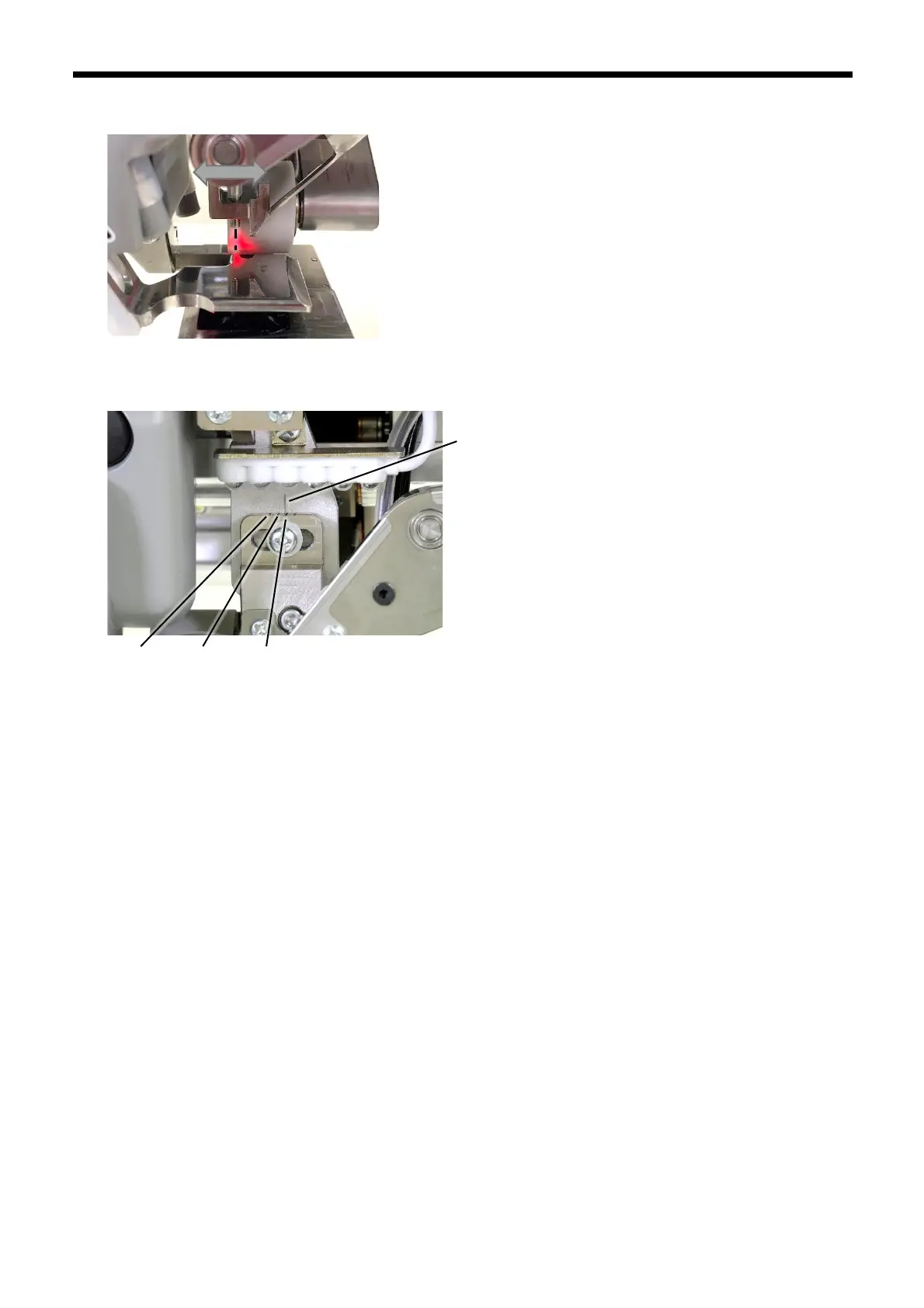
2. Press the NOZZLE switch to move the nozzle to its lowest position. After this, adjust the sideways position of the
sensor support (4) so that the groove on the left side of the nozzle and the center of the sensor are aligned.
There are grooves near the screw (5) of the sensor support to use as a guide for positioning. For example, if the nozzle
with a 10 mm gluing width is installed, adjust the position of the sensor so that the reference line and the 10 mm line are
aligned.
3. Tighten the screw of the sensor support.



 To Next Page