Creel Mapping (STD or ADV)
SMART MATRIX - 2-11 -
Creel Mapping (STD or ADV)
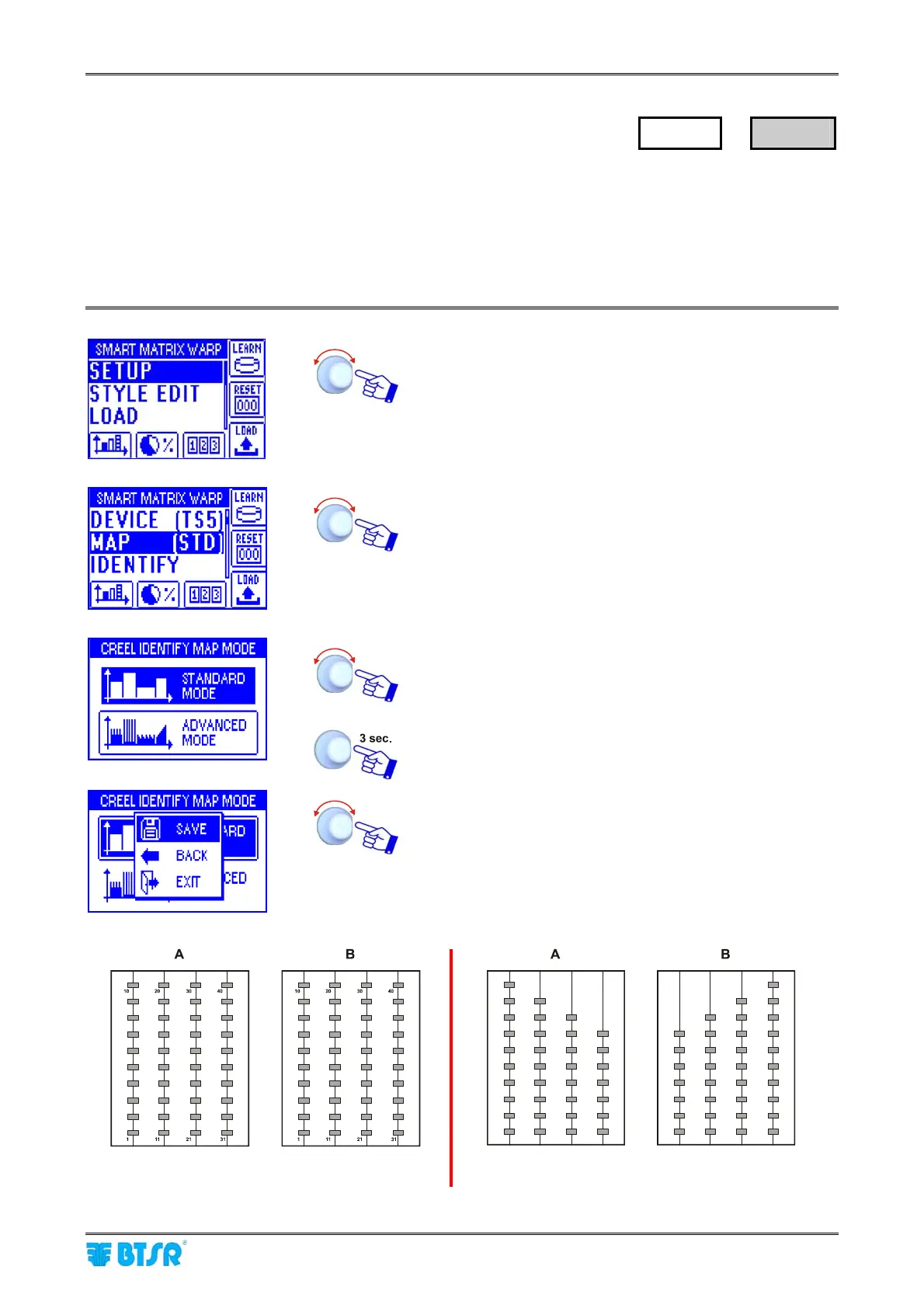
This function allows you to choose the creel configuration type.
2 configuration modes are available: STANDARD and ADVANCED.
STANDARD Mode: each creel can be configured only as a “regular” matrix of rows/columns (e.g.
square/rectangular creel).
ADVANCED Mode: each creel can be configured with a variable number of sensors for each row (or
column) (e.g. chessboard creel).
Enter the SETUP menu.
Select MAP.
Choose either STANDARD MODE or ADVANCED MODE.
To leave the function and activate the save function.
SAVE to save the choice, BACK to return to the previous
screen without saving, EXIT to return to menu.
Examples:
Standard Mode
4 columns; 10 sensors per column
Advanced Mode
4 columns; different no. of sensors for each column
SETUP
→
MAP










 To Next Page