Input/Output Configuration on SM-DIN/Smart Matrix
SMART MATRIX - 2-23 -
Input/Output Configuration on SM-DIN/Smart Matrix
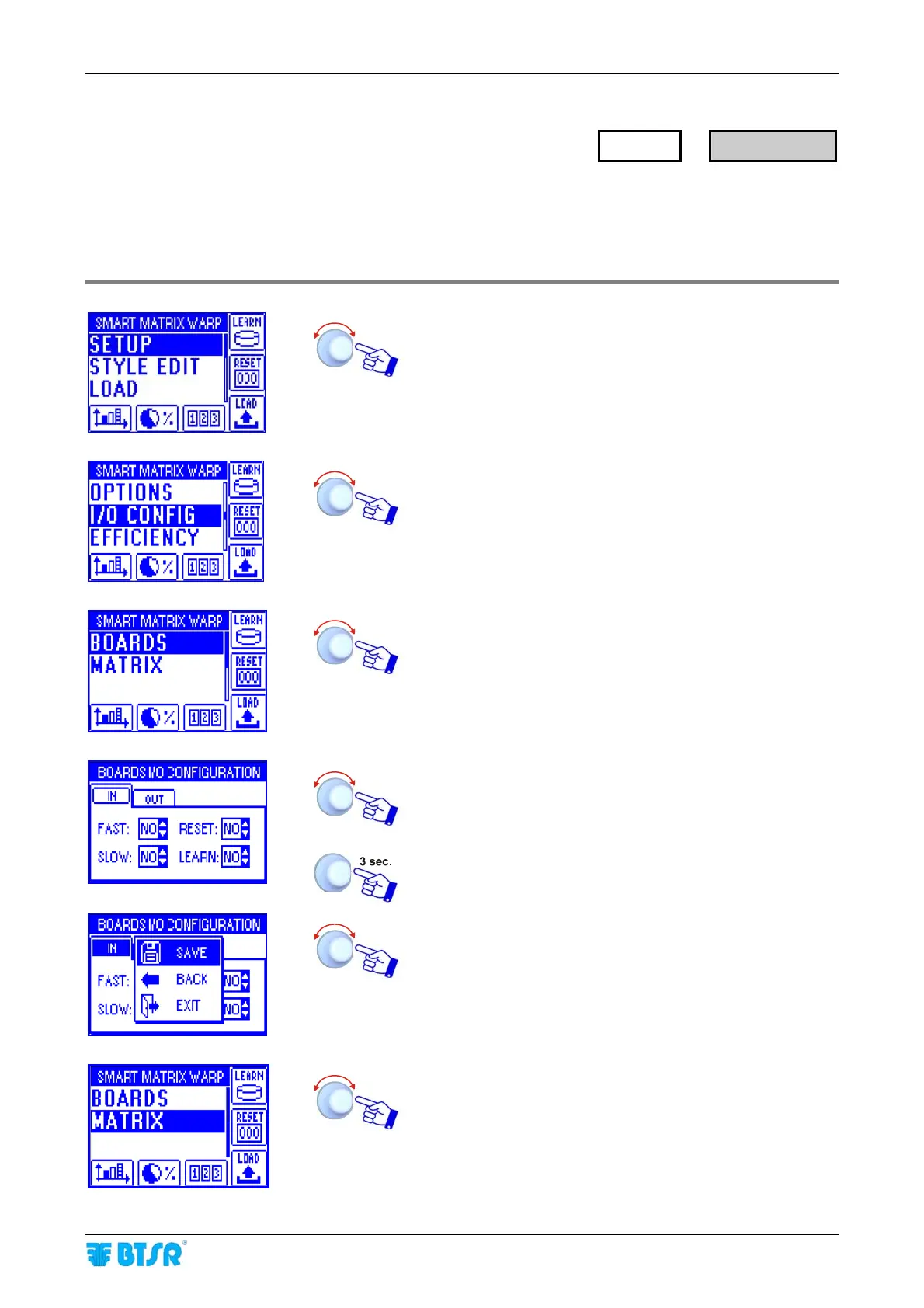
This function allows you to configure the input/output signals of all the SM-DIN Boards (BOARDS option) as
normally open (NO) or normally closed (NC) contacts.
It also allows you to configure the output relay of SMART MATRIX terminal as normally open (NO) or
normally closed (NC) contact.
Enter the SETUP menu.
Select I/O CONFIG.
Select BOARDS.
Configure the input signals within the IN window and the
output signal within the OUT window, as NO or NC.
To activate the save function.
SAVE to save the choice, BACK to return to the previous
screen without saving, EXIT to return to menu.
Select MATRIX.
SETUP
→
I/O CONFIG










 To Next Page