LED Display setup
SMART MATRIX - 2-38 -
LED Display setup
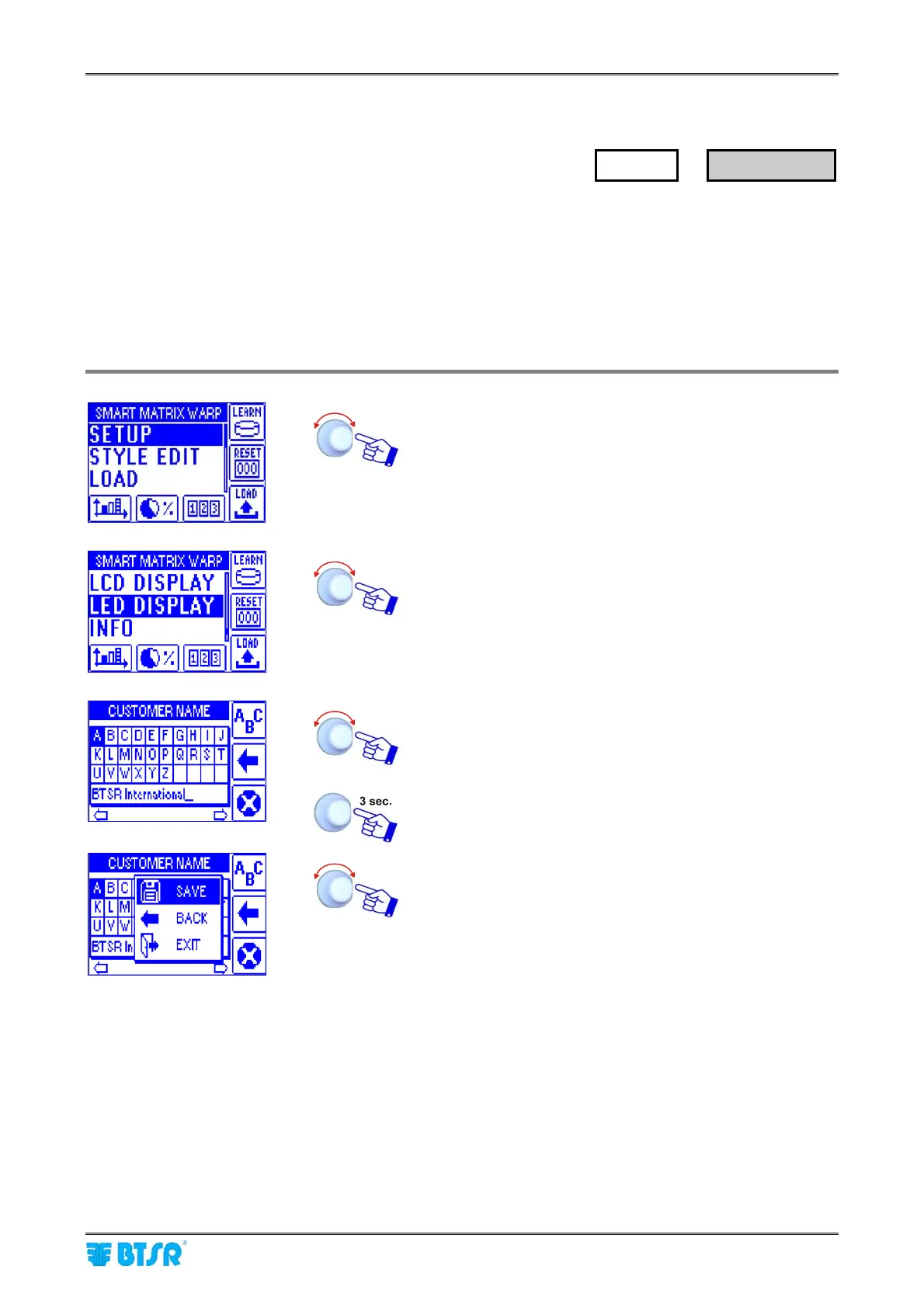
This function allows you to set the Customer name that will appear as a sliding text on the external display.
Besides the name set with this function, the display will visualize in sequence a series of information about
the system status:
Number of working yarns
Process efficiency
Coordinates (row, column, etc) of the possible errors
Possible system errors (ERR RAM, etc)
Enter the SETUP menu.
Enter the LED DISPLAY menu.
Set the desired name as explained on “3 – Entering
Alphanumeric Values” paragraph
To save the setting
SAVE to save,
BACK to go back to previous screen without saving,
EXIT to go back to the menu.
For correct external display connection, please refer to Section 1.
SETUP
→
LED DISPLAY










 To Next Page