Error Counter Display (IS3)
SMART MATRIX - 2-50 -
Error Counter Display (IS3)
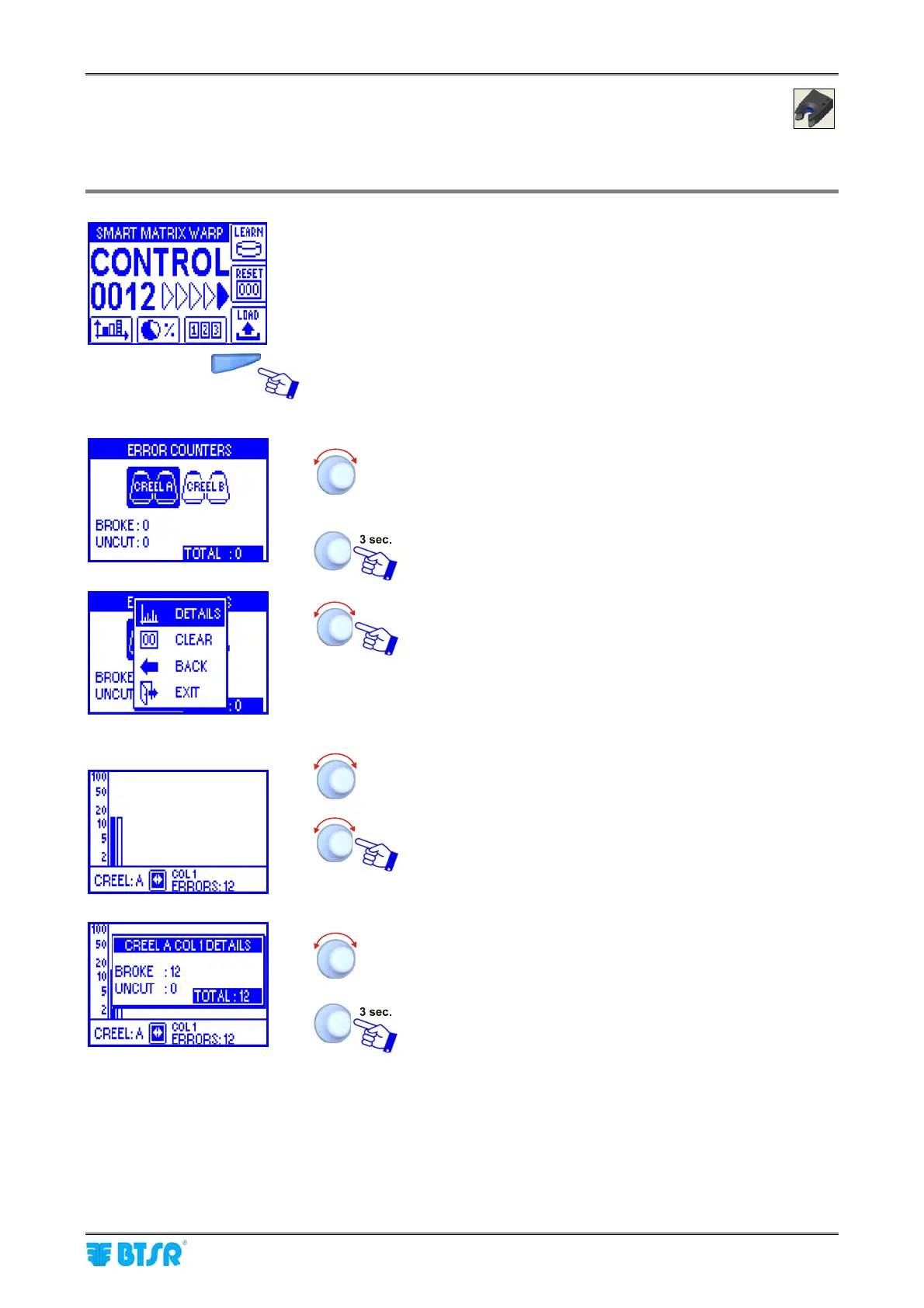
This function allows you to display the error counters at creel level and at detailed level.
Press the indicated button to directly access the counters.
Select the desired creel.
The indicated values represent the sum of all errors
(BROKE, UNCUT) referred to the selected creel.
To view the details of errors related to the selected creel.
DETAILS to view the errors in detail
CLEAR to clear the errors counters
BACK to return to previous screen
EXIT to return to main menu
Details
Select the desired Column.
To view the details of errors.
To view the details of errors, Column by Column.
To continue with the detailed display at Row level.










 To Next Page