MATRIX LCD Adjustment
SMART MATRIX - 2-37 -
MATRIX LCD Adjustment
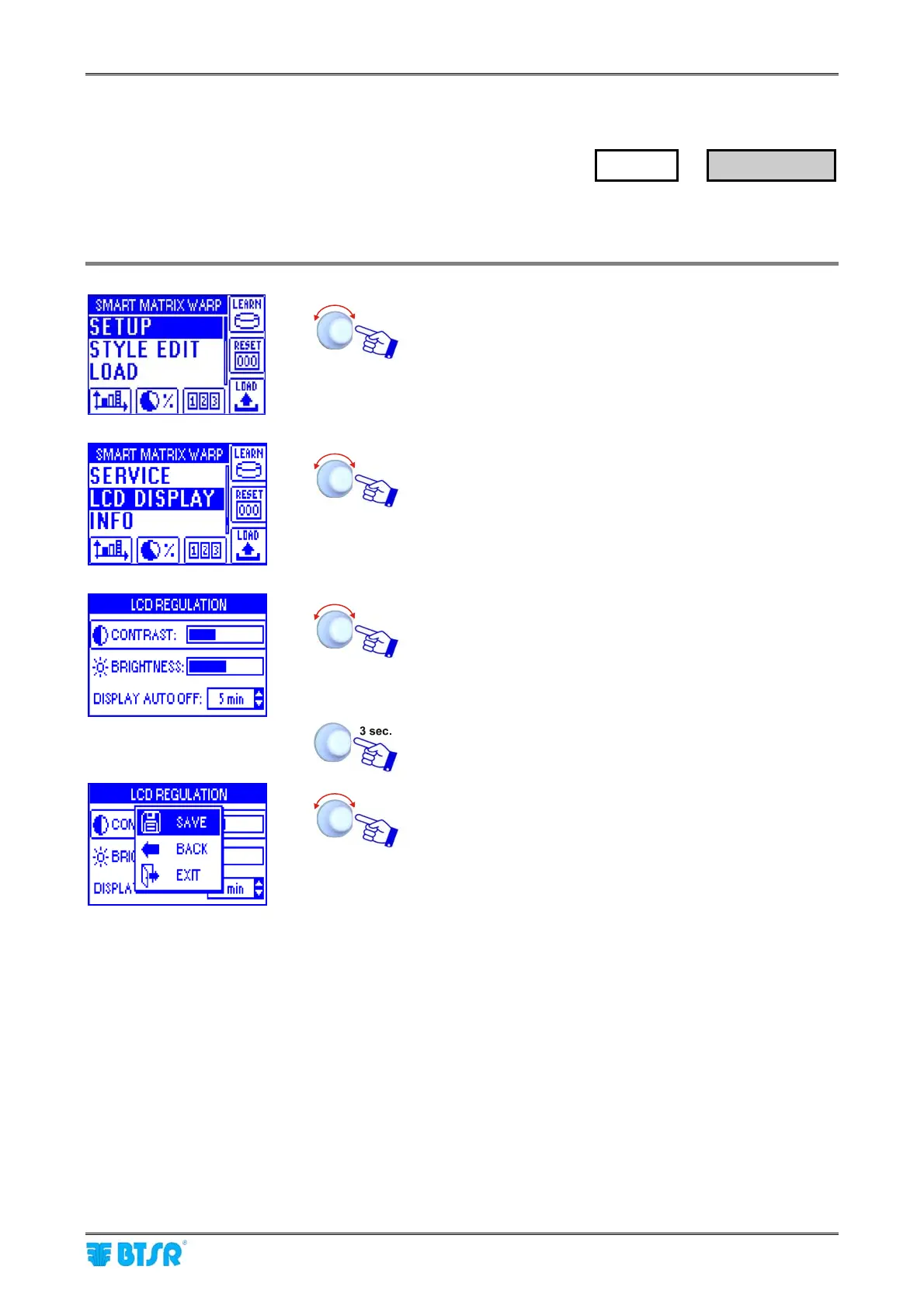
This function allows you to adjust the brightness and contrast of display and to set the display auto-off time
(1 .. 20 minutes, or No Off if the auto-off function is not required).
Enter the SETUP menu.
Enter the LCD DISPLAY menu.
Adjust:
• CONTRAST,
• BRIGHTNESS,
• DISPLAY AUTO OFF.
To activate the save function.
SAVE to save the settings,
BACK to return to the previous screen without saving,
EXIT to return to the menu.
SETUP
→
LCD DISPLAY










 To Next Page