Sensors Histogram
SMART MATRIX - 2-45 -
Sensors Histogram
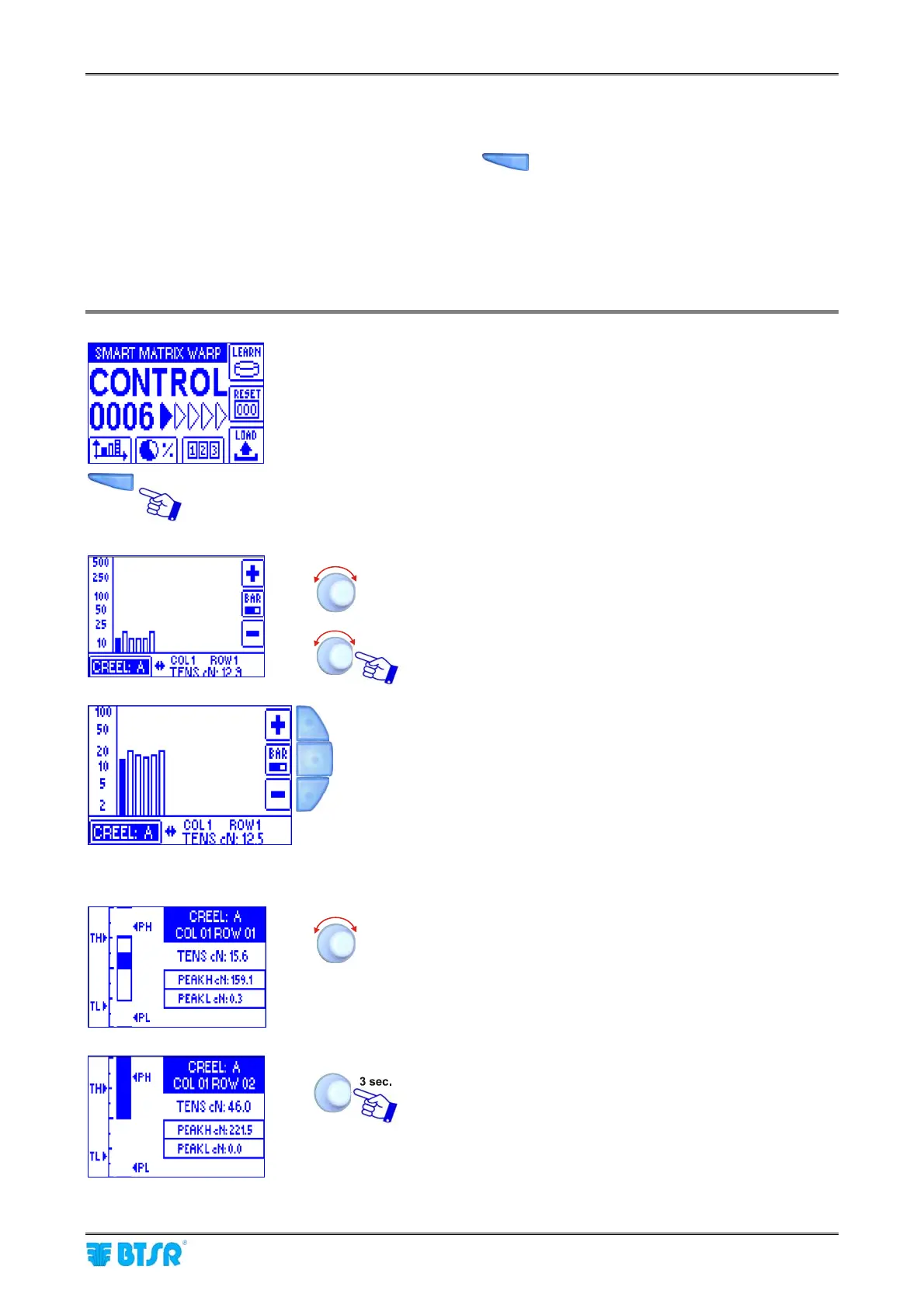
This function, which can be activated pressing the button
, provides two different indications
depending on the type of sensors (IS3F or TS5/TS7) selected with the IDENTIFY function.
In case of TS5/TS7 sensors it indicates the tension value detected in real-time by the various sensors.
In case of IS3 sensors it provides a quality index of sensor reading (depending on sensor position/yarn
typology)*.
* The purpose of this function is to optimize the positioning of sensors within the application.
Press the indicated button to directly access the graphic.
To scroll through the various positions.
To select in turn the various sensors and view the detected
value in real time (the solid bar indicates the selected
sensor).
To increase the resolution (Zoom+)
To go to the detail visualization
To decrease the resolution (Zoom+)
Detail visualization
To scroll the various sensors.
To continue










 To Next Page