ACT/D Upgrade
SMART MATRIX - 2-35 -
ACT/D Upgrade
This function allows you to upgrade the firmware of ACT/D modules.
The upgrading requires two separate steps for lamps associated with columns/rows/bars and for
lamps associated with creels.
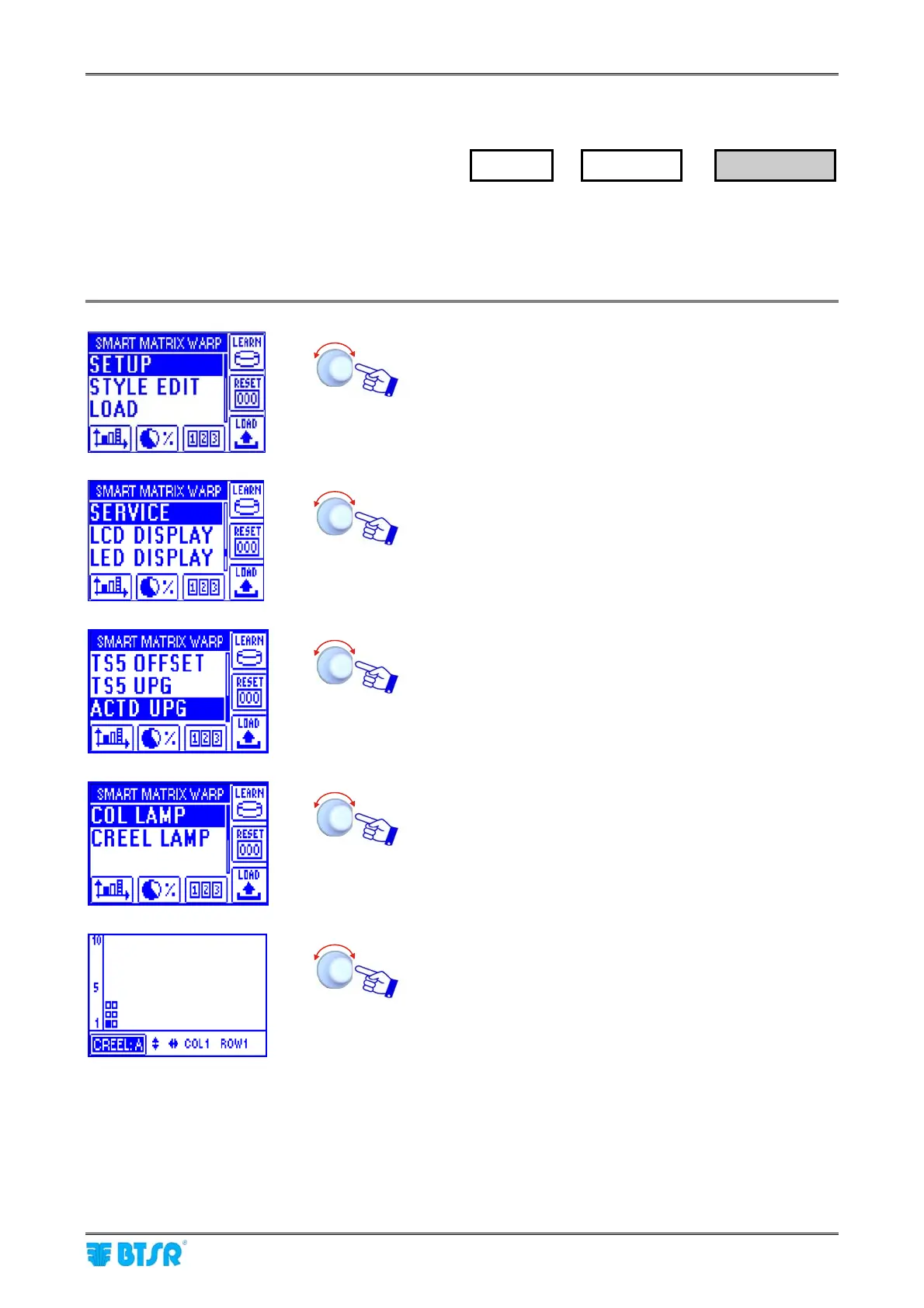
Enter the SETUP menu.
Select SERVICE.
Select ACTD UPG.
Select COL LAMP (or ROW LAMP/BAR LAMP)
(If no lamps have been configured for columns/rows/bars,
the following error message will appear: COL (ROW/BAR)
LAMPS NOT ACTIVE)
Select the coordinates of ACT/D module to be upgraded, or
all modules (ALL DEVICES).
SETUP
→
SERVICE
→
ACT/D UPG










 To Next Page