Style Parameters Programming (TS5/TS7)
SMART MATRIX - 2-41 -
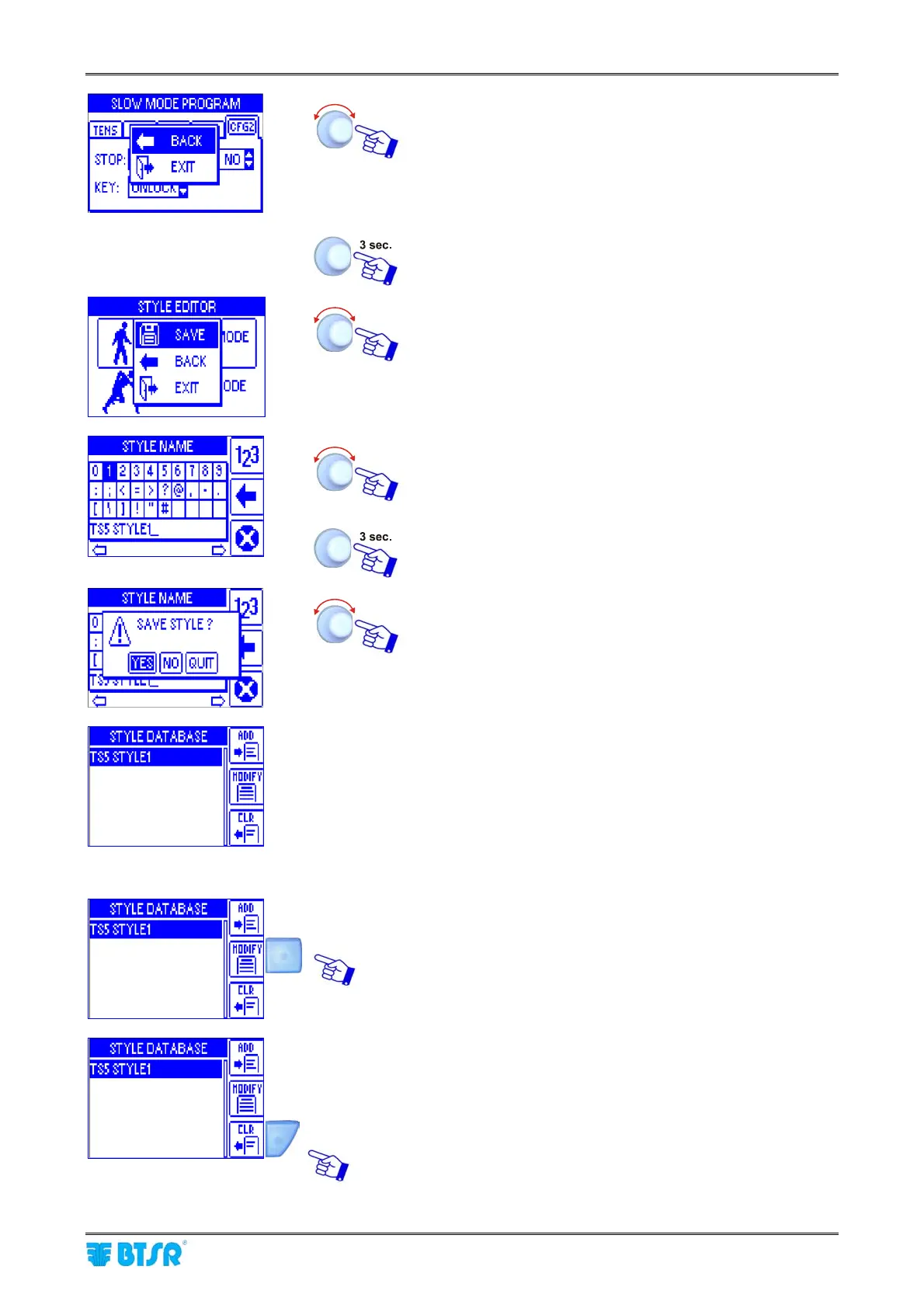
BACK to return to the previous screen,
EXIT to return to the SLOW MODE SETUP or FAST
MODE SETUP selection screen.
Repeat the same procedure to setup the FAST
parameters (
FAST MODE SETUP).
To save the settings.
SAVE to save and set the style name
BACK to go back to previous screen without saving,
EXIT to go back to the menu.
Set the style name as explained on “3 – Entering
Alphanumeric Values” paragraph
To go to the saving function.
YES to save, NO to go back to previous screen, QUIT to
exit the function without saving.
In the database style list, the style just created will appear.
Style modification and clearing
To modify an existing style or to create a new style by
starting from an existing one and save it with a different
name.
To delete a style from the database.










 To Next Page