Using your LinkStation
LinkStation User Manual 42
3
4
5
6
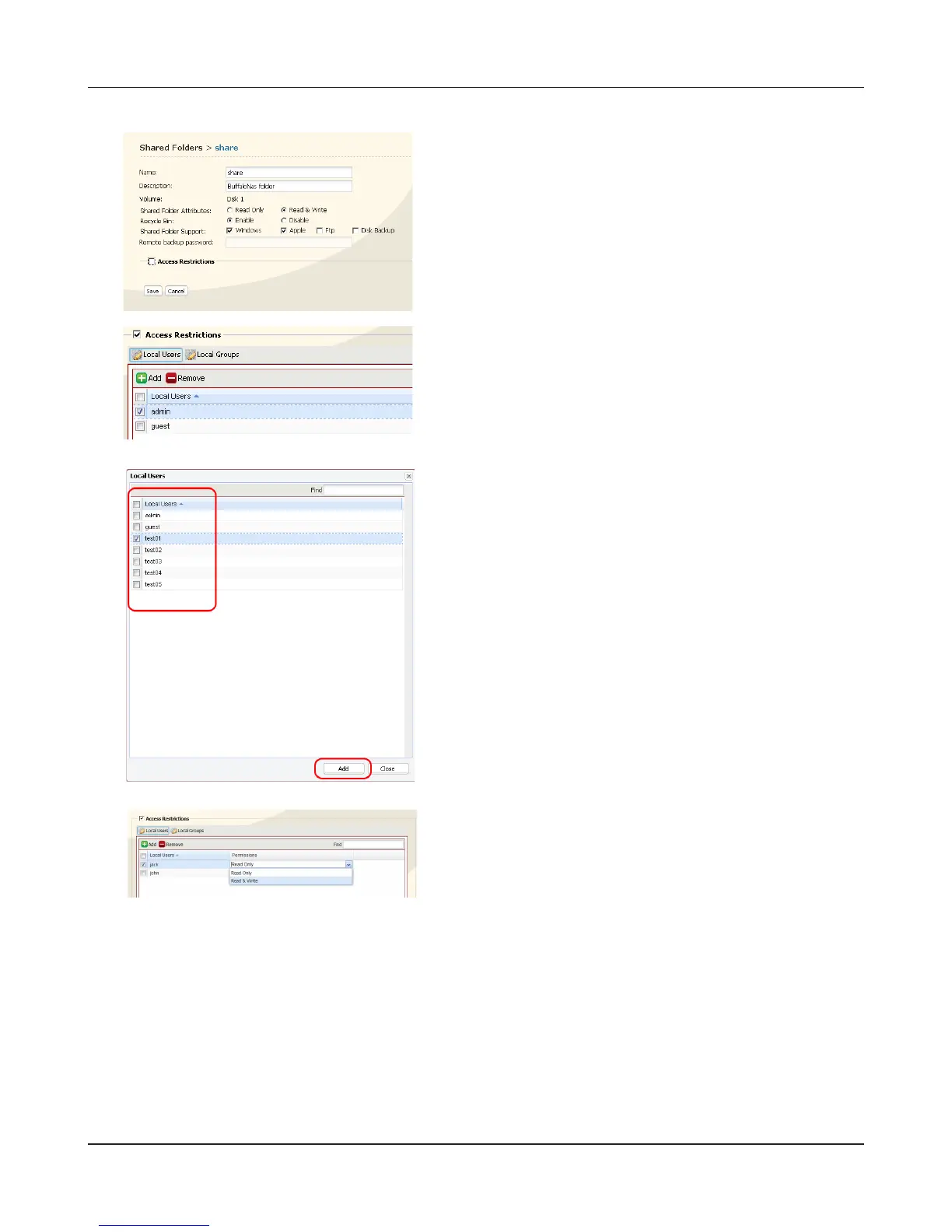
7 Click [Save].
You have assigned access restrictions.
• If you log on from a Microsoft Network Domain, you can set the [Access Restrictions] with the
users and/or groups which are registered on the domain.
• If both [Read only] and [Read & Write] permissions are given to a user, that user will have read-only
access.
Click [Add].
Note:
The procedure described here shows how to set
access restrictions for users. To set access restrictions
for a group of users, click [Local Groups] - [Add].
1 Check the users (or groups) that you want to
permit to access the share.
.
2 Click [Add].
Select the level of access for the user or group you
added.
Check [Access Restrictions] to enable.











 To Next Page