126 - 8630
PROFIBUS DP
Finally, the process data output (from the controller to the TOP Control Continuous) is entered.
PDI
: Process Data Input (continued)
(from the TOP
Control Continuous to the controller)
PDI. PV
and
PDI. SP
can only be selected if the process controller has been activated.
PDI.P1/P2/MTMP
can only be selected if the fluid flow controller option is active.
NOTE
In the same order as in the selection in the TOP
Control Continuous and only process data
(
PDI
) activated in the configuration menu may be entered.
The updating of the process data output only takes place in the MANUAL and
AUTOMATIC modes.
NOTE
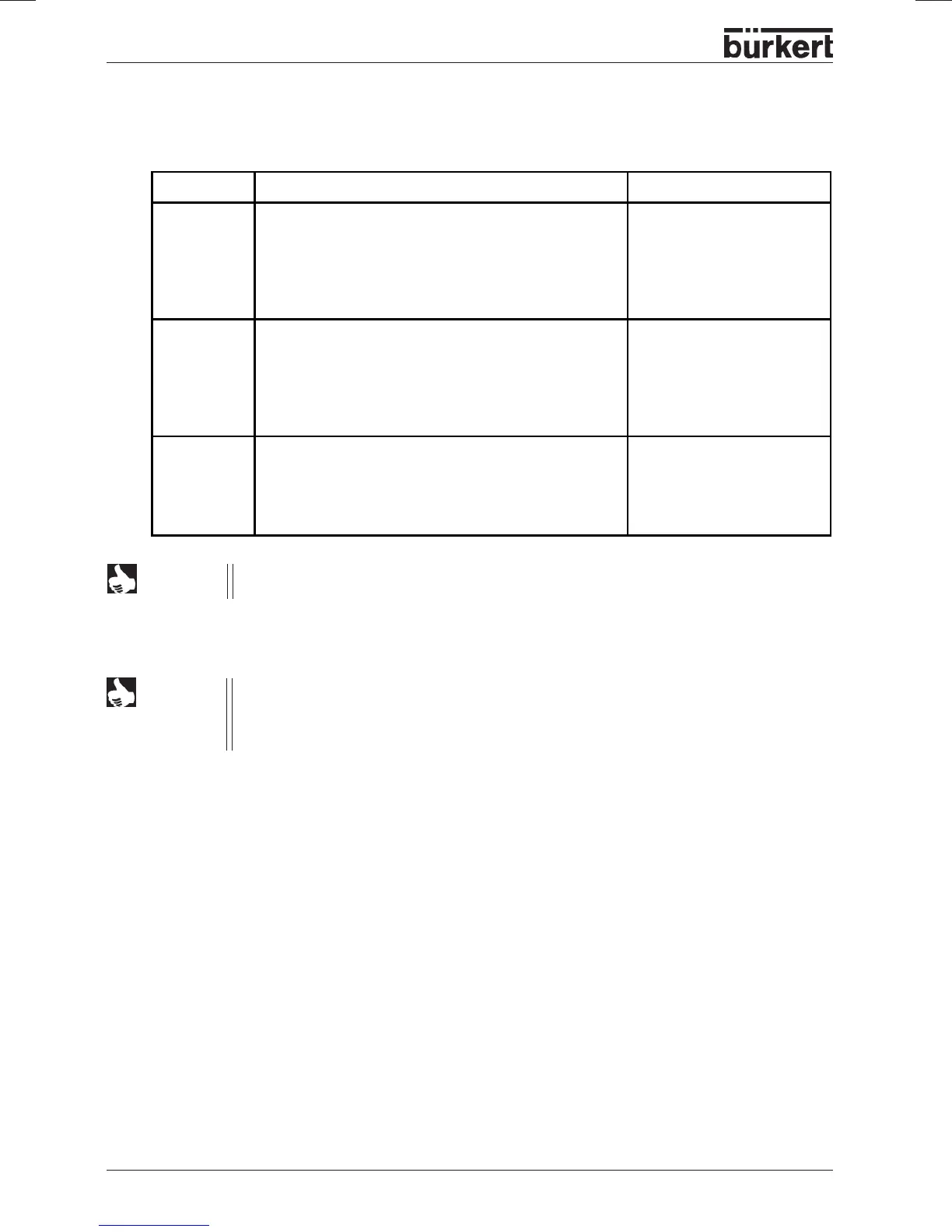
Name Description Identifiers
PDI:P1
Forward pressure p1
Pressure in mbar (rel) that is present in front of the
process valve.
The value will be determined using a pressure
transmitter.
Value range -1013 ... +16000
GSD file: PDI:P1
Identifiers (HEX): 41, 40, 07
PDI:P2
Back pressure p2
Pressure in mbar (rel) that is present behind the
process valve.
The value will be determined using a pressure
transmitter.
Value range -1013 ... +16000
GSD file: PDI:P2
Identifiers (HEX): 41, 40, 08
PDI:MTMP
Medium temperature
Temperature of the medium in °C. The value will be
predefined from the menu, the bus, or using a
temperature transmitter.
Value range -20 ... +150
GSD file: PDI:MTMP
Identifiers (HEX): 41, 40, 09



 To Next Page