8630 - 87
OPERATION AND CONTROLLER FUNCTIONS
If the device is in the safety position (for the relevant configuration, see menu item
BIN-IN
or
SIG-ERR), SAFE XXX
appears in the display.
If the menu item
CUTOFF
is activated and the process vave is in the tight-closing range,
a flashing
MIN
or
MAX
symbol appears in the display.
Display of the AUTOMATIC mode
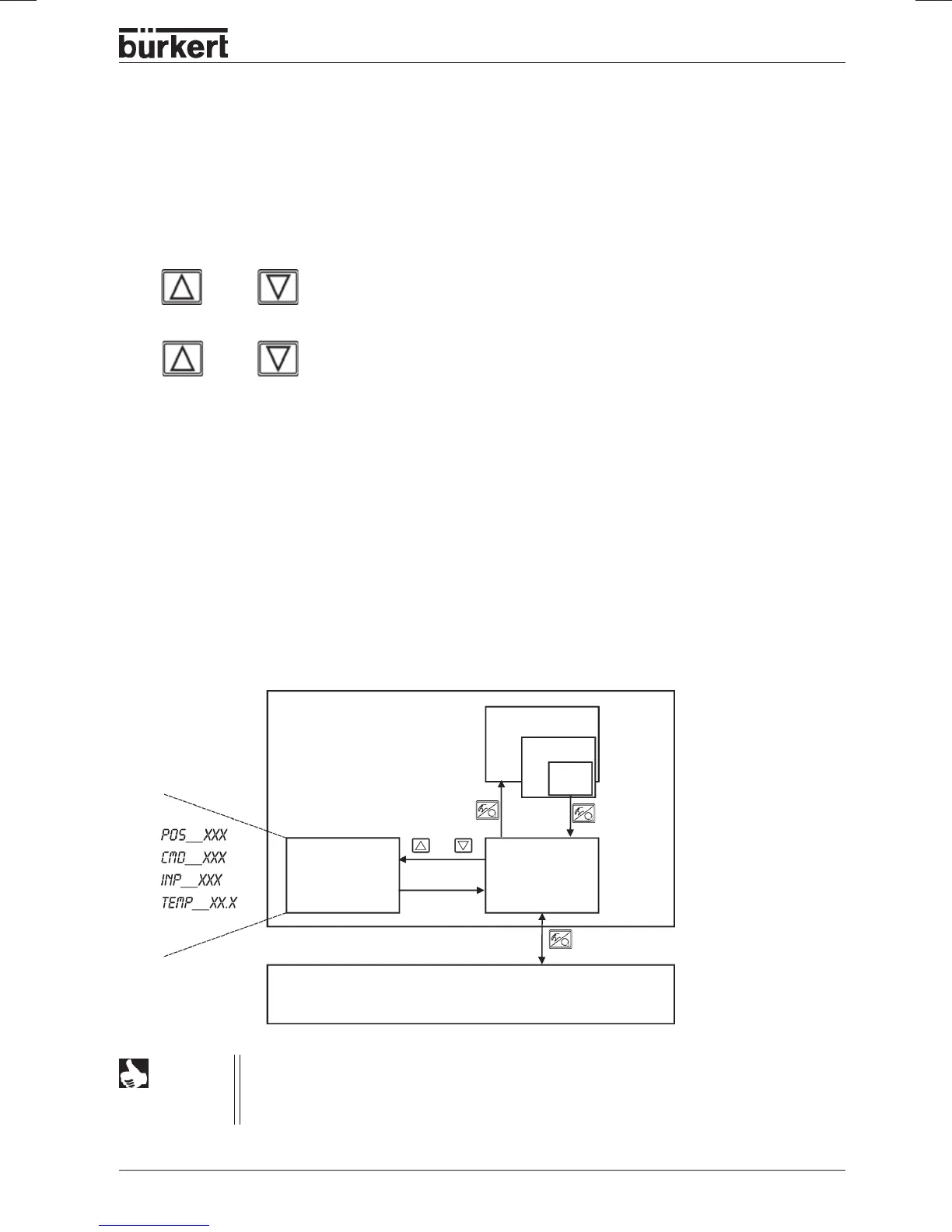
With regard to the positioner, the following parameters can be displayed:
• Actual position of valve actuator
POS__XXX
(0 ... 100 %)
• Setpoint position of valve actuator after rescaling through optionally
activated split-range function or correction characteristic:
CMD__XXX
(0 ... 100 %)
• Input signal for setpoint position:
INP__XXX
(0 ... 5/10 V or 0/4 ... 20 mA)
• Temperature inside housing of TOP Control Continuous
TEMP_XX.X
(in °C)
By pressing the arrow keys, you can switch between these 4 display options.
NOTE
(yellow LED flashes)
In the AUTOMATIC mode, normal controlled operation is executed and monitored.
Meaning of the keys in the AUTOMATIC
mode:
Operating mode AUTOMATIC
No operating
action
AUTOMATIC mode
MANUAL mode
Release key
or
(> 5 sec.)
Switch over
display
Menu item
Configuration
END
Switch over the display
Change the process setpoint:
with configured supplementary functions
P.CONTRL / P.CO SETP / SETP INT
and display set to
SP
or
or
> 3 s



 To Next Page