128 - 8630
PROFIBUS DP
The following screen appears:
• Select Configuration ...
Example for a positioner
Settings in the configuration menu of the TOP Control Continuous:
ADDR:
3
PDI: PDO:
•
PDI:POS
•
PDO:INP
•
PDI:MODE
•
PDO:MODE
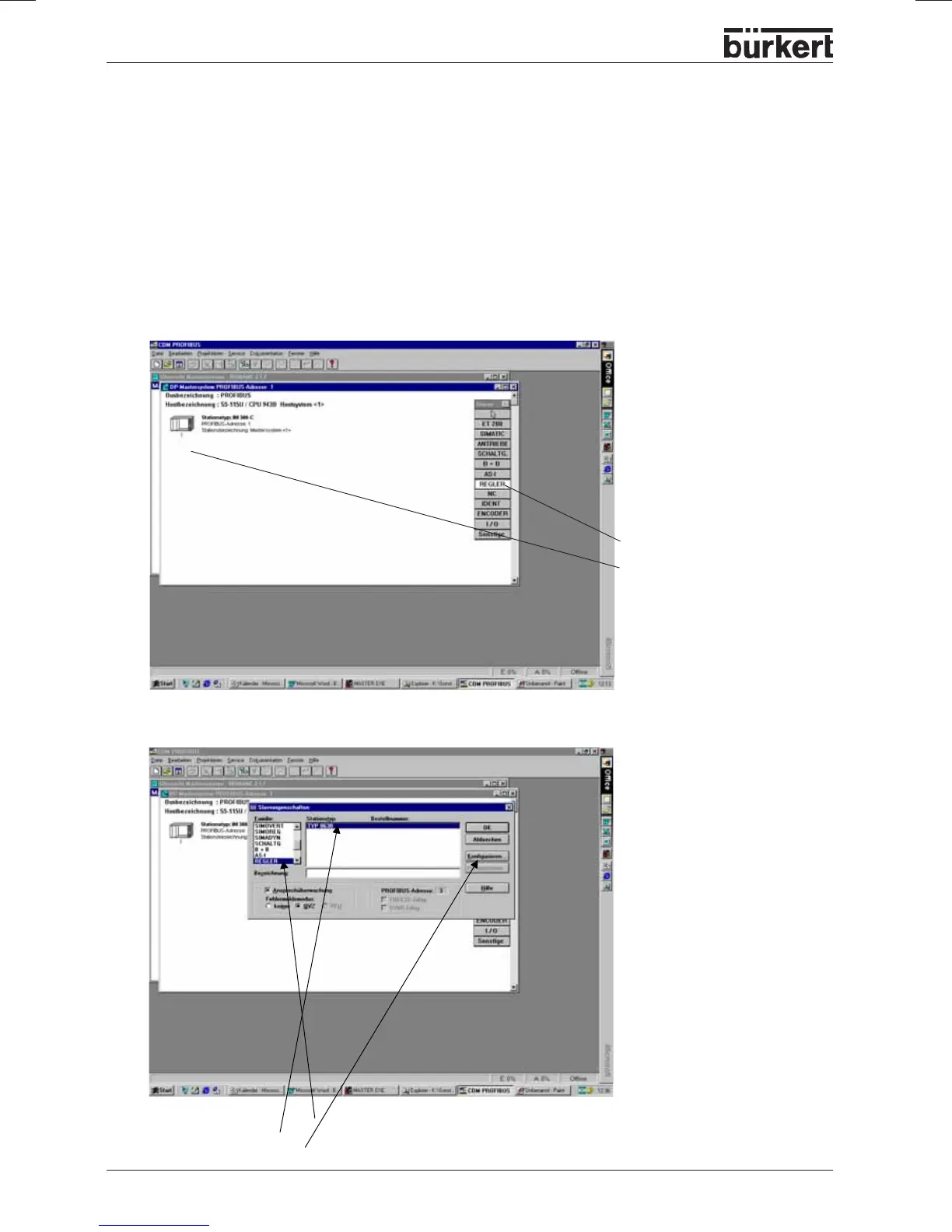
After starting COM Profibus and the setting of master and SPS information, one gets the following
screen:
Example 1 with COM Profibus V3.3
• Select CONTROLLER
• Set an element under the
control
• Set the 3rd address in the
menu address (without
image)
• Confirm with
OK
• Select CONTROLLER family
• Select Type 8630



 To Next Page