8630 - 139
DEVICENET
Explanations of the menu items in the program run-off schematic
BUS ADDR Input of the device address (factory setting: 63)
The address can be changed via the keys at the device or via the bus. After each
change, all Connection Objects are deleted followed by the execution of the normal
Start-Up procedure for network access by a subscriber (as after a Reset or Power-
Up).
ADDR XXX
Values from 0 .. 63 can be set via the arrow keys; confirmation takes place with the
MANUAL/AUTOMATIC key.
BUS RATE The baud rate can be changed via the keys at the device or via the bus. In each
case a change has no effect until a Reset (transmission of a Reset message to the
Identity Object) or a Power-Up is performed. That is to say, if the changed attribute
baud rate is accessed before a Reset or Power-Up, the entered (changed) value
does not agree with the still current (to be changed) baud rate of the network.
KBD XXX
Selection of 125kbit/s, 250 kbit/s or 500kbit/s.
BUS FAIL
Activation for movement to saftey position on bus communication failure
SPOS OFF
The actuator moves to the position corresponding to the setpoint last transmitted
(default setting).
SPOS ON
With
SPOS ON
set, the following configurations can occur:
Activated menu item
SAFEPOS
On error in bus communication, the actuator moves to the position set under
SAFEPOS
.
Deactivated menu item
SAFEPOS
On error in bus communication, the actuator moves to the end position it would
occupy in the zero voltage condition.
Settings on the TOP Control Continuous
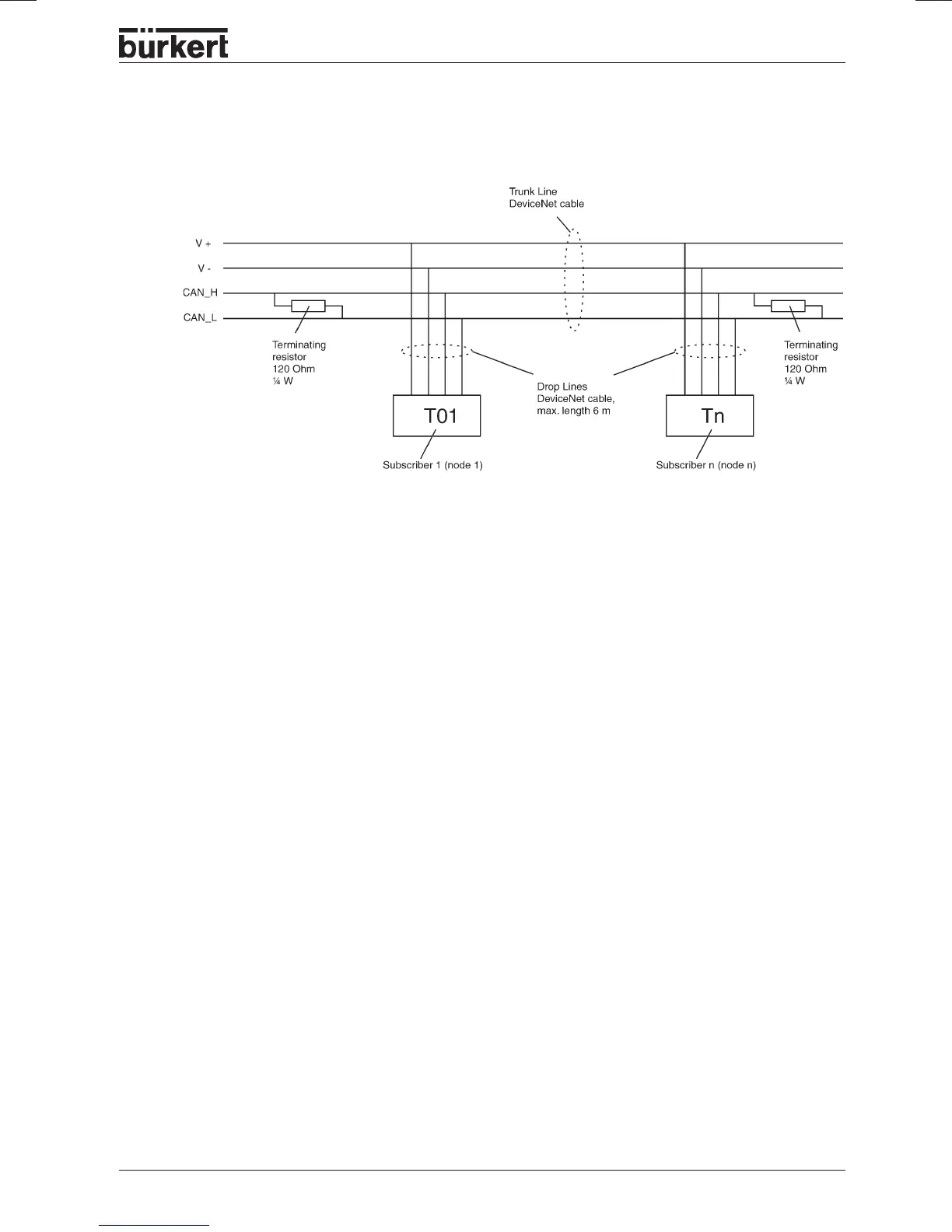
Net topology of a DeviceNet system
Comprises a trunk line and several drop lines.
Trunk and drop lines are composed of identical material (see drawing).



 To Next Page