8630 - 145
DEVICENET
Configuration example 1
The example describes the basic procedure on configuring the device when using the software
RSNetworx for DeviceNet
(Rev. 2.11.51.0).
Installation of the EDS file
The installation of the EDS file on the supplied floppy takes place with the aid of the tool
EDS Installati-
on Wizard
belonging to
RSNetworx
.
The Icon, also supplied on floppy can also be assigned in the course of the installation procedure
(where this does not take place automatically).
Address allocation
There are two possibilities for the assignment of addresses to the devices.
Firstly an address can be set to the desired value over the range 0 … 63 via the keys at the device (see
chapter
Settings at TOP Control Continuous
); secondly a change of address of connected devices can
be carried out via the bus with the aid of the tool
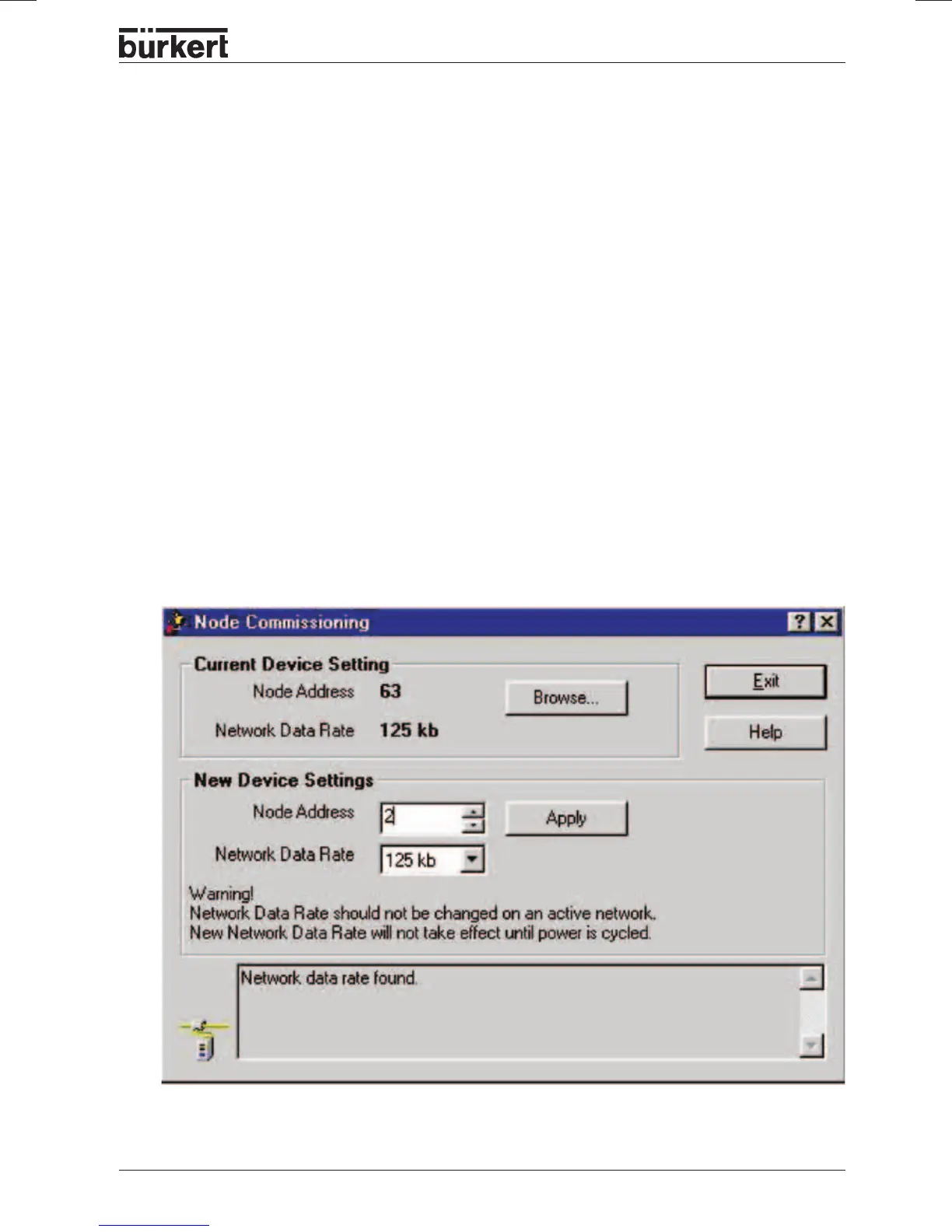
Node Commissioning
belonging to
RSNetworx
.
Therefore, the sequential addition in an existing network of devices with the default address 63 is a
simple matter.
The figure shows how the new address 2 is assigned to a device with the address 63.



 To Next Page