8630 - 57
OPERATION AND CONTROLLER FUNCTIONS
MANUAL
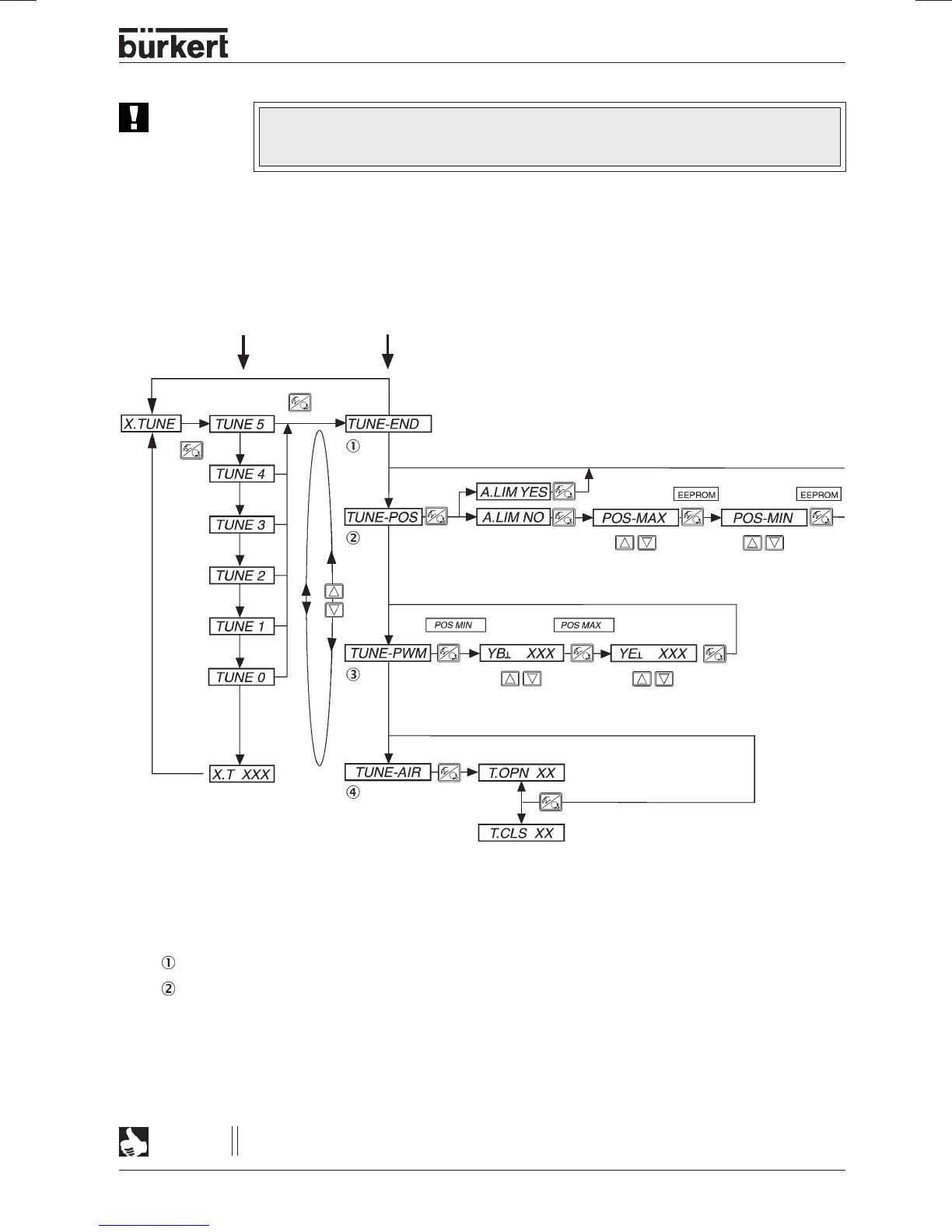
TUNE
- FUNCTIONS
Access to the manual
TUNE
functions is obtained by selection
X.TUNE
in the main menu and briefly
pressing the MANUAL/AUTOMATIC key, or on abortion of countdown, by releasing the MANUAL/
AUTOMATIC key.
The following parameters, which are automatically determined during
X.TUNE,
may be manually
present or adjusted afterwards.
TUNE-END
- Return to main menu
TUNE-POS
-
Present end position
The
AUTOTUNE
function determines the end positions of the control armature from the physically stops.
Certain armatures (e.g. rotating vanes) have no physically stops, so that the end positions must be
manually present using
TUNE-POS
. When executed immediately afterwards,
AUTOTUNE
assumes the
manual end settings and continues with the setting of the positioning system and optimization of the
positioner.
NOTE
If manual presetting of the end positions by means of
TUNE-POS
is necessary, it must be
done
before
execution of
AUTOTUNE
.
ATTENTION!
During execution of the
AUTOTUNE
function, the valve moves on its own away from its
current position. For this reason, never execute
AUTOTUNE
while the process is
running!
release
move to max.
position
move to min.
position
change min. PWM T.V.
for pressurizing valve
change min. PWM T.V. for
venting valve
display of opening time (s)
display of closing time (s)
5 s
(Countdown)
AUTOTUNE
MANUAL TUNE



 To Next Page