a
(]
0
(] (]
,
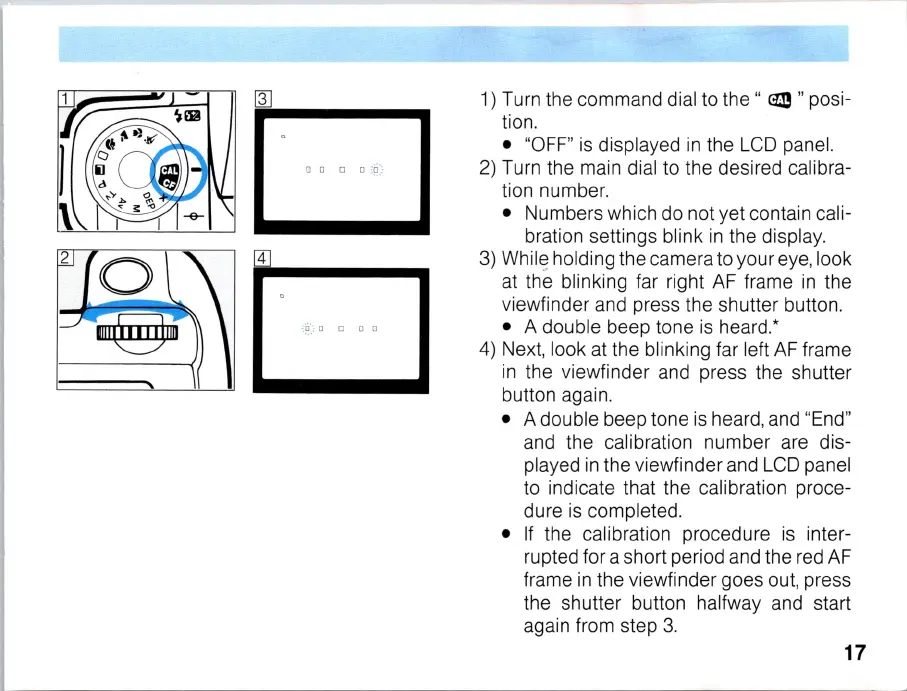
1)
Turn the command dial to
the"
em
" posi-
tion.
• "
OFF
"
is
displayed
in
the
LCD
panel.
2)
Turn the main dial to the desired calibra-
tion number.
• Numbers which do not yet contain cali-
bration settings blink
in
the display.
3)
Whil
~
holding the camera to your eye, look
at the blinking far right
AF
frame
in
the
viewfinder and press the shutter button.
• A double beep tone
is
heard.*
4)
Ne
xt, look
at
the blinki
ng
far left
AF
frame
in
the viewfinder and press the shutter
button again.
• A double beep tone
is
heard, and "E
nd
"
and the calibration number are dis-
played
in
the viewfinder and L
CD
panel
to indicate that the
cal
ibra
ti
on proce-
dure
is
completed.
•
If
the calibration procedure
is
inter-
rupted for a short period and the red
AF
frame
in
the viewfinder goes out, press
the shutter button halfway and start
again from step 3.
17



 To Next Page