18
*
If
an
intermittent beep tone
is
heard and
the calibration number blinks, temporarily
move the command dial to a position other
than
em
,repeat
the cal ibration proce-
dure from step
1.
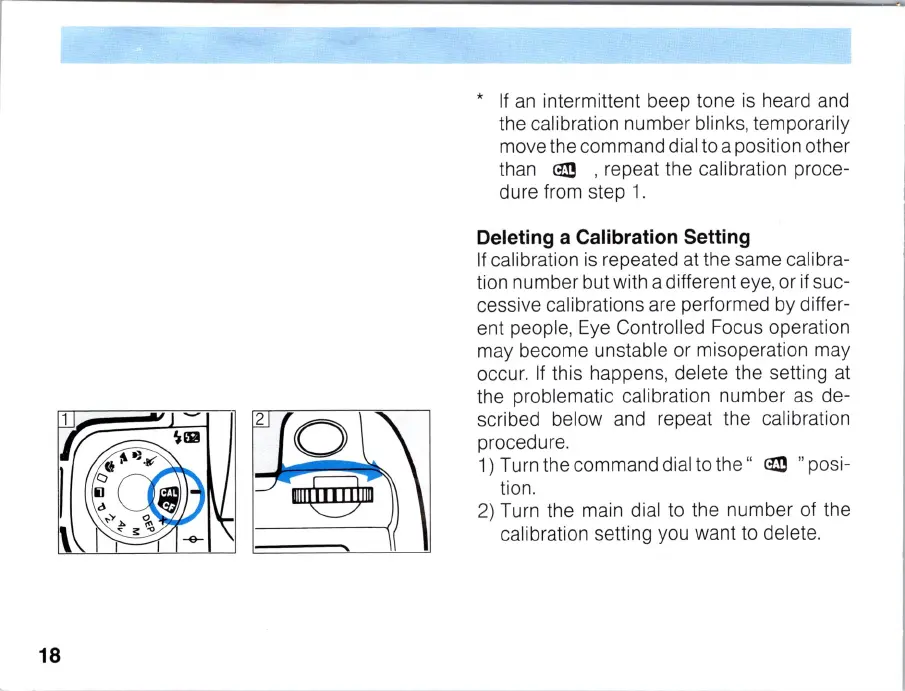
Deleting a Calibration Setting
If
calibration
is
repeated at the same ca
li
bra-
tion number but with a different eye, or
if
suc-
cessive calibrations are performed by differ-
ent people, Eye Controlled Focus operation
may become unstable or misoperation may
occur.
If
this happens, delete the setting at
the problematic calibration number
as
de-
scribed below and repeat the calibration
procedure.
1) Turn the command di
al
to the "
em
" posi-
tion.
2)
Turn the main dial to the number of the
calibration setting you want to delete.



 To Next Page