3. Selecting the Film Winding Mode
Three film winding modes are available:
single exposure mode, continuous exposure
mode and high-speed continuous exposure
mode .
• Refer to page 65 for details concerning
re
-
lationships between
AF
and film winding
modes.
1
\ 0
O
ISO
-A
EB
-
<D>
L~_"
I
)
-'
o (Single exposure)
The film advances one frame after each pic-
ture
is
taken. After taking a picture, let up
on
the shutter button slightly to prepare for the
next exposure. This mode
is
usually com-
bined with One-shot
AF
mode.
~
(Continuous exposure)
Pictures are taken continuously
as
long
as
the shutter button
is
held pressed.
~H
(High-speed continuous exposure)
Pictures are taken continuously at high
speed
as
long
as
the shutter button
is
held
pressed.
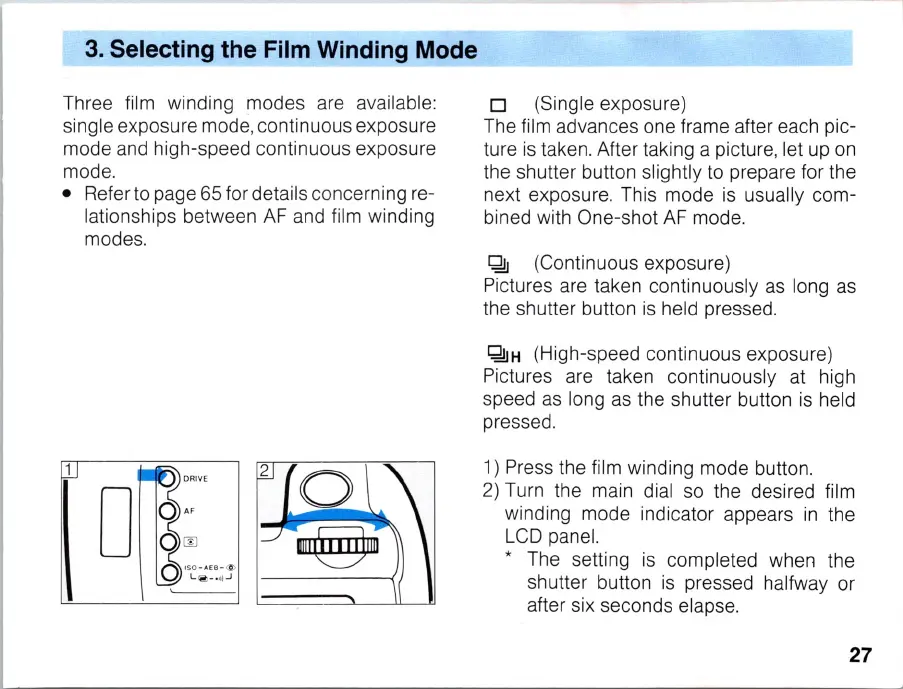
1)
Press the f
il
m winding mode button.
2)
Turn the main dial
so
the desired film
winding mode indicator appears
in
the
LCD
panel.
* The setting
is
completed when the
shutter button
is
pressed halfway or
after six seconds elapse.
27



 To Next Page